Clean up and summarize data
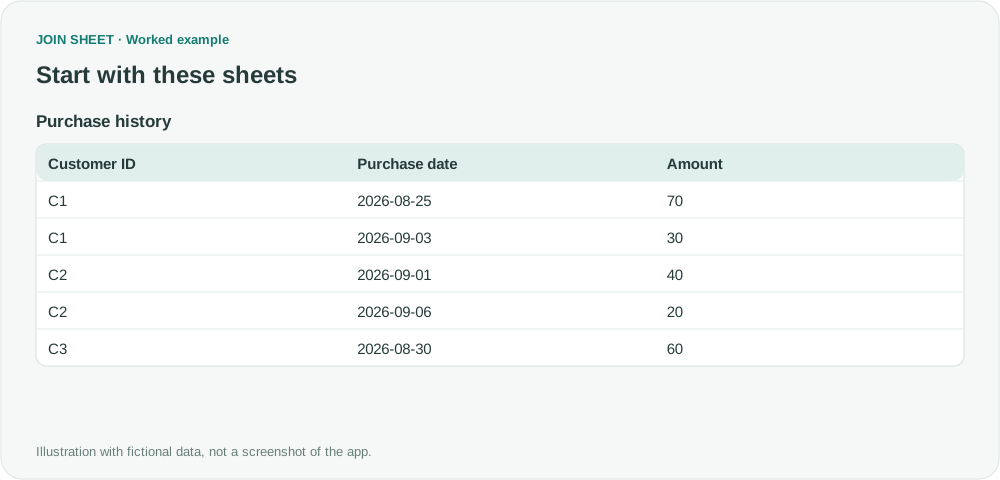
Find the latest purchase date for each customer
Group purchase history by customer and find each customer’s most recent purchase date without sorting every order.
Match customer lists, find missing values, and combine spreadsheets. See how to solve everyday Excel problems with worked examples in JOIN SHEET.
Group purchase history by customer and find each customer’s most recent purchase date without sorting every order.
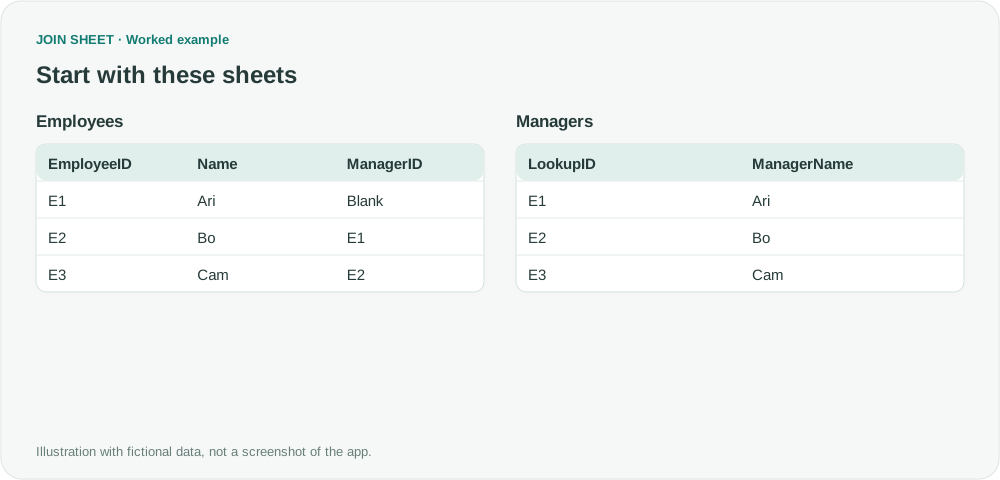
Find each employee’s manager by joining two copies of the staff roster. Keep employees who have no manager listed.
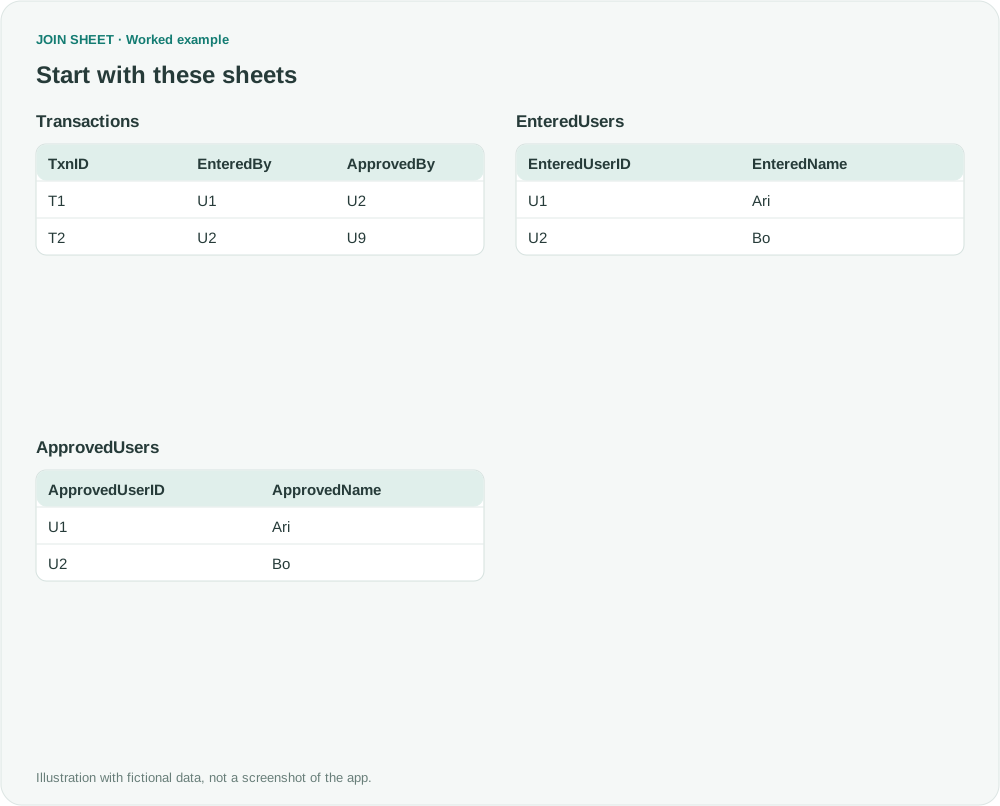
Add submitter and approver names to transactions using two copies of the staff list, while keeping transactions with missing staff entries.
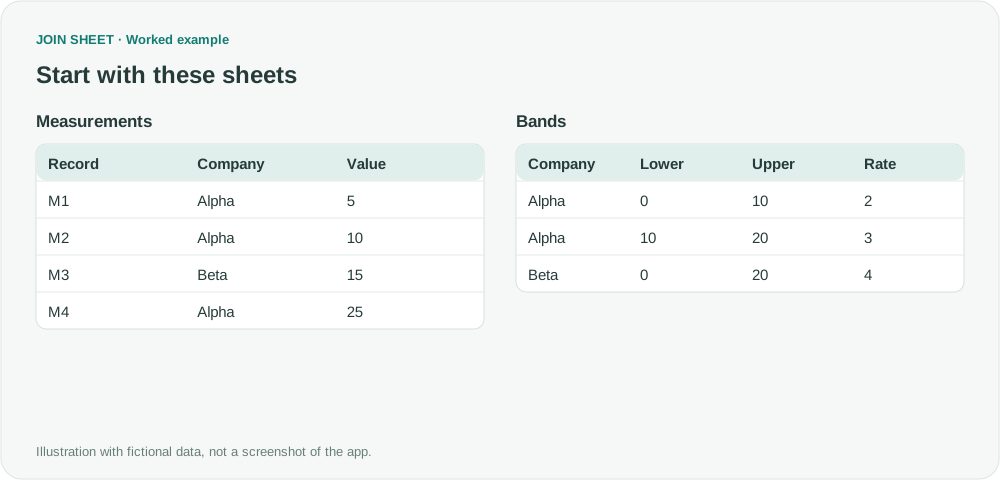
Find the rate for an amount within a company’s price bands. Join by company, then keep the band whose lower and upper limits contain the amount.
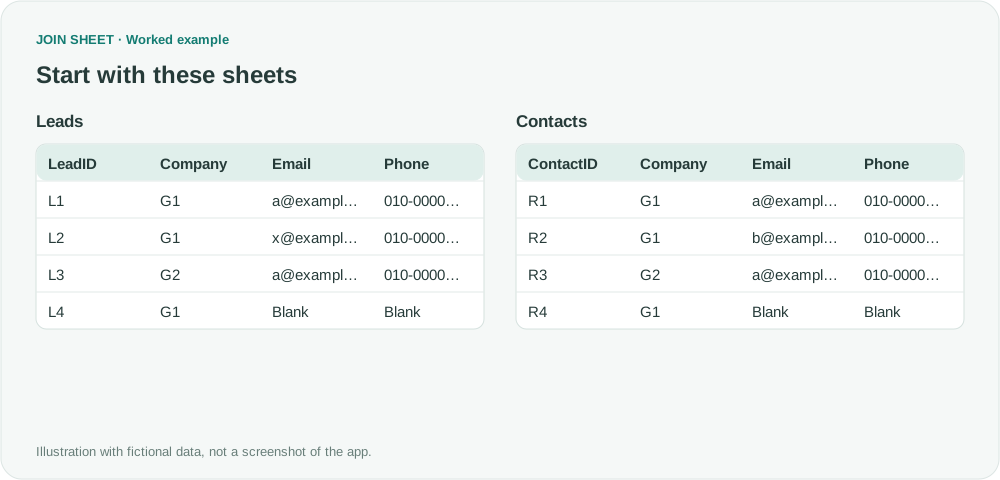
Run company-plus-email and company-plus-phone joins separately, then combine the ID pairs. Exclude blank contact keys and remove repeated pairs.
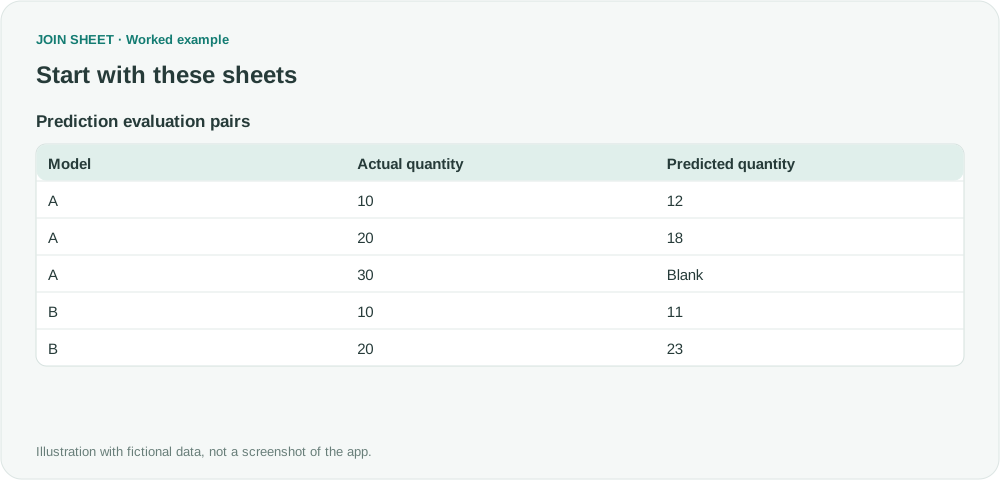
Compare predictions with actual values by averaging squared errors for each model. Count only pairs with both values present.