Look up a manager in the same roster
Find each employee’s manager by joining two copies of the staff roster. Keep employees who have no manager listed.
If managers are listed in the same staff roster as their employees, make a second sheet for looking up names. Join each employee's ManagerID to the ID on that sheet to add their direct manager's name.
Prepare two sheets from the same roster
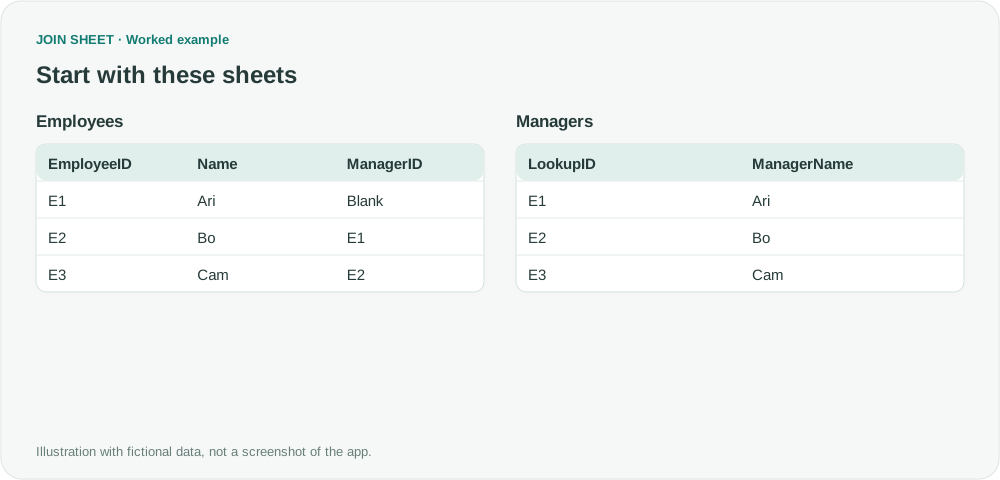
Prepare these two sheets in Excel from one staff roster. For Managers, copy EmployeeID and Name and rename the headers LookupID and ManagerName. JOIN SHEET does not create that copy automatically. In this fictional example, Cam reports to Bo, and Bo reports to Ari.
In these tables, ∅ represents a blank cell; do not enter it as text.
Employees
| EmployeeID | Name | ManagerID |
|---|---|---|
| E1 | Ari | ∅ |
| E2 | Bo | E1 |
| E3 | Cam | E2 |
Managers
| LookupID | ManagerName |
|---|---|
| E1 | Ari |
| E2 | Bo |
| E3 | Cam |
Match ManagerID to the lookup sheet
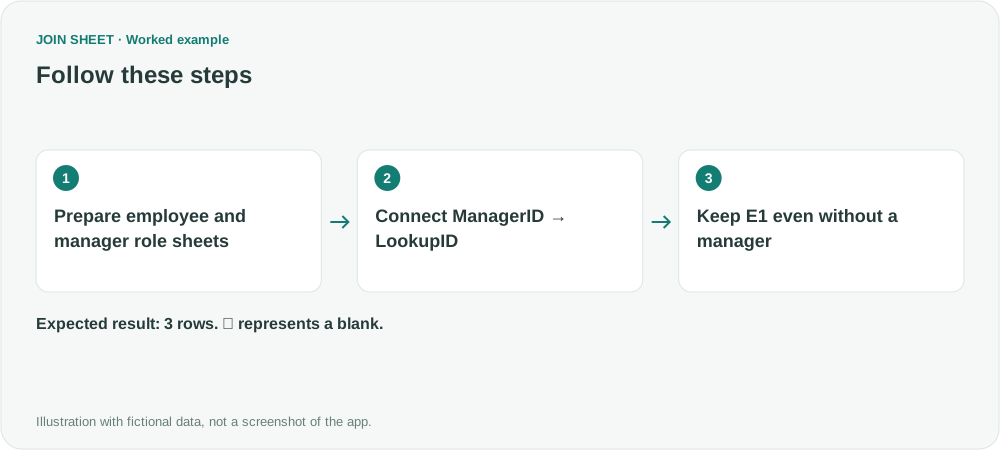
- Prepare Employees and Managers sheets in Excel. Check that LookupID is unique and the lookup copy includes every employee.
- Load both sheets and connect Employees.ManagerID to Managers.LookupID. Joining EmployeeID to LookupID would return each employee's own name.
- Keep all rows from the Employees side. If Employees is on the left, choose All rows from the left sheet.
- Check that E1 remains with blank manager fields, E2 receives Ari and E3 receives Bo, then save the result.
Each employee should have their direct manager
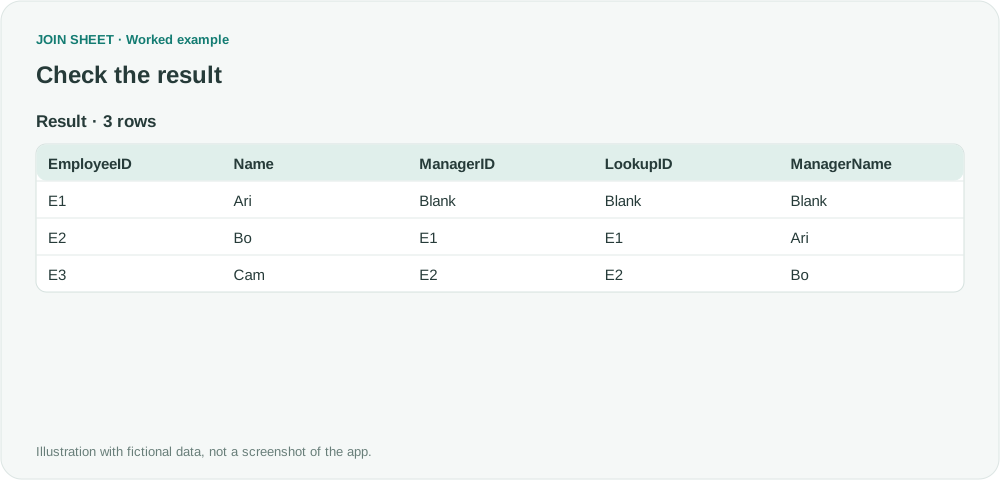
All three employees remain. E1 has no manager fields because its blank ManagerID does not identify a lookup row. Cam receives Bo, not Ari: this retrieves the direct manager only.
| EmployeeID | Name | ManagerID | LookupID | ManagerName |
|---|---|---|---|---|
| E1 | Ari | ∅ | ∅ | ∅ |
| E2 | Bo | E1 | E1 | Ari |
| E3 | Cam | E2 | E2 | Bo |
Check missing or repeated manager matches
If a filled ManagerID returns no name, check for a missing lookup record or mismatched ID. Repeated lookup IDs can return several manager matches, so correct them in the source. This join retrieves direct managers only; it does not trace reporting chains, count hierarchy levels or detect reporting cycles.
Try it with your own files
Start with JOIN SHEET ↗Use a desktop computer for Excel and CSV work.
Opens in a new tab without replacing your current work.
Example last verified:
Sources
Lookup Manager's name from same table (Microsoft Fabric Community)
The question asks how to retrieve a manager's name when employees and managers are rows in the same table. The tables and workflow are a separately created fictional example inspired by this question, not the author's data or a product testimonial.