How to handle zero and blank values when calculating percentage change
Use the previous value as the percentage-change baseline. Distinguish a zero baseline, a missing current value and an actual drop to zero.
Percentage change is (current − previous) ÷ previous × 100. When the previous value is zero, that calculation is undefined. JOIN SHEET shows a blank for division by zero or a missing input; it does not equate either case with 0% change.
A blank and a recorded zero mean different things
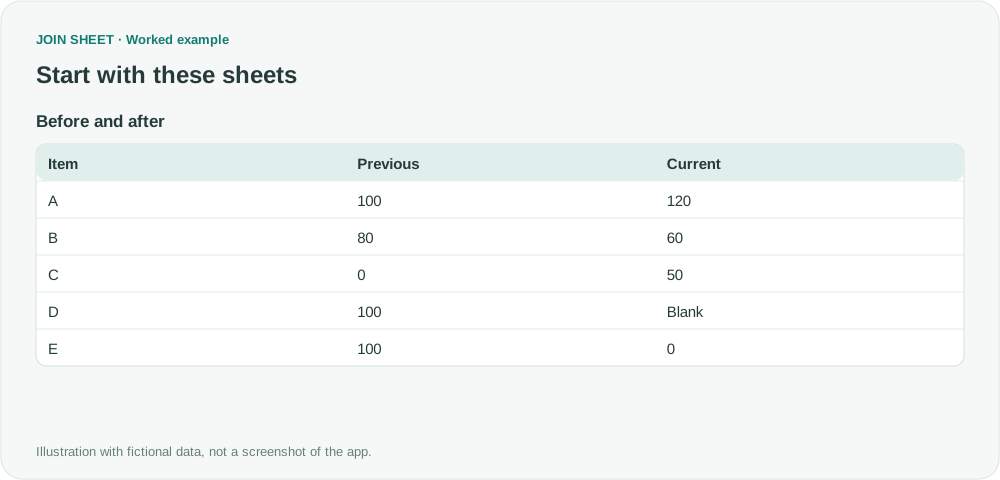
The fictional table contains previous and current values for the same items. If those values are in separate files, join by a stable item ID first. Matching row positions is not enough to ensure you are comparing the same item.
| Item | Previous | Current |
|---|---|---|
| A | 100 | 120 |
| B | 80 | 60 |
| C | 0 | 50 |
| D | 100 | Blank |
| E | 100 | 0 |
Set Current as A and Previous as B
- Load and select the sheet. Check that Previous and Current use numeric types.
- Open Refine results and add Calculate.
- Choose Change (%) · (A − B) ÷ B × 100.
- Set First value (A) to Current and Second value (B) to Previous. Name the output Change (%) and select Apply.
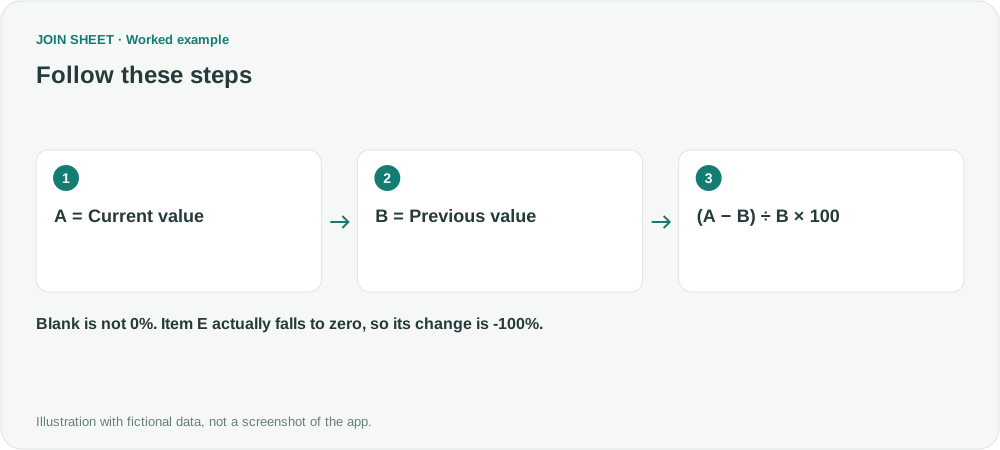
Reversing A and B changes the baseline, not just the sign. Moving from 100 to 120 is a 20% increase; moving from 120 to 100 is about a 16.67% decrease.
Expected results
| Item | Change (%) | Interpretation |
|---|---|---|
| A | 20 | Increase from 100 to 120 |
| B | -25 | Decrease from 80 to 60 |
| C | Blank | Previous value is zero |
| D | Blank | Current value is missing |
| E | -100 | Actual decrease from 100 to zero |
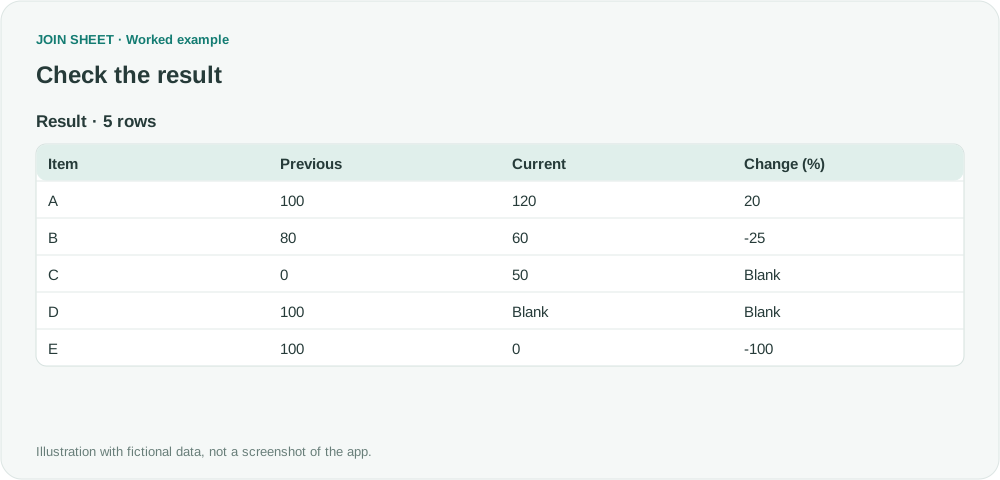
The output 20 is a number meaning 20%, already multiplied by 100. Applying Excel's percentage format directly to that number can display 2000%. Keep the unit in the output name and check formatting after saving.
How can I review the blank results?
Reopen Refine results, add Filter below the calculation, select Change (%) with Is empty, and Apply. Inspect the previous and current values of those records. A blank calculation is not a statement that there was no change.
For an absolute change, add a separate subtraction of Current minus Previous. Item C can have an absolute increase of 50 even though its percentage change is undefined. Negative baselines or return calculations require an agreed reporting convention before interpreting the percentage.
Spend less time on repetitive work
Connect and compare sheets to get the results you need.
This walkthrough uses the Pro plan.
Start with JOIN SHEET ↗Use a desktop computer for Excel and CSV work. Opens in a new tab without replacing your current work.
Example last verified:
Sources
Discussion about blank cells producing -100% or division-by-zero errors — Reddit r/excel
The values and scenarios are newly constructed examples, not the question author's records or reported JOIN SHEET results.