How to calculate a weighted average price when quantities differ
Multiply quantity by unit price, sum by product and divide total cost by total quantity. Check why a simple price average can give the wrong answer.
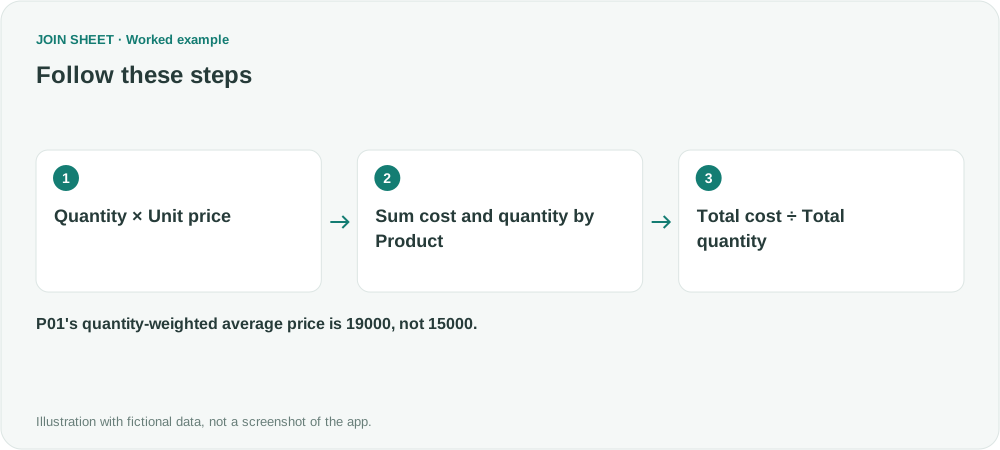
A quantity-weighted average unit price is total purchase cost ÷ total quantity. Buying one unit at 10000 and nine at 20000 gives an average of 19000, not 15000. In JOIN SHEET, use Calculate → Summarize → Calculate to build that result without entering a custom formula.
Why averaging the two prices is different
A simple average gives each transaction price the same weight. That is unsuitable when the question is “How much did we spend per unit?” and transaction quantities differ.
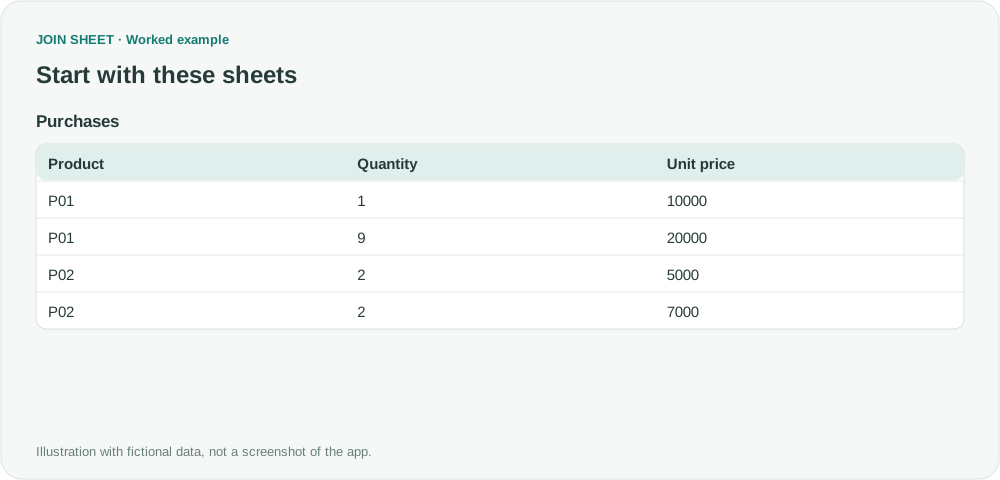
These fictional purchases use a consistent amount unit and are calculated separately for each product.
| Product | Quantity | Unit price |
|---|---|---|
| P01 | 1 | 10000 |
| P01 | 9 | 20000 |
| P02 | 2 | 5000 |
| P02 | 2 | 7000 |
Multiply, summarize, then divide
- Load and select the sheet. In Refine results, add Calculate. Choose Multiply · A × B, set A to Quantity and B to Unit price, and name the field Purchase cost.
- Add Summarize below it, grouping by Product. Sum Purchase cost into Total cost.
- In that same summary, use Add summary to sum Quantity into Total quantity.
- Add Calculate after the summary. Choose Divide · A ÷ B, with Total cost as A and Total quantity as B. Name it Average unit price.
- Check the step order and choose Apply.
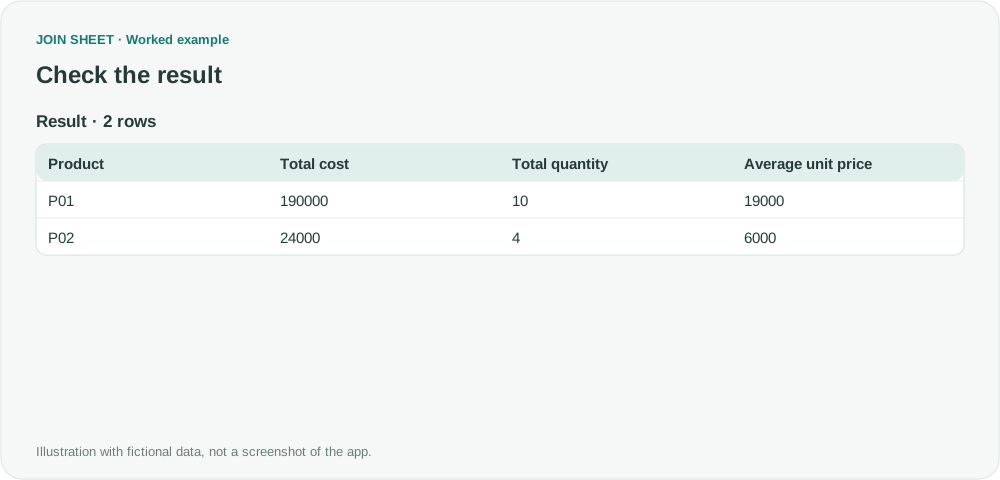
Expected weighted averages
| Product | Total cost | Total quantity | Average unit price |
|---|---|---|---|
| P01 | 190000 | 10 | 19000 |
| P02 | 24000 | 4 | 6000 |
P02's equal purchase quantities make its simple and weighted averages equal. P01's unequal quantities do not. Retaining both totals makes the calculation easier to verify.
Why can missing prices make the average too low?
With a missing unit price, Purchase cost is blank, but Quantity may still contribute to Total quantity. The numerator and denominator then describe different sets of purchases. Inspect blanks and invalid numbers before summarizing, and explicitly decide which records to include.
Use Divide, not Ratio (%), which multiplies by 100. Returns entered as negative quantities can reduce total quantity to zero; division by zero produces a blank, not a zero-priced purchase. This example does not allocate tax or shipping costs.
Spend less time on repetitive work
Connect and compare sheets to get the results you need.
This walkthrough uses the Pro plan.
Start with JOIN SHEET ↗Use a desktop computer for Excel and CSV work. Opens in a new tab without replacing your current work.
Example last verified:
Sources
Discussion about calculating a weighted average with complex helper columns — Reddit r/excel
The product purchases and calculation steps are independent examples. No source formulas or actual purchase records are reproduced.