How to filter categories by their total, not individual amounts
Summarize amounts before applying a total threshold. Keep accounts totaling at least 100000 even when every individual transaction is smaller.
To find categories whose total meets a threshold, summarize first and filter the new total afterward. Filtering individual amounts before summarizing answers a different question and can remove records needed for the total. JOIN SHEET runs result-refinement steps from top to bottom.
Two smaller transactions can exceed the threshold together
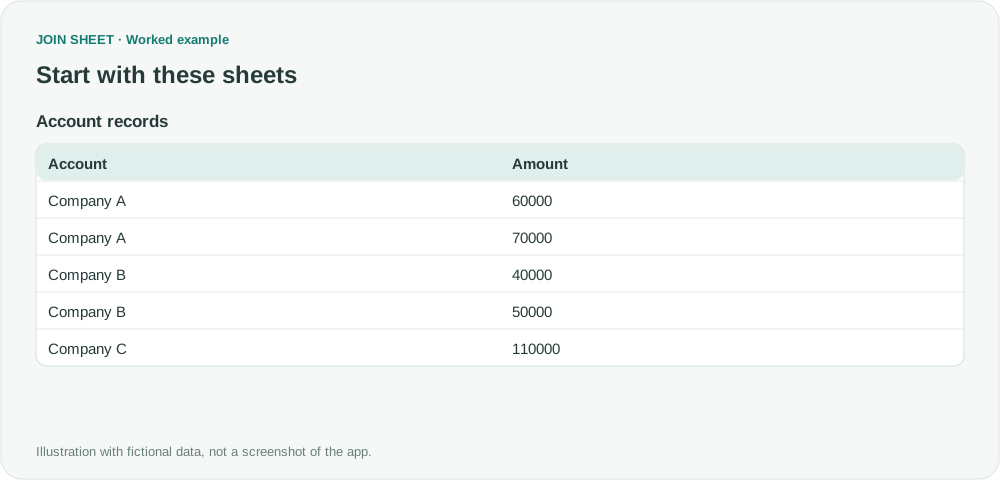
In this fictional list, Company A has amounts of 60000 and 70000. Neither transaction reaches 100000, but together they total 130000. Company B totals 90000, while Company C has one transaction of 110000.
| Account | Amount |
|---|---|
| Company A | 60000 |
| Company A | 70000 |
| Company B | 40000 |
| Company B | 50000 |
| Company C | 110000 |
Filtering Amount for values of at least 100000 first would keep only Company C. That would incorrectly exclude Company A from a report about account totals.
Put the total filter after the summary
- Load and select the sheet, open Refine results, and add Summarize with Account under Group by.
- Choose Sum of Amount and name the output Account total.
- Below the summary, add Filter. Select Account total, Greater than or equal to, and 100000.
- For the order shown here, add Sort on Account total with Descending, then choose Apply.
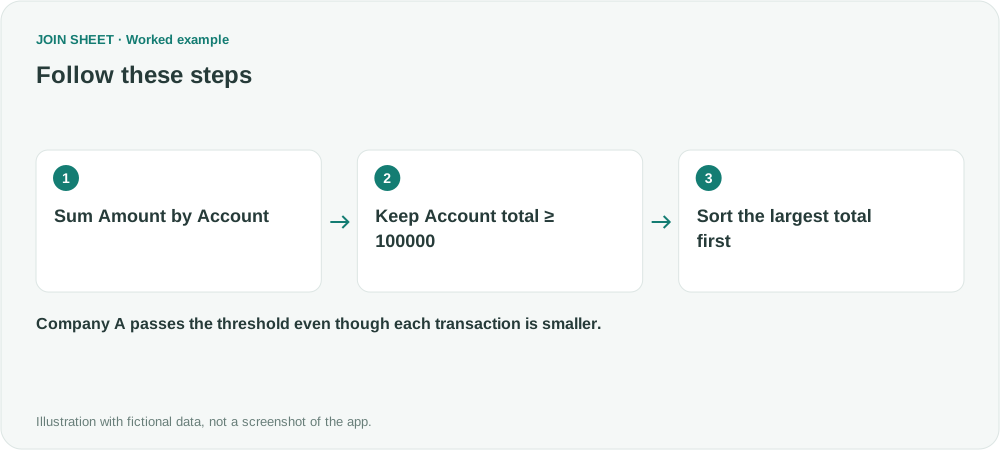
Select the new Account total field in the filter. The original Amount field is no longer available after summarizing; only grouping fields and summary outputs remain.
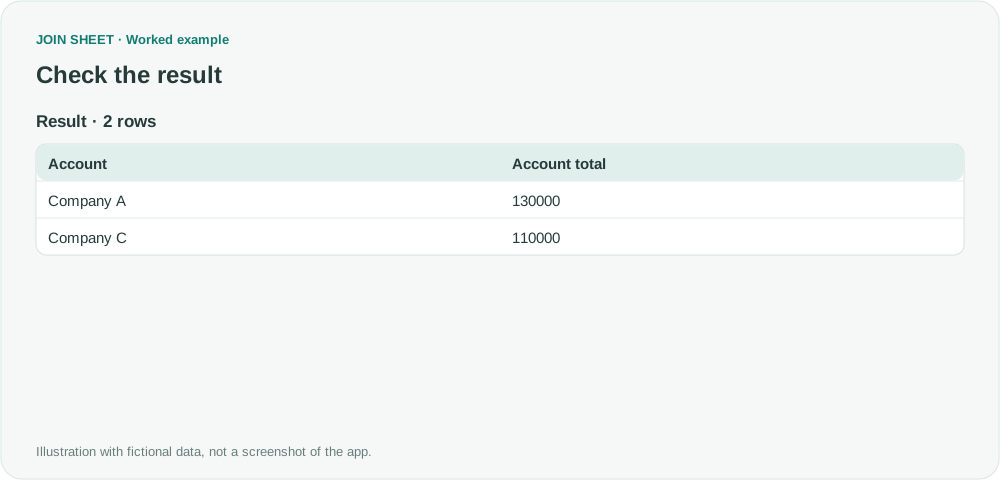
Expected result: Company A and Company C
| Account | Account total |
|---|---|
| Company A | 130000 |
| Company C | 110000 |
The result has two rows totaling 240000. The original total was 330000; the difference is Company B's excluded 90000, not a lost transaction.
When should a filter come before the summary?
When it selects which original records to include. For “completed transactions totaling at least 100000,” use status filter → account summary → total filter. The first filter defines the input; the last filter selects completed groups.
Check numeric types and any existing sheet filters too. Refinements affect the full result and subsequently saved Excel files, not only the preview rows.
Spend less time on repetitive work
Connect and compare sheets to get the results you need.
This walkthrough uses the Pro plan.
Start with JOIN SHEET ↗Use a desktop computer for Excel and CSV work. Opens in a new tab without replacing your current work.
Example last verified:
Sources
Excel pivot table does not filter — Stack Overflow
The aggregation-and-filtering issue informed this example. The account names, amounts and explanation are newly constructed rather than copied from the source.