How to match dates when one Excel column also contains a time
Join a timestamp to a daily schedule by selecting Date on both sides. Check when ignoring the time is valid and when it creates ambiguous matches.
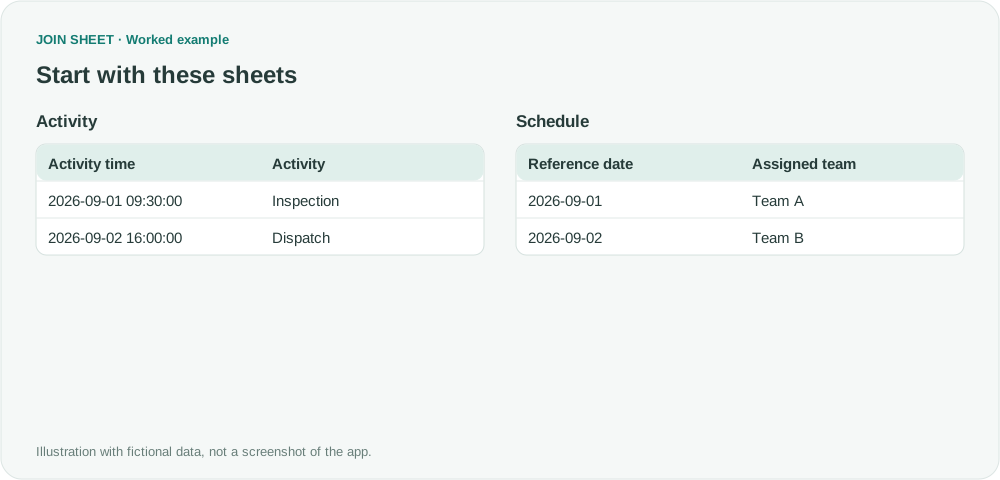
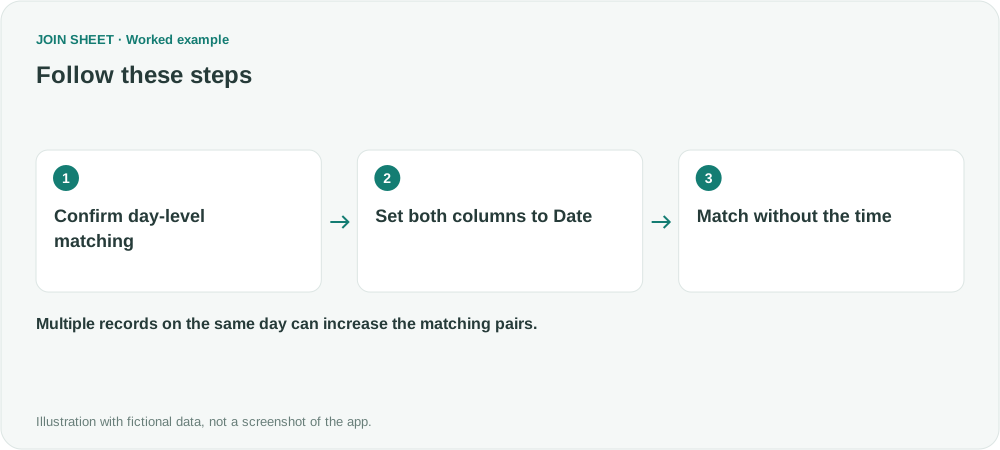
For a day-level match, set both columns to Date before connecting them. A timestamp such as 2026-09-01 09:30:00 and a date such as 2026-09-01 are different values if the time is retained. Ignore the time only when the business task depends on the day, not the exact moment.
Match an activity to the team assigned for that day
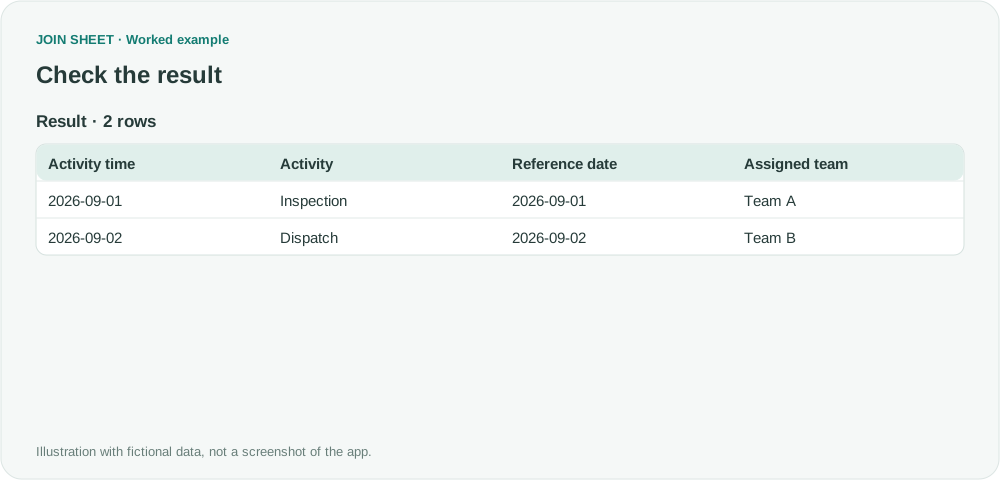
In this fictional example, an inspection takes place on September 1 at 09:30 and a dispatch on September 2 at 16:00. The schedule assigns Team A to September 1 and Team B to September 2. There is only one team assignment per day.
Both inputs use unambiguous year-month-day values. Date-looking text, actual dates and timestamps are not interchangeable in every source file. Check the imported values and intended comparison unit first.
Interpret both columns as dates
- Load the Activity and Schedule sheets and inspect the dates in Source data preview.
- Click the type badge for Activity time and choose Date.
- Set Reference date to Date as well.
- Connect Activity time to Reference date and choose Matching rows only.
- In Result preview, check that Inspection receives Team A and Dispatch receives Team B.
Expected result
| Activity time interpreted as Date | Activity | Reference date | Assigned team |
|---|---|---|---|
| 2026-09-01 | Inspection | 2026-09-01 | Team A |
| 2026-09-02 | Dispatch | 2026-09-02 | Team B |
There are two rows. Selecting Date also removes the time from that column in the result. It does not edit the original Excel file.
What if several shifts occur on the same day?
The date alone is then insufficient. Use Date & time for exact timestamp matching or add a distinguishing key, such as Shift. Multiple records on the same day can otherwise multiply the matching pairs.
This method does not find the nearest event within a time tolerance. Normalize incompatible time zones and ambiguous text such as 01/02 before relying on a date match. Values that cannot be interpreted as dates need source cleanup and another check.
Spend less time on repetitive work
Connect and compare sheets to get the results you need.
This walkthrough uses the Pro plan.
Start with JOIN SHEET ↗Use a desktop computer for Excel and CSV work. Opens in a new tab without replacing your current work.
Example last verified:
Sources
How to remove time from date and time format in Excel — Microsoft Q&A
V lookup to marry two pairs of data — Reddit r/excel
This independently written activity-and-schedule example explains the date-versus-time distinction; it is not the original authors' data or reported product experience.