Why do 00123 and 123 fail to match in Excel data?
Distinguish text codes from number formatting before joining data. Keep meaningful leading zeros and understand why changing the type cannot restore lost digits.
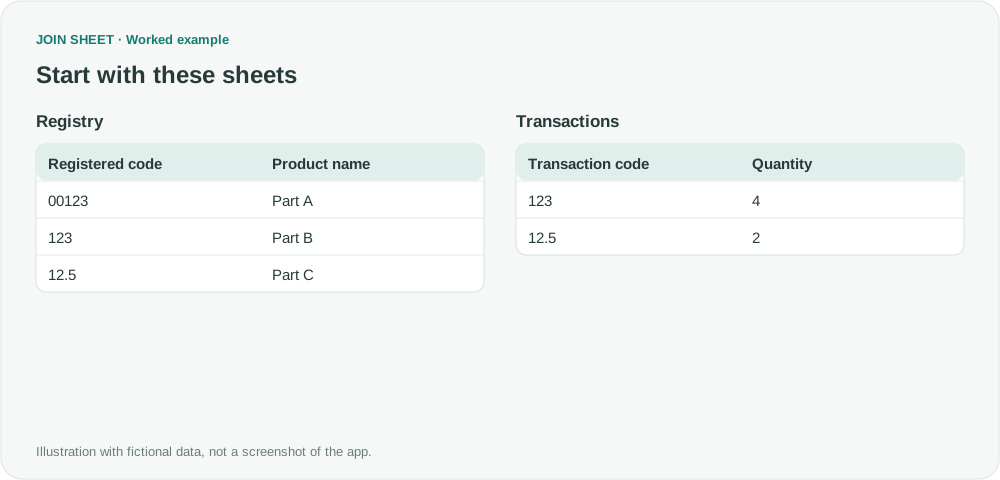
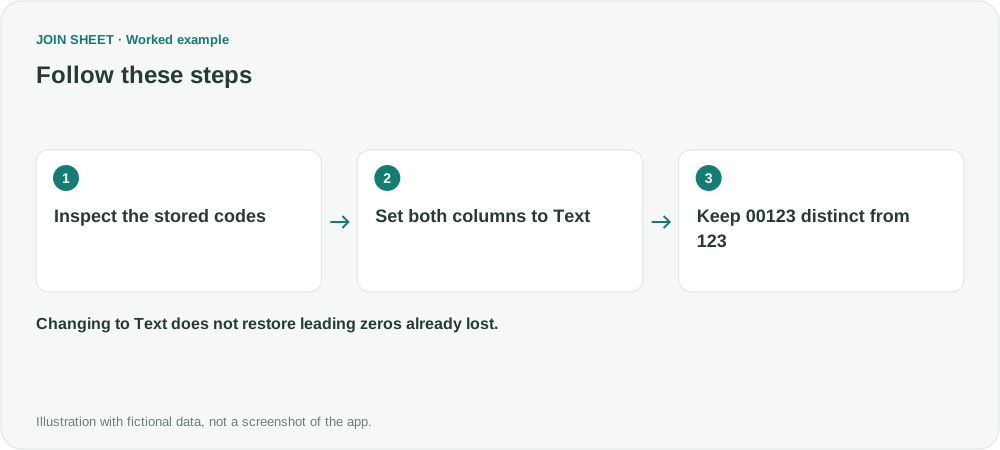
The code 00123 is different from 123 when the leading zeros are part of its stored text. Set both code columns to Text in JOIN SHEET if those zeros distinguish products. Changing a column to Text cannot restore zeros or digits already lost in the source.
A displayed zero may not be stored data
Excel can display the number 123 as 00123 through number formatting. That is not the same as storing the text value “00123.” Inspect the imported values rather than relying only on how the source cells look.
In this fictional registry, 00123 is Part A and 123 is Part B. The transaction sheet contains the number 123. Removing zeros to force a match could assign Part B's transaction to Part A.
Align types without changing the code's meaning
- Load Registry and Transactions. Decide whether each code is an identifier or a number intended for arithmetic.
- Click the type badge for Registered code and select Text.
- Set Transaction code to Text as well. Numeric 123 is interpreted as the text “123.”
- Connect the code columns and select All rows from Sheet 1, plus matches from Sheet 2, with Registry first.
- Check unmatched codes in Result preview, rather than hiding them with a matching-only join.
An unmatched code can be the correct result
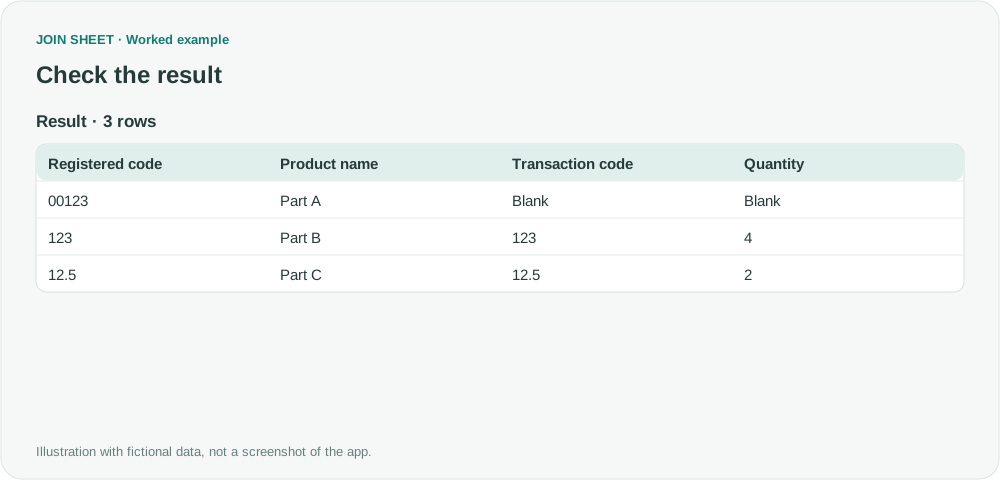
| Registered code | Product name | Transaction code | Quantity |
|---|---|---|---|
| 00123 | Part A | — | — |
| 123 | Part B | 123 | 4 |
| 12.5 | Part C | 12.5 | 2 |
The result retains three registry rows. Part A has no matching transaction because “00123” and “123” are different text values.
Can JOIN SHEET add the missing leading zeros?
Not by selecting Text. If every identifier must be five digits and 123 definitely means 00123, standardize the source using that rule before reimporting. Do not infer a padding rule where variable-length codes are valid.
The same limitation applies to long identifiers that were rounded or truncated before import. Preserve identifiers as text in the exporting system whenever possible. Check representative zero-prefixed codes and hidden spaces before trusting the join.
Spend less time on repetitive work
Connect and compare sheets to get the results you need.
This walkthrough uses the Pro plan.
Start with JOIN SHEET ↗Use a desktop computer for Excel and CSV work. Opens in a new tab without replacing your current work.
Example last verified:
Sources
XLookup to lookup data from 2 sheets with leading zeros — Reddit r/excel
These discussions informed the type-and-format problem. Part names and codes are fictional, not community members' business data.