How to join Excel tables without losing unmatched records
Keep every product from sales and inventory with a full outer join. See why unmatched fields stay blank and why the two code columns remain separate.
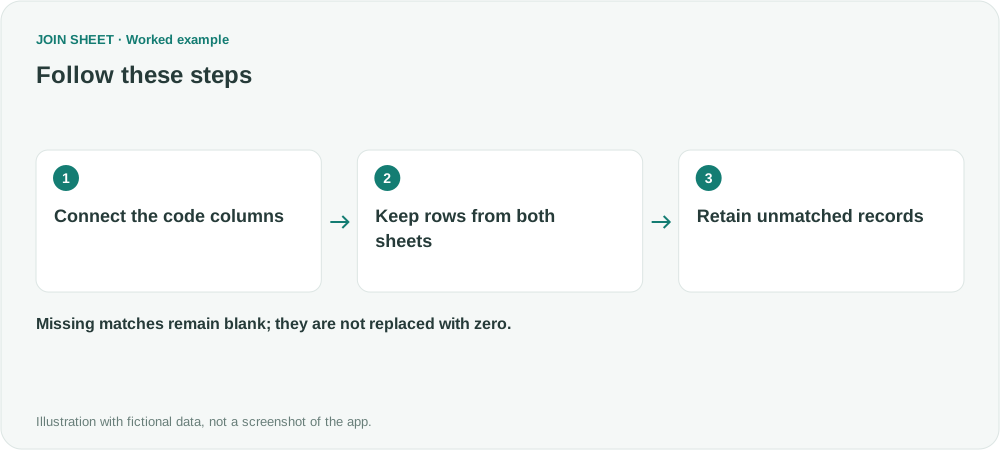
Choose All rows from both sheets when you want matching products side by side without dropping products found in only one Excel table. This is a full outer join. Fields from a missing match stay blank; JOIN SHEET does not automatically replace them with zero.
See sales and stock in one result
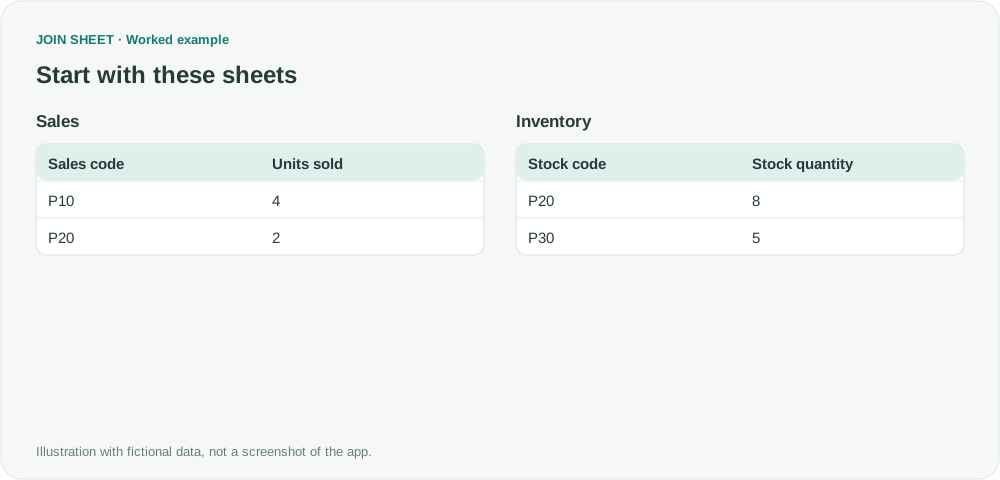
In this fictional example, Sales records four units of P10 and two of P20. Inventory records eight units of P20 and five of P30. A matching-only join would retain P20 but lose the sales-only P10 and inventory-only P30.
To check only whether codes occur in each list, use Compare values. Here you need the quantities beside each code, so connect the tables by their code columns. Appending them vertically would answer a different question.
Keep both lists
- Use Add files to load Sales and Inventory. Confirm which is the first sheet.
- Drag Sales code to Stock code using their side connection points.
- In Choose how to connect, select All rows from both sheets.
- Check Sales code, Units sold, Stock code and Stock quantity in Result preview.
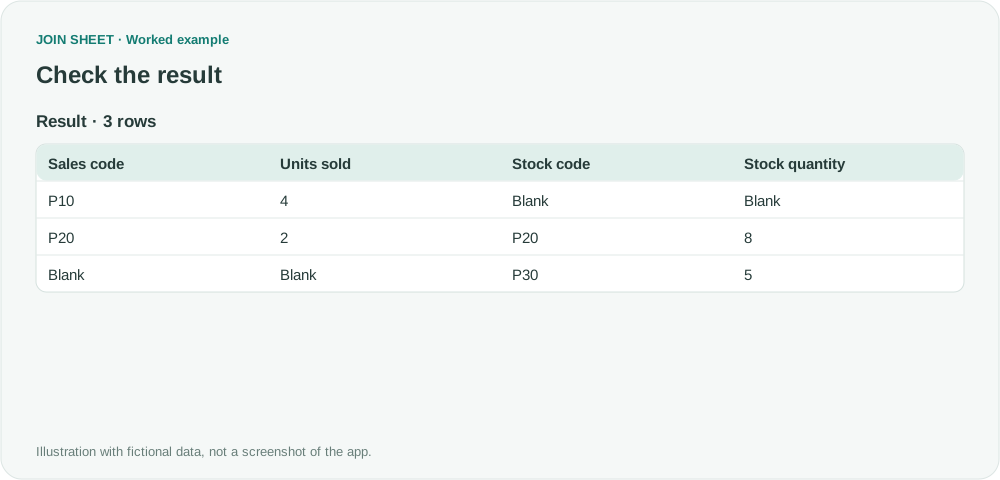
Expected result: three products, with blanks where no match exists
| Sales code | Units sold | Stock code | Stock quantity |
|---|---|---|---|
| P10 | 4 | — | — |
| P20 | 2 | P20 | 8 |
| — | — | P30 | 5 |
The dash represents a blank. P10's blank stock quantity means no matching P10 record exists in Inventory. It does not establish that stock is zero. Check the source before giving a blank that meaning.
Why are there still two code columns?
A join preserves the original columns rather than merging their values into one shared code field. P30 appears in Stock code, not Sales code. Checking only Sales code would overlook it.
JOIN SHEET does not automatically combine those two code columns into one. This matters when chaining monthly files: a code present only on a later sheet is not automatically filled into the earlier sheet's key column.
Repeated codes on both sides can also multiply matches. Check key uniqueness separately from whether unmatched rows have been preserved.
Spend less time on repetitive work
Connect and compare sheets to get the results you need.
This walkthrough uses the Pro plan.
Start with JOIN SHEET ↗Use a desktop computer for Excel and CSV work. Opens in a new tab without replacing your current work.
Example last verified:
Sources
Join two spreadsheets on a common column in Excel or OpenOffice — Stack Overflow
Joining two data sets together to create a combined table — Reddit r/excel
This is an independent sales-and-inventory example, not a reproduction of the authors' data or a claim to support every transformation discussed in those threads.