How to combine transaction files and sort them by date
Append transaction sheets, then sort the combined result by date and transaction number. Preserve all records and check the total before saving.
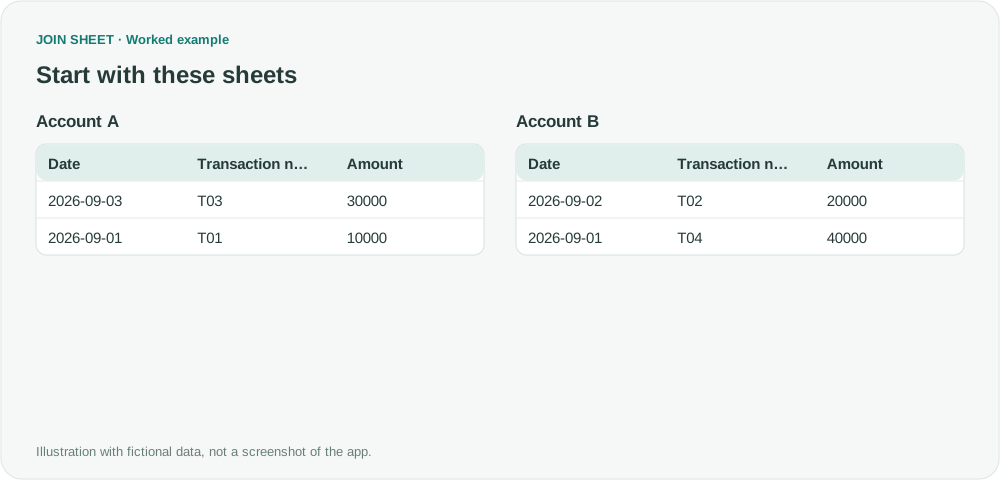
Append the transaction sheets first, then sort the combined result. Even if each source file is already chronological, placing one file below another does not produce a single chronological list. Add Date and Transaction number to the same Sort step in JOIN SHEET.
File order is not transaction order
The fictional records below include two transactions on September 1. Date will be the primary sort field; Transaction number will break the tie.
| Source sheet | Date | Transaction number | Amount |
|---|---|---|---|
| Account A | 2026-09-03 | T03 | 30000 |
| Account A | 2026-09-01 | T01 | 10000 |
| Account B | 2026-09-02 | T02 | 20000 |
| Account B | 2026-09-01 | T04 | 40000 |
Source sheet is included here to explain where the rows come from. If you need that information in the result, add an Account column to each source before importing. File names do not automatically become a source column.
Append, then set two sort fields
- Load both sheets with the same column names and count. Ensure Date is interpreted as Date.
- Connect Account A's bottom + point to Account B's top + point and choose Keep all rows (including duplicates).
- Select the top sheet, open Refine results and add Sort. Select Date with Ascending order.
- In that same step, select Add sort field, choose Transaction number and Ascending, then Apply.
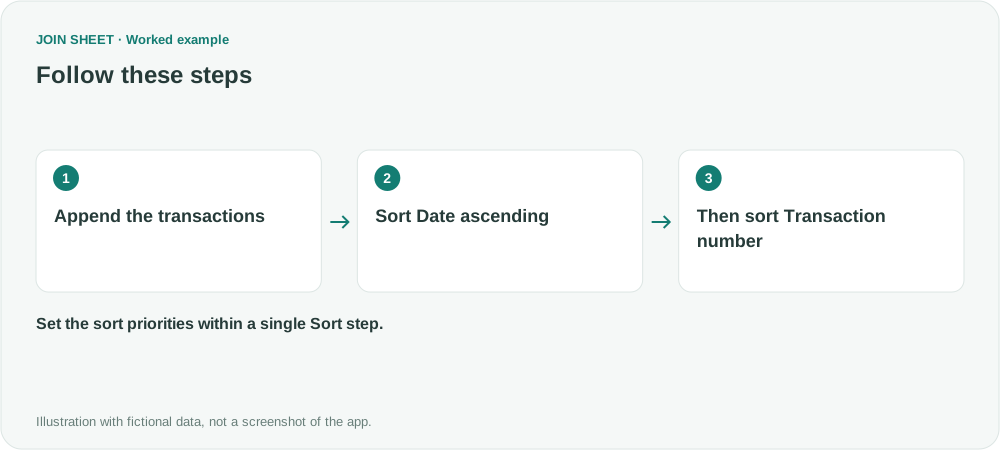
Using one sort step defines the priorities explicitly: compare dates first, then transaction numbers when the dates match.
Verify the order and total
The transaction numbers should appear as T01 → T04 → T02 → T03. There are four rows, and their amounts still total 100000. Sorting should not change either measure.
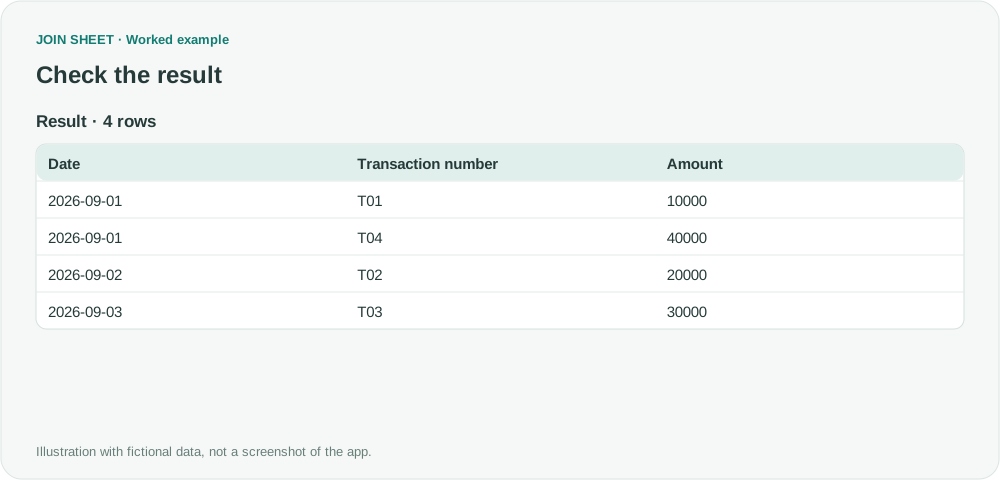
If you add a summary afterward, the rows change and the previous order may no longer hold. Put sorting last when final report order matters. The refinement applies to the full result and subsequent Excel saves, not just the visible preview.
Does this calculate a combined bank balance?
No. It combines transaction records, not balances or running totals. Transfers may appear in both accounts and need separate treatment before expense aggregation. This is also not an automatically monitored folder: import updated files when you run the task again.
Spend less time on repetitive work
Connect and compare sheets to get the results you need.
This walkthrough uses the Pro plan.
Start with JOIN SHEET ↗Use a desktop computer for Excel and CSV work. Opens in a new tab without replacing your current work.
Example last verified:
Sources
Discussion about combining transaction ledgers and sorting them by date — Reddit r/excel
The amounts and workflow are independent examples; no original account details are used.