How to combine Excel sheets when the columns are in a different order
Append monthly sales by matching column names rather than positions. Check the four-row result, sales total and limits when headers are missing or different.
If two sheets have the same column names and number of columns, JOIN SHEET can append their rows by column name even when the order differs. Connect the sheets using their top and bottom + points rather than rearranging every column before copying the data.
Why pasting by position can put amounts in the wrong column
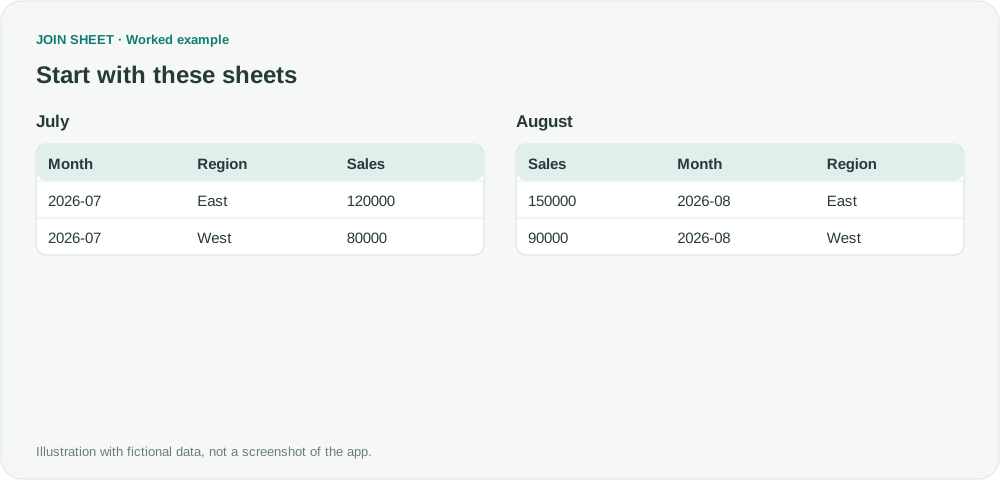
Suppose July uses Month → Region → Sales, but August uses Sales → Month → Region. Pasting the second sheet directly below the first can place sales amounts under Month. Appending by name keeps each value with its intended field.
These small tables use fictional amounts in one consistent unit.
| July: Month | Region | Sales |
|---|---|---|
| 2026-07 | East | 120000 |
| 2026-07 | West | 80000 |
| August: Sales | Month | Region |
|---|---|---|
| 150000 | 2026-08 | East |
| 90000 | 2026-08 | West |
Append the sheets without moving columns
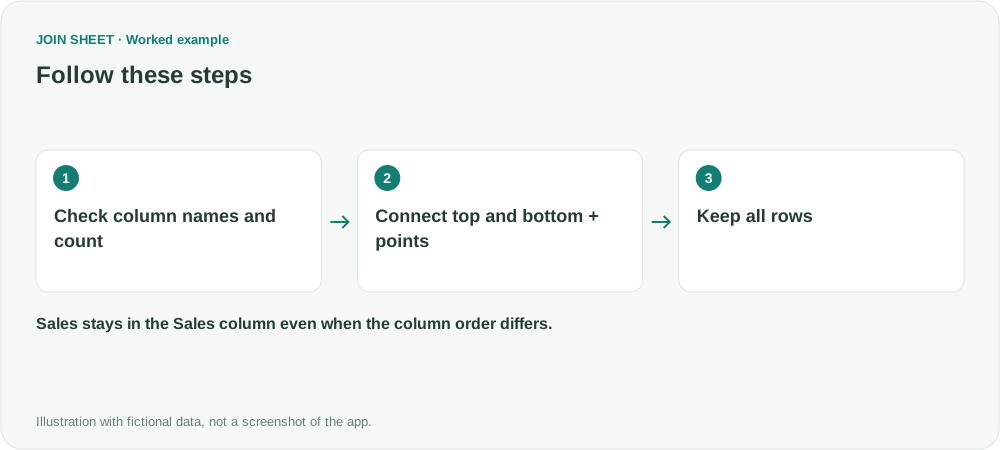
- Choose Add files and load both sheets. Check that the headers are Month, Region and Sales on each.
- Drag the bottom + point on July to the top + point on August. Do not use the side column points for an append.
- Select Keep all rows (including duplicates) on the line menu.
- Select the top sheet as the result source and inspect Result preview.
Check both the row count and the values
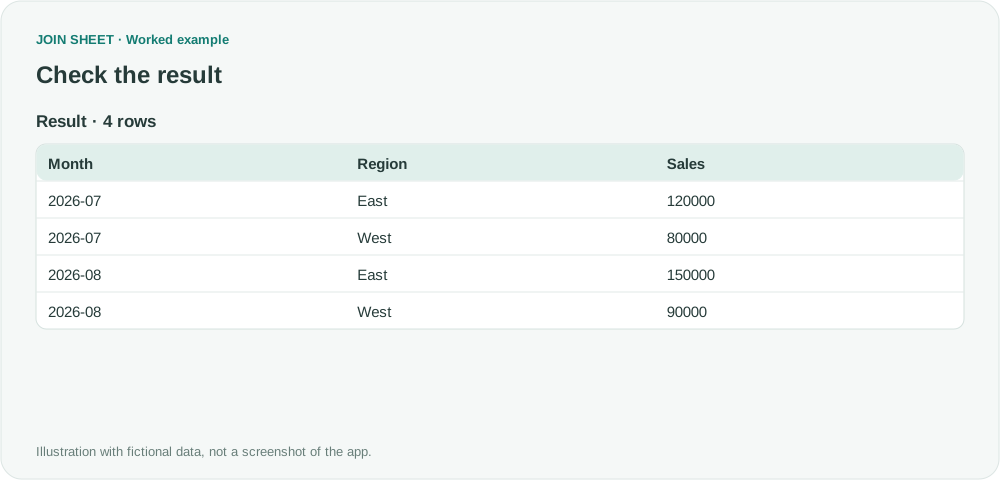
The result contains four rows and sales totaling 440000. August's East amount, 150000, must appear under Sales. A correct row count alone would not reveal values pasted into the wrong columns.
The Month column must already exist in the source. JOIN SHEET does not create it from a file or sheet name. Append order also does not guarantee final row order. For a stable report order, open Refine results, add Month and Region to one Sort step, then select Apply.
Can I append sheets with missing or differently named columns?
Not with this workflow. Sales and Sales amount are different headers. Match names, column counts and unintended spaces in the source before importing; the app does not infer equivalent names or automatically add missing columns.
Power Query also supports appending by column name. If you already maintain a suitable query, you can keep it. JOIN SHEET provides a visual option for manually selected files.
Will this create January, February and March columns?
No. An append adds records vertically; it does not pivot months into separate columns. You can summarize by Month to get one row per month when that field exists in the source, but that is different from a product-by-month matrix.
Spend less time on repetitive work
Connect and compare sheets to get the results you need.
This walkthrough uses the Pro plan.
Start with JOIN SHEET ↗Use a desktop computer for Excel and CSV work. Opens in a new tab without replacing your current work.
Example last verified:
Sources
Unable to append data to existing data — Stack Overflow
The question informed the column-alignment problem. The example data and steps are independently written, not the original code or a customer endorsement.