How to filter categories by their total, not individual amounts
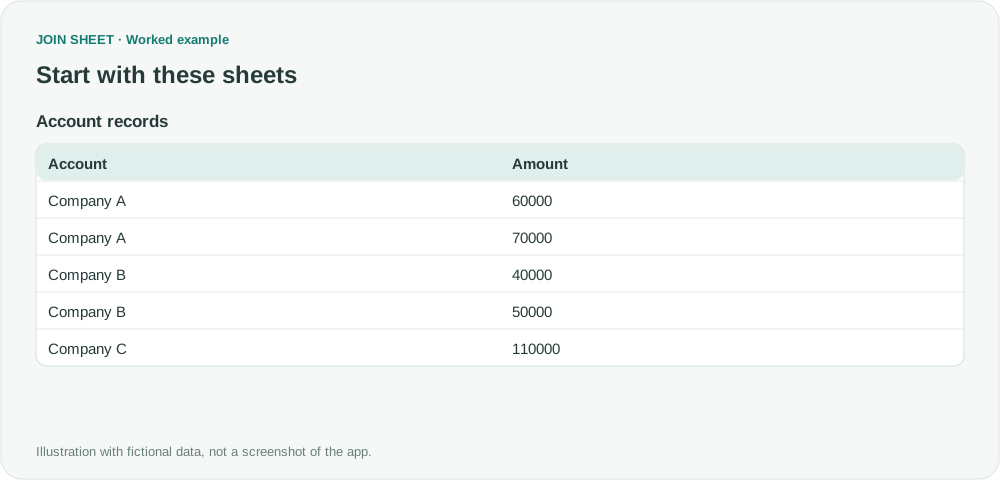
Find accounts whose combined transactions reach your target amount. Add up each account first so smaller transactions are included before you filter the totals.
Match customer lists, find missing values, and combine spreadsheets. See how to solve everyday Excel problems with worked examples in JOIN SHEET.
Find accounts whose combined transactions reach your target amount. Add up each account first so smaller transactions are included before you filter the totals.
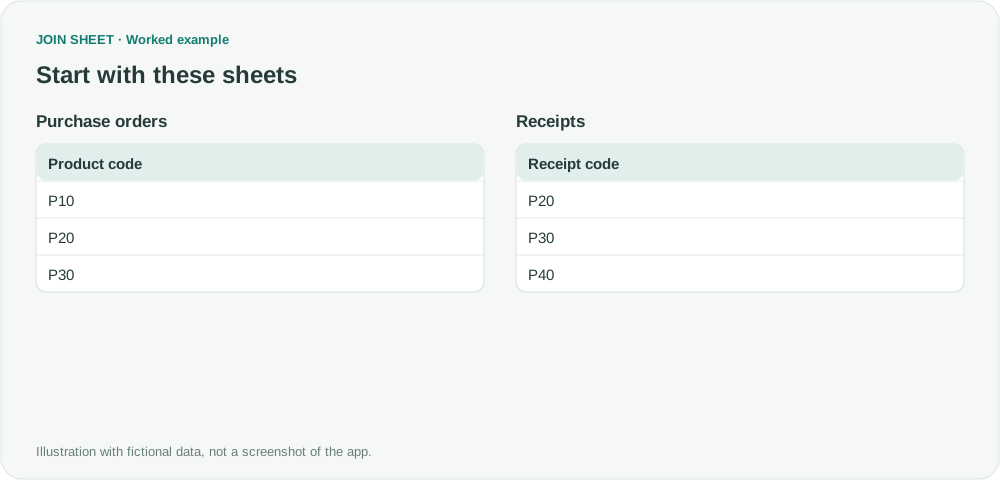
Find which product codes are missing from either Excel list. Compare the columns directly and review shared codes and unmatched entries in one result.
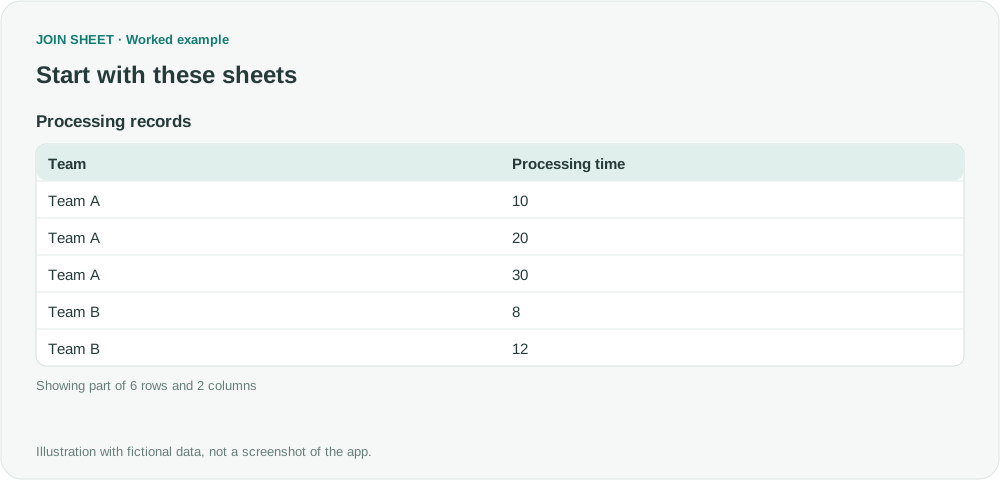
Calculate each team's minimum, maximum and average processing time without treating missing durations as zero. Check what happens when an entire group is blank.
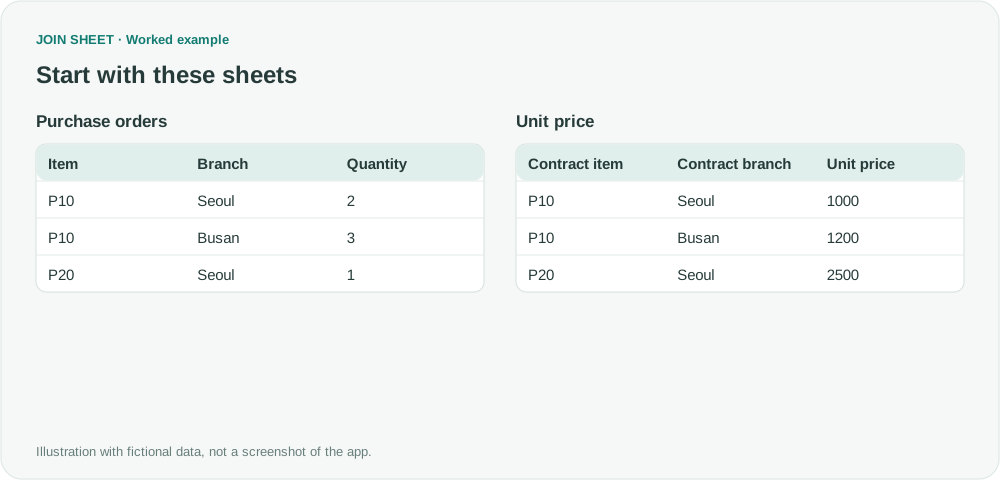
Add the right branch price to each order by matching both product and branch. Set up the two matching conditions visually in JOIN SHEET.
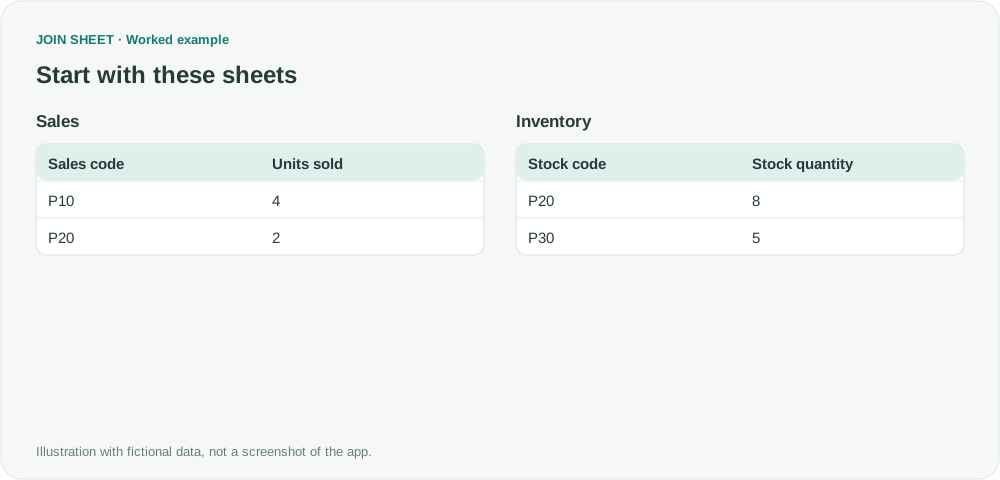
Bring sales and stock quantities together without dropping products found in only one file. Keep both lists and identify the blanks that need checking.
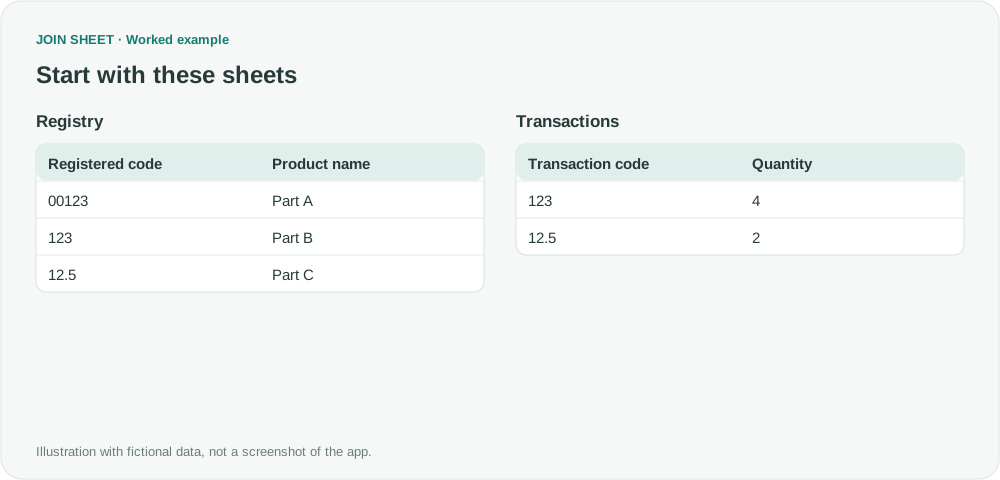
Keep product codes such as 00123 separate from 123 when the leading zeros matter. Check the stored values and choose the right type before joining files.