How to compare two Excel tables when there is no unique ID
Compare product-and-region combinations instead of a single column. Find shared and unmatched records without inventing an ID or assuming a change occurred.
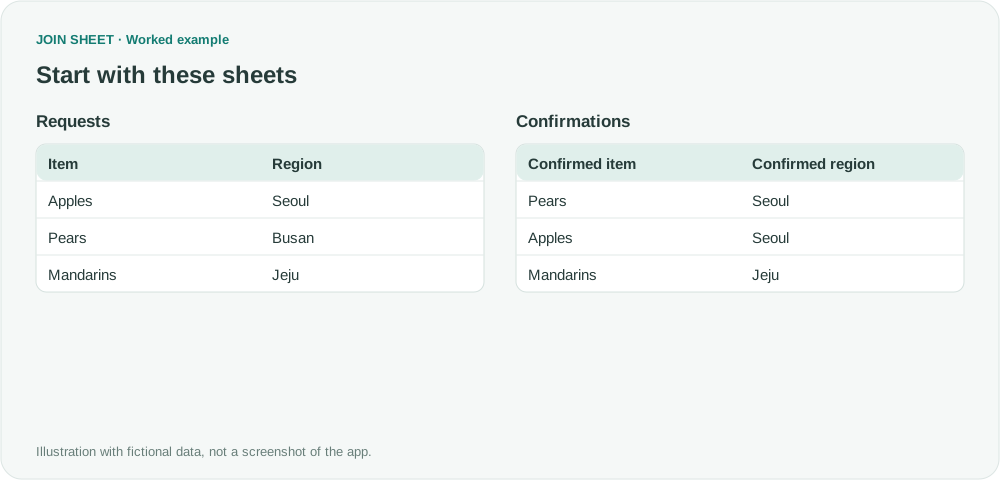
Without a unique ID, compare the combination of fields that defines a record. In JOIN SHEET, connecting both Item and Region with Compare values treats a record as shared only when both values match. It shows which combinations occur in each table, not whether one particular record was edited.
A single-column comparison can hide a difference
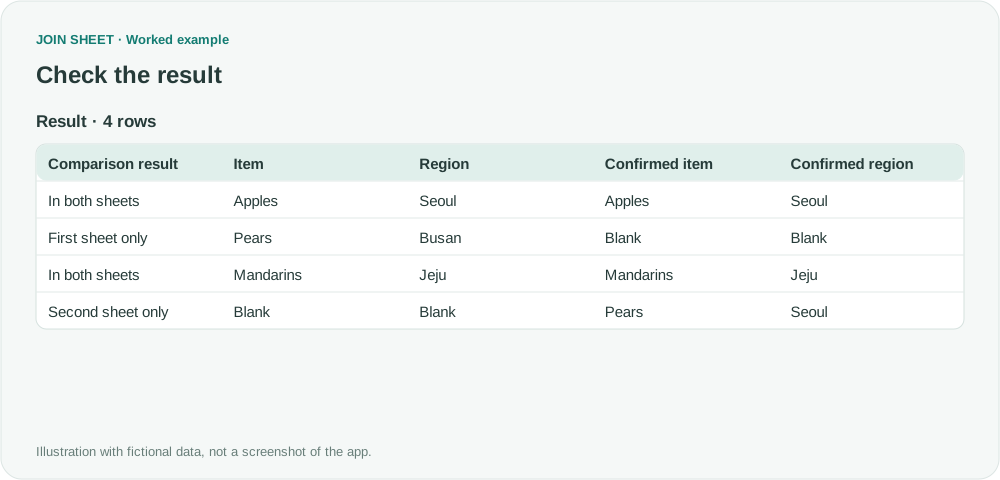
The fictional Requests list contains Apples–Seoul, Pears–Busan and Mandarins–Jeju. Confirmations contains Pears–Seoul, Apples–Seoul and Mandarins–Jeju. Comparing only the fruit names suggests that every item exists in both lists. It misses the different destination for Pears.
Decide what makes two requests equivalent before selecting columns. Item alone is too broad here; adding every available column can be too strict.
Compare the complete combination
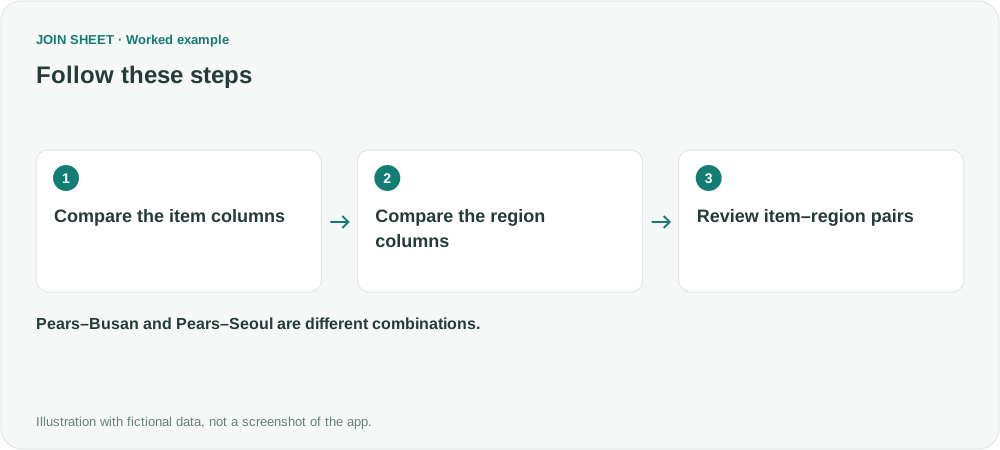
- Load Requests and Confirmations with the item and region in separate columns.
- Connect Item to Confirmed item and choose Compare values.
- Connect Region to Confirmed region and choose Compare values again. Do not add a separate join key for this example.
- Inspect the selected values and Comparison result in Result preview.
Expected result: four combinations
| Item and region | Comparison result |
|---|---|
| Apples–Seoul | In both sheets |
| Mandarins–Jeju | In both sheets |
| Pears–Busan | First sheet only |
| Pears–Seoul | Second sheet only |
Pears–Busan and Pears–Seoul remain separate. This does not prove that the Busan request was changed to Seoul. One request may have been cancelled and a different one created.
Which columns should I include?
Include Size or Color if those values distinguish requests. Do not include an export timestamp merely because it is present: a timestamp that changes on every export can make all records look different.
Repeated combinations also matter. A combination appearing twice on one side and once on the other can leave an unmatched occurrence. This is not simply a check of distinct values.
If a stable unique request number becomes available, join by that ID before comparing changed fields. That supports a stronger conclusion about which record changed.
Spend less time on repetitive work
Connect and compare sheets to get the results you need.
This walkthrough uses the Pro plan.
Start with JOIN SHEET ↗Use a desktop computer for Excel and CSV work. Opens in a new tab without replacing your current work.
Example last verified:
Sources
Comparing two dataframes and getting the differences — Stack Overflow
How to compare two lists with multiple columns and get results from all columns? — Reddit r/excel
The multi-column problem informed this new example. The original tables, answer formulas and personal data are not reproduced.