Remove header rows repeated inside the data
Remove column headers that reappear between records after combining files. Filter by a header value only when it cannot be a real record ID.
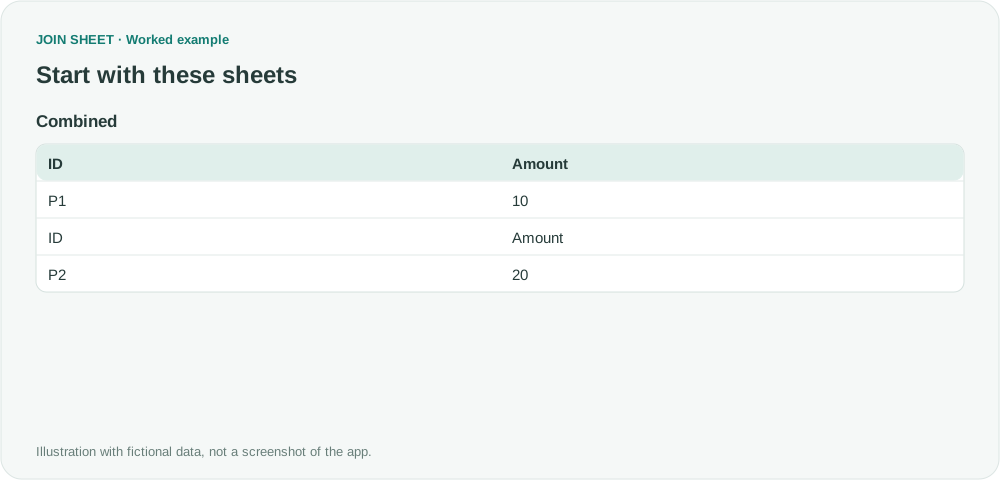
If column headers reappear between records after files are combined, filter them out using a value that identifies the header. Here, the repeated header has ID in the ID column. Use Does not equal with ID only after checking that no real record uses that value.
A repeated header between two records
ID and Amount appear again between P1 and P2. This is a leftover header from combining files, not a duplicate transaction.
Combined
| ID | Amount |
|---|---|
| P1 | 10 |
| ID | Amount |
| P2 | 20 |
Filter out the header value, then check the amounts
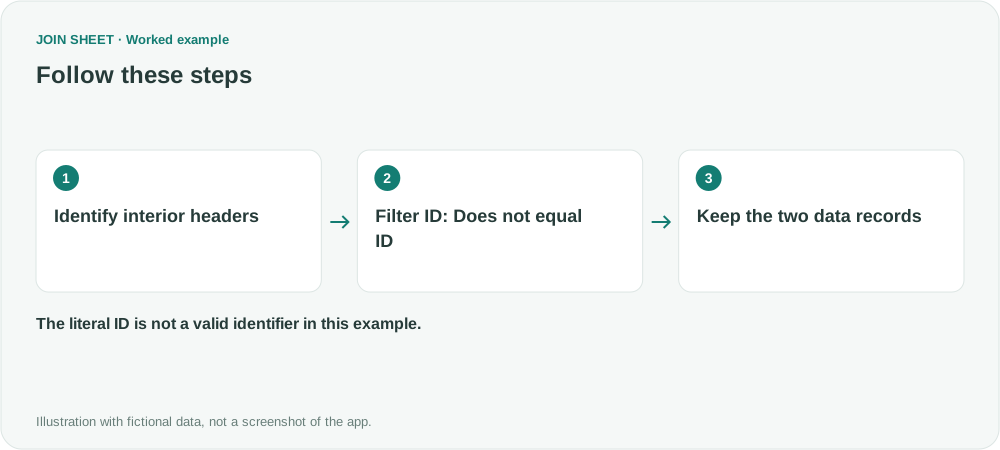
- Load Combined and confirm that the first ID·Amount row became the column headers.
- Open the ID column's source filter, choose Does not equal, enter ID, and choose Apply. Confirm first that ID is not used as a legitimate identifier.
- Check the retained Amount values and set their type to Number. Verify that neither P1 nor P2 was removed.
Only P1 and P2 should remain
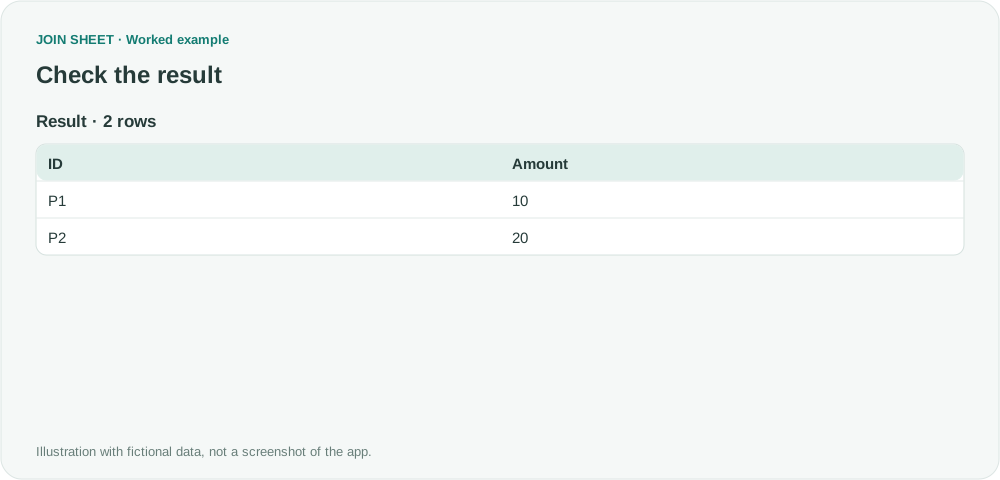
Expect two rows: P1·10 and P2·20. The string Amount is no longer mixed into records that will be summarized numerically.
| ID | Amount |
|---|---|
| P1 | 10 |
| P2 | 20 |
Use a header value that cannot be real data
Removing duplicates may leave one copy of the unwanted header. Filtering one marker can also remove valid data if that value is a real ID, or miss parts of a multirow header. Where possible, import each source with the correct header before appending the sheets.
Try it with your own files
Start with JOIN SHEET ↗Use a desktop computer for Excel and CSV work.
Opens in a new tab without replacing your current work.
Example last verified:
Sources
How to fix Power Query Multiple Workbooks Header Appears as Rows? (Stack Overflow)
The source’s follow-up clarifies that identical headers remain between records after combining workbooks. This fictional example covers the simple case where an exact marker can identify them. The example data was created separately for this guide. The source is not a product testimonial or endorsement.