
How to remove every occurrence of duplicate rows, not keep one
Keep only records that appear once, removing every copy of a repeated row from the result. Count matching combinations and filter for a count of one.
To keep only records that appear once, count how often each row occurs and filter for a count of one. In JOIN SHEET, add Summarize followed by Filter in Refine results. Every copy of a repeated row will be excluded from the result.
Decide what “remove duplicates” means
The append option Keep one copy of identical rows deliberately retains one copy. It cannot remove all copies of a repeated combination on its own.
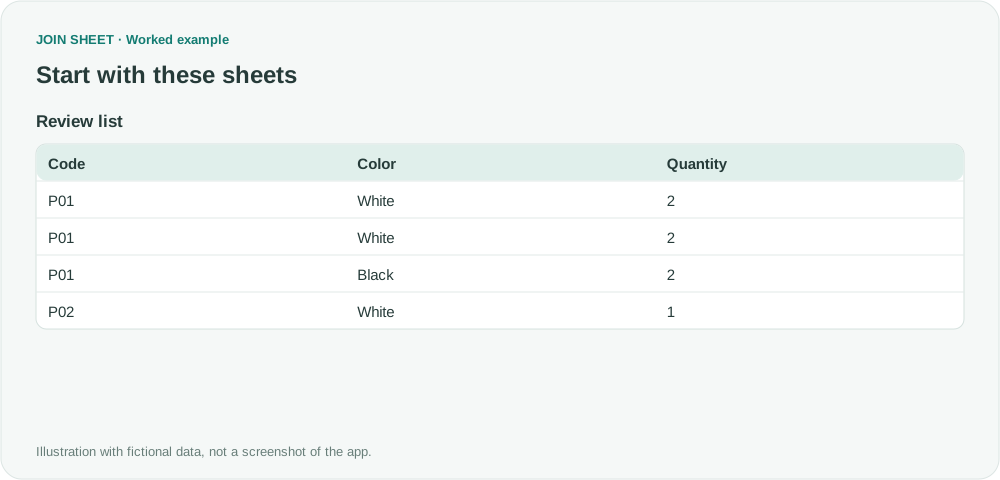
In this fictional review list, P01–White–2 occurs twice. P01–Black–2 is different because Color differs.
| Code | Color | Quantity |
|---|---|---|
| P01 | White | 2 |
| P01 | White | 2 |
| P01 | Black | 2 |
| P02 | White | 1 |
Count complete combinations, then keep counts of one
- Load the sheet and select it as the result source. A single sheet is sufficient.
- Open Refine results and add Summarize. Under Group by, include Code, Color and Quantity.
- Choose Count as the summary method and name the output Occurrences.
- Add Filter below the summary. Select Occurrences, Equals, and 1, then choose Apply.
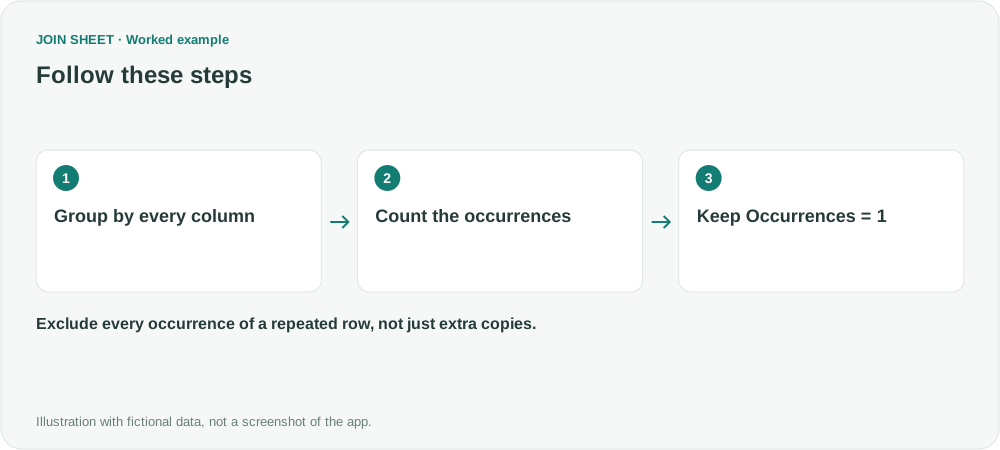
Include Color if a white item and a black item should count as different records. Leave out a unique sequence number if you want to compare the record's contents instead. These choices determine which rows are grouped together.
Both white P01 records should disappear
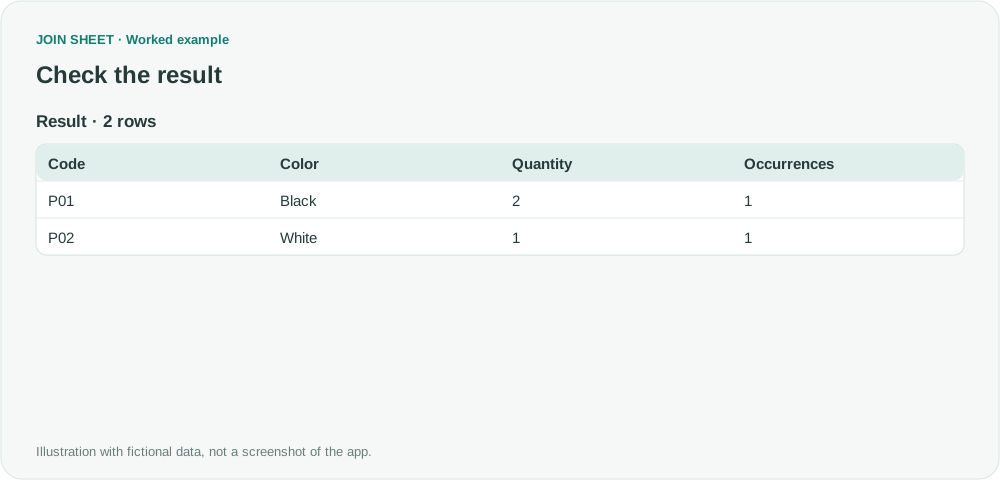
| Code | Color | Quantity | Occurrences |
|---|---|---|---|
| P01 | Black | 2 | 1 |
| P02 | White | 1 | 1 |
The four input rows become two output rows. Both occurrences of the repeated combination are excluded.
Are the original rows deleted?
Your original file stays unchanged. The result contains the fields selected under Group by and the Occurrences count. Here, that means Code, Color and Quantity. Include any other fields that distinguish your records before applying the summary.
Do not apply this rule to identical-looking transactions that genuinely happened twice. Check data types and blanks as well, since they can affect whether values group together. To report repeated codes instead of removing them, see counting repeated values.
Try it with your own files
Start with JOIN SHEET ↗Use a desktop computer for Excel and CSV work.
Opens in a new tab without replacing your current work.
Example last verified:
Sources
How to remove duplicate rows — Reddit r/excel
The fictional review list illustrates the distinction raised in the question: keep one copy, or exclude every copy.