Reconcile invoice lines with statement totals
Sum invoice line items to one row per invoice, save the totals, then compare against the statement to reveal amount differences and missing invoices.
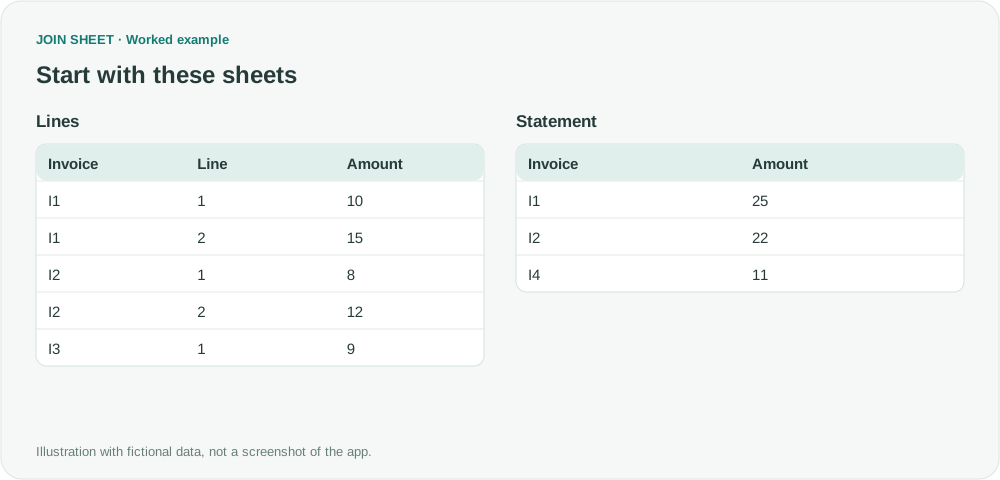
To compare invoice line items with a statement, total the lines for each invoice first. Looking up only the first line would miss part of the amount. Once both files have one row per invoice, you can compare their totals and find missing invoices.
Total the line items before comparing invoices
Lines contains the fictional invoice details. You will summarize and save it as LineTotals, then compare that file with Statement. I1 agrees at 10+15=25. I2 totals 8+12=20, but Statement says 22. I3 appears only in Lines, and I4 only in Statement.
In these tables, ∅ represents a blank cell; do not enter it as text.
Lines
| Invoice | Line | Amount |
|---|---|---|
| I1 | 1 | 10 |
| I1 | 2 | 15 |
| I2 | 1 | 8 |
| I2 | 2 | 12 |
| I3 | 1 | 9 |
LineTotals
| Invoice | Amount |
|---|---|
| I1 | 25 |
| I2 | 20 |
| I3 | 9 |
Statement
| Invoice | Amount |
|---|---|
| I1 | 25 |
| I2 | 22 |
| I4 | 11 |
Save invoice totals, then compare them
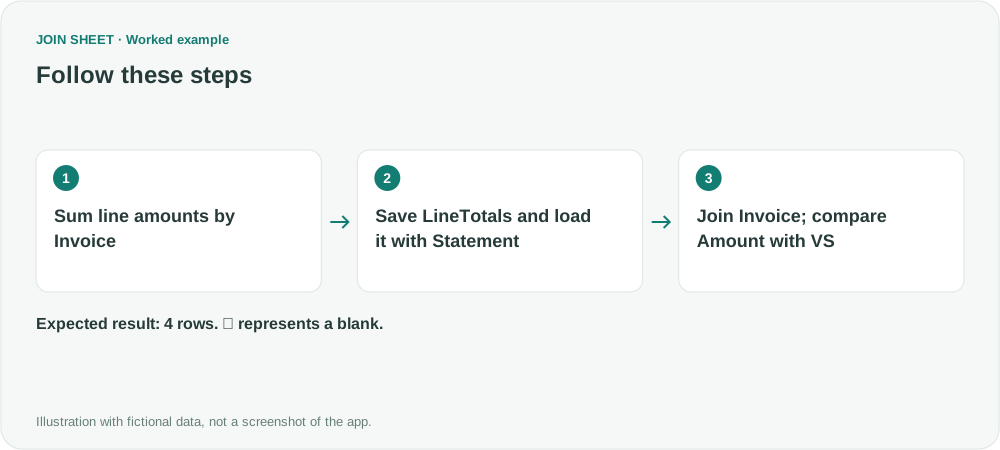
- Load Lines alone and verify that Amount is numeric. In Refine results → Summarize, group by Invoice and sum Amount, naming the output Amount.
- Apply and save LineTotals as an Excel file. Check for one row per Invoice and no blank invoice IDs.
- Start a new workspace and load saved LineTotals first, then Statement. Connect their Invoice columns and choose All rows from both sheets so invoices found in only one file remain visible.
- Add a comparison (VS) connection between Amount columns. Do not use Amount as a join key: a changed amount must still belong to the same invoice.
- Inspect the comparison result, change details and invoice IDs on both sides. Confirm the matching I1 total first, then investigate I2, I3 and I4.
Separate amount differences from missing invoices
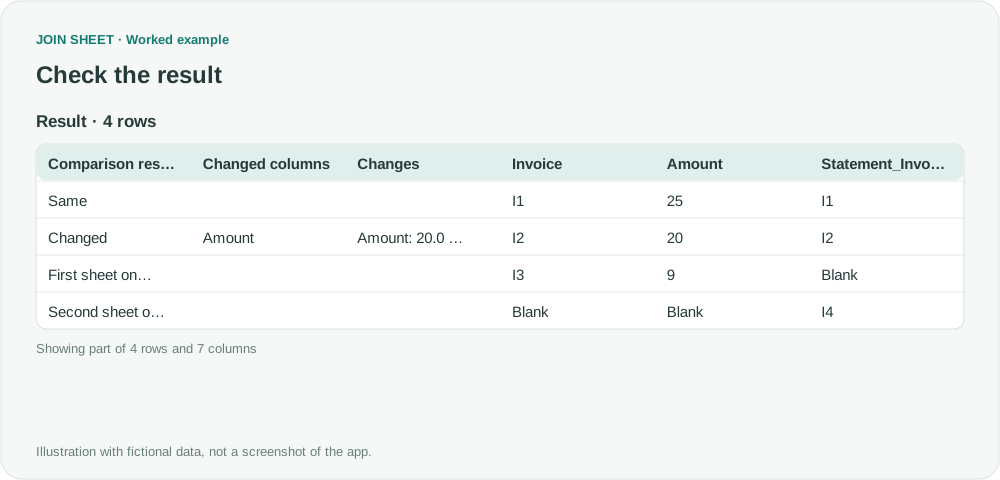
I2 has different amounts. I3 appears only in LineTotals and I4 only in Statement. The change details display 20 and 22 as 20.0 and 22.0; the decimal formatting does not change their values.
| Comparison result | Changed columns | Changes | Invoice | Amount | Statement_Invoice | Statement_Amount |
|---|---|---|---|---|---|---|
| Same | I1 | 25 | I1 | 25 | ||
| Changed | Amount | Amount: 20.0 → 22.0 | I2 | 20 | I2 | 22 |
| First sheet only | I3 | 9 | ∅ | ∅ | ||
| Second sheet only | ∅ | ∅ | I4 | 11 |
Check what belongs in the total
If invoice numbers repeat across vendors, aggregate and compare by vendor plus invoice instead. Align the treatment of tax, shipping and credits before comparing. This identifies total differences; it does not automatically determine or delete the responsible line. Review source records before making accounting changes.
Try it with your own files
Start with JOIN SHEET ↗Use a desktop computer for Excel and CSV work.
Opens in a new tab without replacing your current work.
Example last verified:
Sources
Recombining line items $ during Vlookup (Reddit r/excel)
The question asks how to total invoice lines before comparing them with a statement, with a workflow that can be reused as monthly exports are replaced. The requested comparison also includes tax paid and discounts. This fictional example covers the invoice-total comparison through manual saving and reloading of totals; it does not automate monthly file replacement. It is not the question author's data or a product testimonial.