Generate every pair from two lists
Create every color and size combination by joining on a column filled with the same value. Two colors and three sizes produce six pairs.
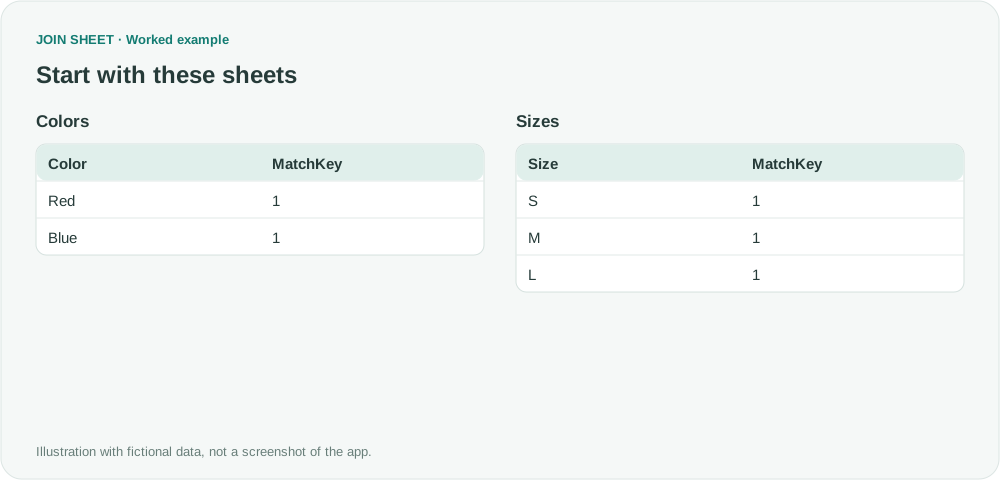
To pair every color with every size, add a MatchKey column to copies of both source files and fill every row with 1. Join the sheets on that column. Since every row has the same key, each color matches every size. Add the column before importing; JOIN SHEET does not create it automatically.
Two colors and three sizes
Colors contains Red and Blue; Sizes contains S, M and L. In the tables below, MatchKey has already been added manually in Excel or another editor and filled with the number 1 on every row. The goal is to generate combinations, not discover an existing business relationship.
Colors
| Color | MatchKey |
|---|---|
| Red | 1 |
| Blue | 1 |
Sizes
| Size | MatchKey |
|---|---|
| S | 1 |
| M | 1 |
| L | 1 |
Prepare a constant key, then join
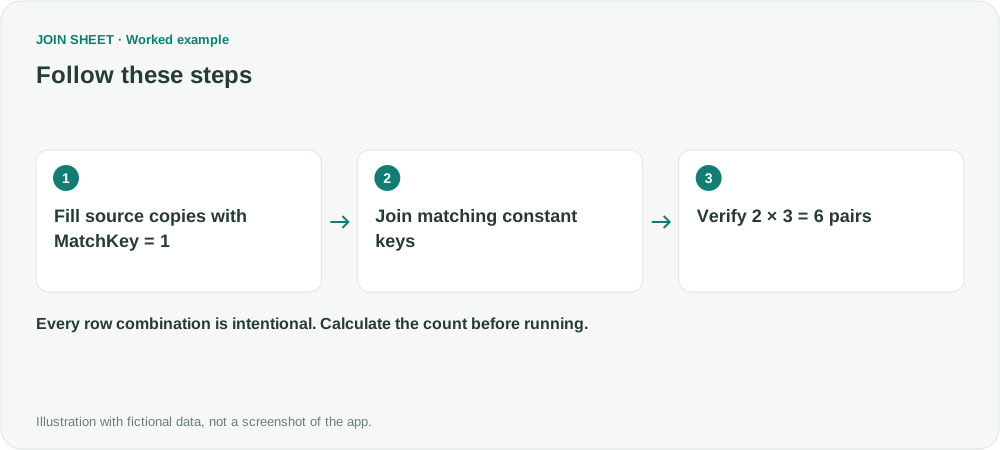
- Open copies of Colors and Sizes, add MatchKey and fill every data row with numeric 1. Save the files. Calculate the required output first: 2 × 3 = 6 rows.
- Load both tables and use the same data type for MatchKey on both sides. Join MatchKey to MatchKey with Matching rows only. Do not connect Color to Size.
- Hide both MatchKey columns from the output, leaving Color and Size. Check that the preview contains the six pairs below, then save.
Two times three gives six pairs
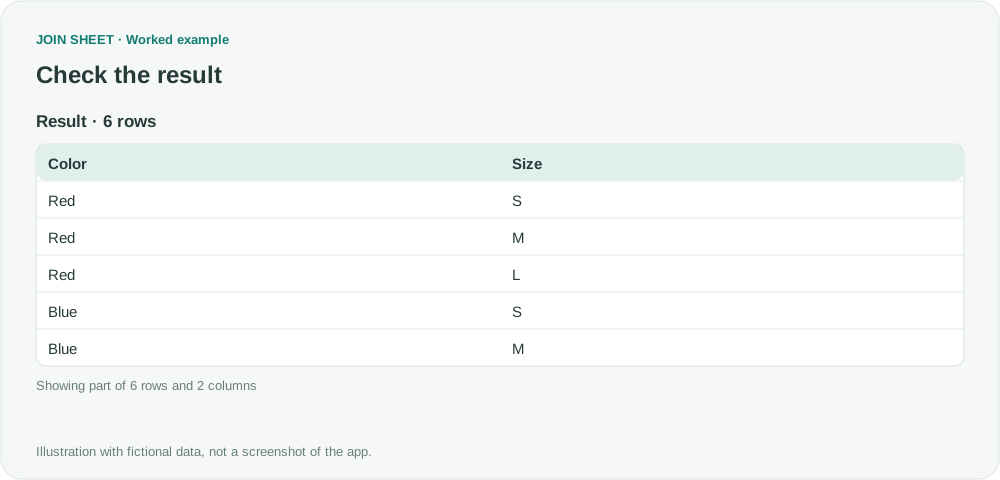
Red and Blue each pair once with S, M and L, producing six rows. If only two or three rows appear, check for missing constant keys or an extra join condition or filter. The output order may differ.
| Color | Size |
|---|---|
| Red | S |
| Red | M |
| Red | L |
| Blue | S |
| Blue | M |
| Blue | L |
Estimate the full combination count first
Here, the repeated keys are intentional: you want every possible pair. Two lists of 1,000 rows would create 1,000,000 pairs. Start with a small sample, since the browser may not be able to process or export a large result. For one copy of each combination, remove repeated values from the input lists first.
Try it with your own files
Start with JOIN SHEET ↗Use a desktop computer for Excel and CSV work.
Opens in a new tab without replacing your current work.
Example last verified:
Sources
Merging two tables in Power Query (Reddit r/excel)
This question asks how to create every pair from two lists in Power Query. The author confirmed that joining on a shared constant column worked. This guide applies that idea in JOIN SHEET with a manually prepared column and fictional data; it is not a review from the original author.