How can I include no-sales days in a daily average?
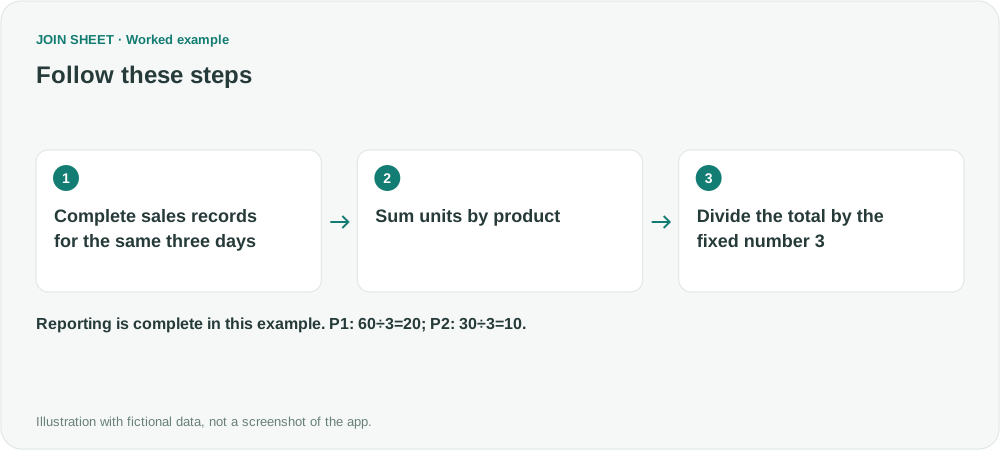
For a shared three-day reporting period, sum units by product and divide by 3. Include days without sales after checking that the reports are complete.
To include days without sales in a daily average, divide total units sold by the number of days in the period. If every product shares the same three-day period, sum sales by product in JOIN SHEET and divide by the fixed number 3. You do not need to add zero-unit records or prepare a separate calendar.
Use this method when sales reporting is complete for the period. Check that dates without records really had no sales. Treating a missing report as zero sales would give an unreliable average.
Averaging only sales days gives both products 30
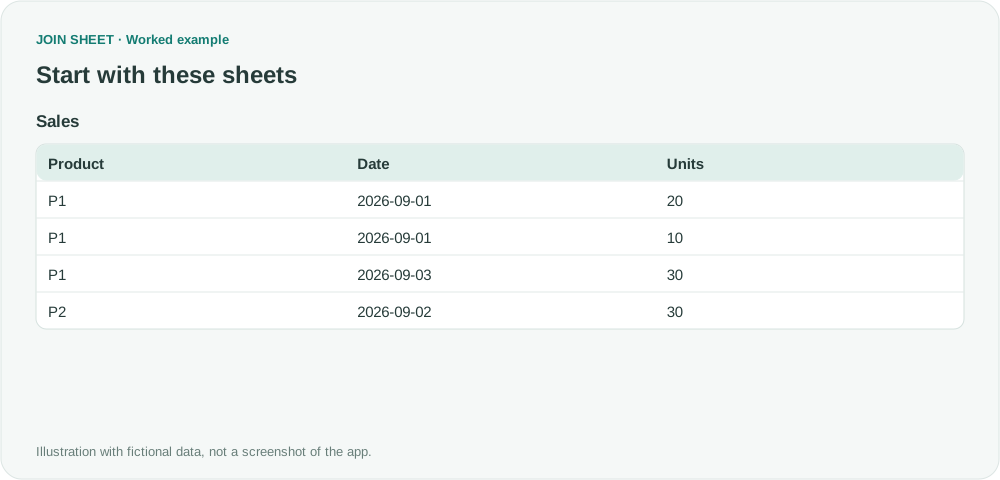
The fictional reporting period runs from September 1 through September 3, 2026. The Sales sheet below contains all four sales records for that period.
| Product | Date | Units |
|---|---|---|
| P1 | 2026-09-01 | 20 |
| P1 | 2026-09-01 | 10 |
| P1 | 2026-09-03 | 30 |
| P2 | 2026-09-02 | 30 |
P1 sold 30 units on September 1 and 30 on September 3. P2 sold 30 on September 2. Averaging only the dates with sales gives 30 for both products. Across all three days, P1 averages 60÷3=20 units and P2 averages 30÷3=10.
Check that your source contains only sales from the intended period. Here, 3 is the number of days including both the start and end dates. It is not the number of sales records or dates with sales.
1. Sum units by product
Load Sales and click the sheet to select it as the result base. Open Refine results, click Summarize, and use these settings.
| Setting | Select or enter |
|---|---|
| Group by | Select Product |
| Summary method | Change the default Count to Sum |
| Field | Select Units |
| Output field name | Enter TotalUnits |
Click Apply. The result has two rows, with TotalUnits of 60 for P1 and 30 for P2. The sum includes multiple records from the same date, so you do not need a separate daily summary first.
2. Divide the total by the fixed number 3
Reopen Refine results and add Calculate below the existing summary. TotalUnits is the field created in the preceding step; DailyAverage is the new field name you will enter.
| Setting | Select or enter |
|---|---|
| Output field name | Enter DailyAverage |
| Calculation | Divide · A ÷ B |
| First value (A) | Value type: Field; field: TotalUnits |
| Second value (B) | Value type: Fixed number; enter 3 in Number |
Add Sort, select Product in ascending order, and click Apply.
| Product | TotalUnits | DailyAverage |
|---|---|---|
| P1 | 60 | 20 |
| P2 | 30 | 10 |
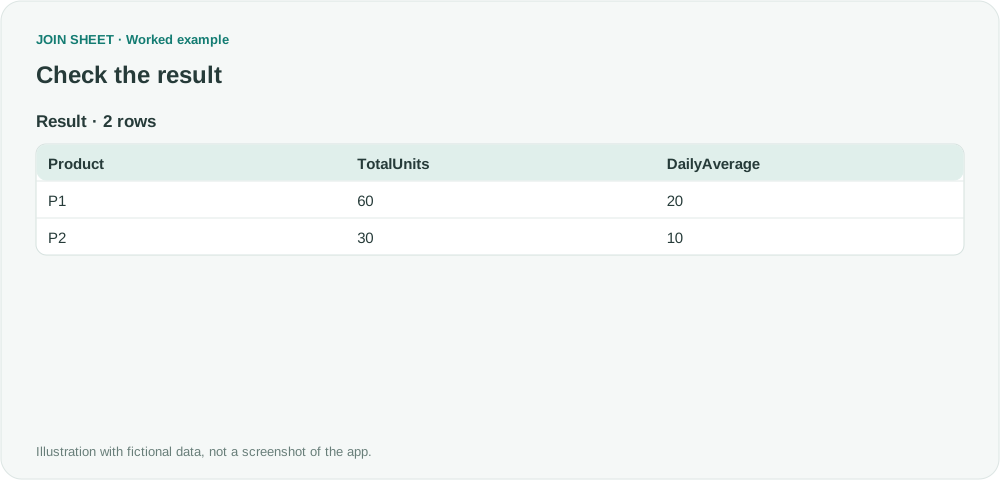
Dividing both totals by all three days includes the days without sales. If you change the period, update both the source date range and the fixed number. A shared divisor is unsuitable when products have different reporting periods or numbers of business days.
Products with no records anywhere in the period do not appear in this result. This example calculates averages for products present in the sales data; it does not build a complete product list.
Try it with your own files
Start with JOIN SHEET ↗Use a desktop computer for Excel and CSV work.
Opens in a new tab without replacing your current work.
Example last verified:
Sources
Include missing data in pivot subtotals inspired this independently created fictional example. The original question concerns including missing dates in an Excel pivot average. This adaptation uses one shared three-day period and calculates the average with a sum and division in JOIN SHEET. It does not cover changing the settings of the existing pivot.