Combine code lists without repeating codes with different descriptions
Prepare code-only inputs and append them with duplicate removal to get one row per code, regardless of description differences.
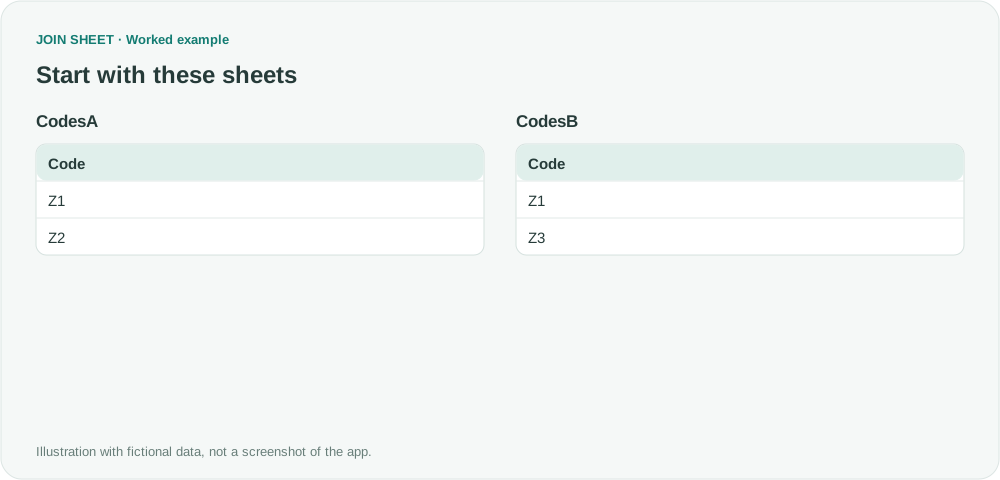
To create one list with each code appearing once, prepare sheets containing only the code column and append them with duplicate removal. Leaving descriptions in the source could keep multiple rows for the same code when their wording differs.
Keep Z1 once despite its different descriptions
Suppose the original descriptions of Z1 are Short cable and Cable small. The required output is Z1, Z2 and Z3 regardless of that wording. The fictional inputs below are prepared copies of the code columns.
CodesA
| Code |
|---|
| Z1 |
| Z2 |
CodesB
| Code |
|---|
| Z1 |
| Z3 |
Copy the code columns, then append with duplicate removal
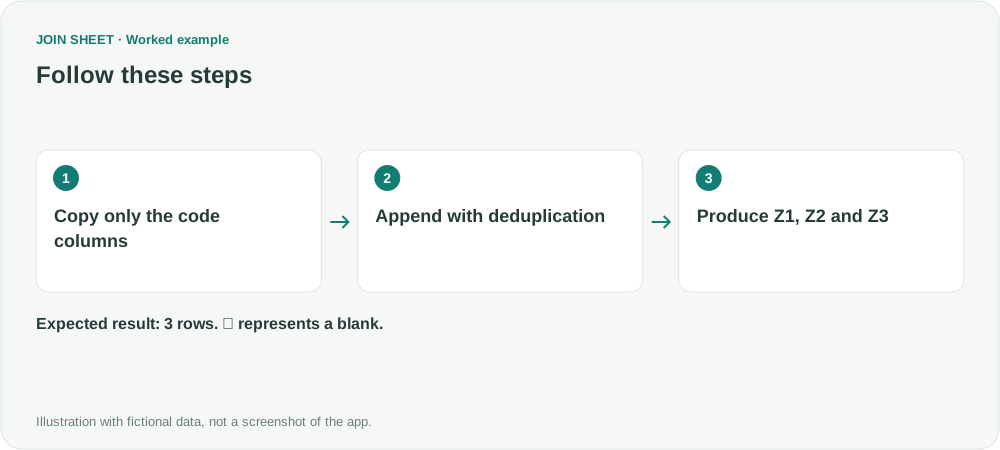
- Preserve the originals and copy each code column, including its header, to a separate sheet. Use Code for both headers.
- Load the two code tables in JOIN SHEET and select CodesA as the result source. Drag its bottom + point to CodesB's top + point.
- Choose “Keep one copy of identical rows.” If order matters, add an ascending Code sort in Refine results and choose Apply.
Four entries become three codes
Four input entries produce three unique codes. Z1 appears once, and no description field is included.
| Code |
|---|
| Z1 |
| Z2 |
| Z3 |

Add descriptions from an agreed source if needed
This produces a code list without choosing which description is correct. If you also need descriptions, choose an agreed source, such as an approved catalog with one record per code. Use Save results to save the code list as Excel, then load that file and the catalog. Place the saved code list on the left and join their code columns with All rows from the left sheet. Every code in the list remains; codes absent from the catalog have blank descriptions to review.
Try it with your own files
Start with JOIN SHEET ↗Use a desktop computer for Excel and CSV work.
Opens in a new tab without replacing your current work.
Example last verified:
Sources
Append columns from two tables into one table (and then find unique values) (Reddit r/excel)
The question asks how to append columns from two tables and then obtain unique values. The tables and workflow are a separately created fictional example inspired by this question, not the author's data or a product testimonial.