Return every matching record for a list of codes
Join a list of codes to a detail table and keep every matching record. Check the expected number of rows when a code has several details.
If a code has several deliveries or tasks, you may need all of them instead of the first lookup match. Join your list of codes to the detail table in JOIN SHEET. Each matching record gets its own result row.
K10 has two records, and both are needed
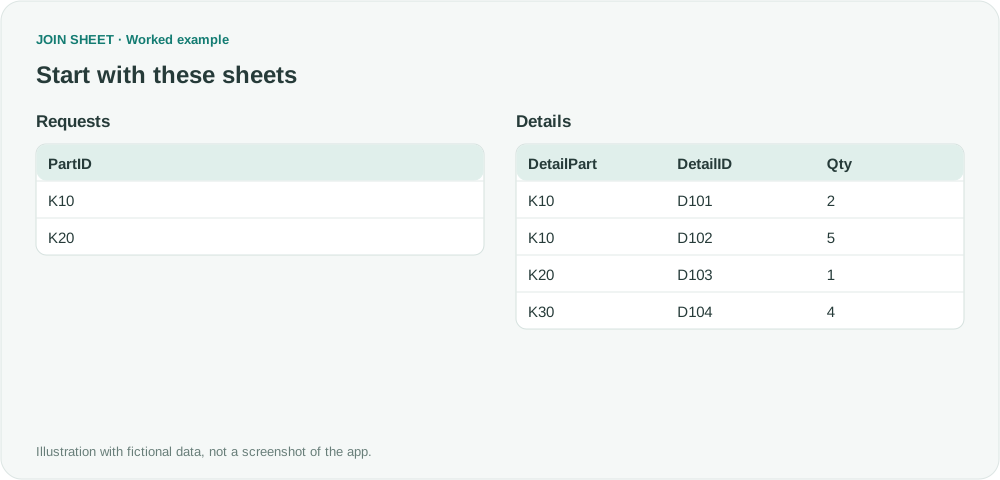
Requests contains K10 and K20 once each. In the fictional Details table, K10 has D101 and D102. Returning only the first match would omit D102.
Requests
| PartID |
|---|
| K10 |
| K20 |
Details
| DetailPart | DetailID | Qty |
|---|---|---|
| K10 | D101 | 2 |
| K10 | D102 | 5 |
| K20 | D103 | 1 |
| K30 | D104 | 4 |
Join the request codes to the detail table
- Load both tables with Add files or Paste copied data. Put Requests on the left and Details on the right.
- Connect PartID to DetailPart and choose Matching rows only. This keeps details for the requested codes.
- Keep DetailID and Qty visible. In Result preview, check that K10 has two rows with different DetailID values.
- For a fixed export order, open Refine results and add Sort. Choose PartID with Ascending, then use Add sort field in that same step for DetailID with Ascending. Choose Apply.
Check both detail rows for one code
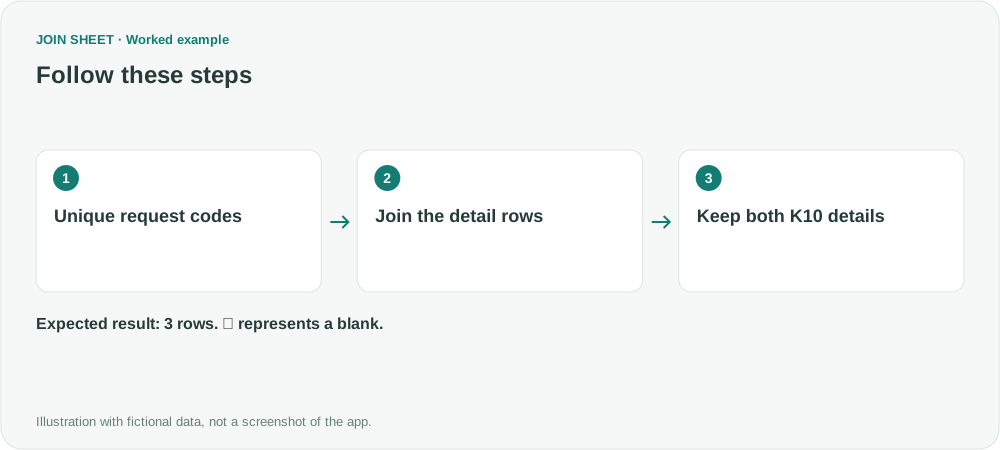
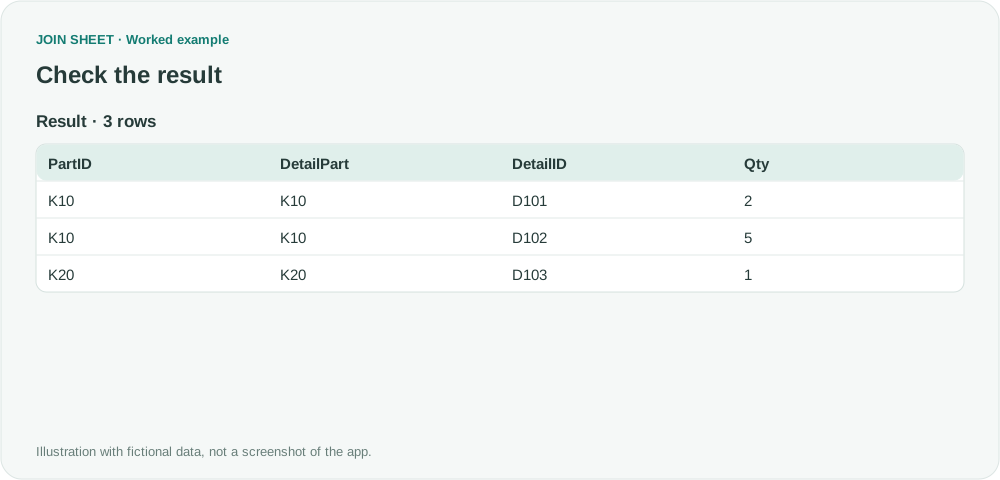
Expect three rows: two for K10, with quantities 2 and 5, and one for K20. K30 has no request and is excluded. Each detail remains a row; the values are not combined into one cell.
| PartID | DetailPart | DetailID | Qty |
|---|---|---|---|
| K10 | K10 | D101 | 2 |
| K10 | K10 | D102 | 5 |
| K20 | K20 | D103 | 1 |
Keep one request row per code to avoid repeating details
If Requests also contains K10 twice, its two details produce four rows. Prepare one request row per code when you want each detail once. Decide on a separate summary rule if you need one output row per code.
Try it with your own files
Start with JOIN SHEET ↗Use a desktop computer for Excel and CSV work.
Opens in a new tab without replacing your current work.
Example last verified:
Sources
Excel 365 XLOOKUP - New User Question (Microsoft Community Hub)
The question asks how to return every match when XLOOKUP repeats the first result and using separate FILTER formulas requires repeated setup. The example above uses fictional data; it is not the question author's data or a product testimonial.