Find rate differences within ±5 percentage points
Compare two rates and keep differences from −5 to 5 percentage points, including both limits. Distinguish this from percentage change.
To keep rates within five percentage points of a baseline, subtract one rate from the other and filter from −5 to 5. Do not use percentage change for this test: moving from 20% to 25% is five percentage points, but a 25% relative increase.
Do not mix 0.2 with 20
The fictional baseline value 0.2 means 20%. This procedure starts with fractional rates. If your source already stores the number 20 to mean 20%, do not apply the multiplication by 100 again.
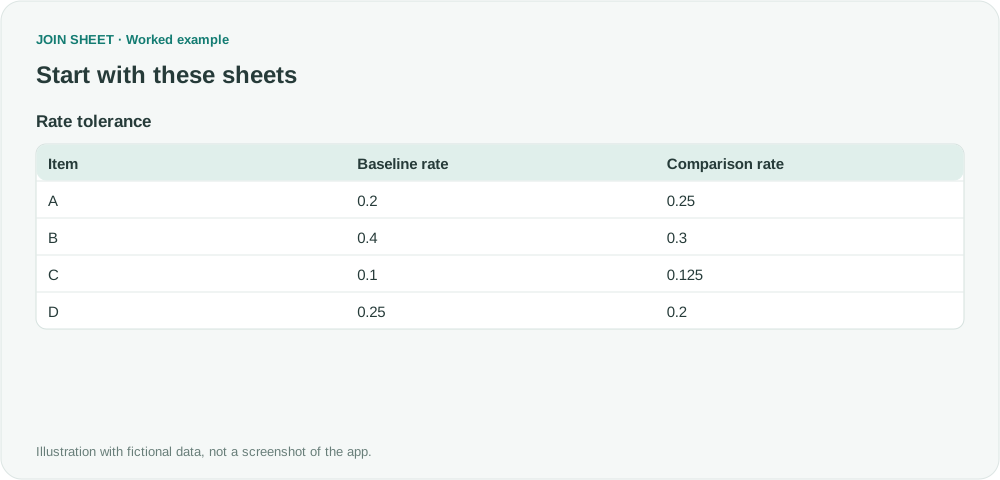
| Item | Baseline rate | Comparison rate |
|---|---|---|
| A | 0.2 | 0.25 |
| B | 0.4 | 0.3 |
| C | 0.1 | 0.125 |
| D | 0.25 | 0.2 |
Convert to percent numbers, then subtract
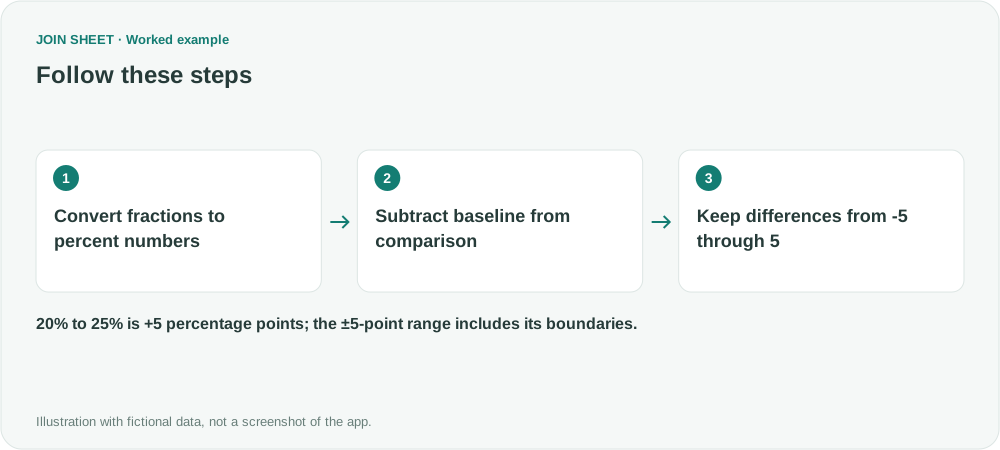
- Select the data as the result source. In Refine results, add Calculate to multiply Baseline rate by Fixed number 100, named Baseline percent number.
- Multiply Comparison rate by 100 in another calculation, named Comparison percent number.
- Subtract Baseline percent number from Comparison percent number and name it Difference (pp).
- Add both filters: Difference (pp) greater than or equal to −5, and less than or equal to 5. Choose Apply.
Three items remain, including the boundaries
A is +5 points, C is +2.5 points, and D is −5 points. B falls from 40% to 30%, a ten-point decrease, so it is excluded. A row must pass both filters to remain in the result.
| Item | Baseline rate | Comparison rate | Baseline percent number | Comparison percent number | Difference (pp) |
|---|---|---|---|---|---|
| A | 0.2 | 0.25 | 20 | 25 | 5 |
| C | 0.1 | 0.125 | 10 | 12.5 | 2.5 |
| D | 0.25 | 0.2 | 25 | 20 | -5 |
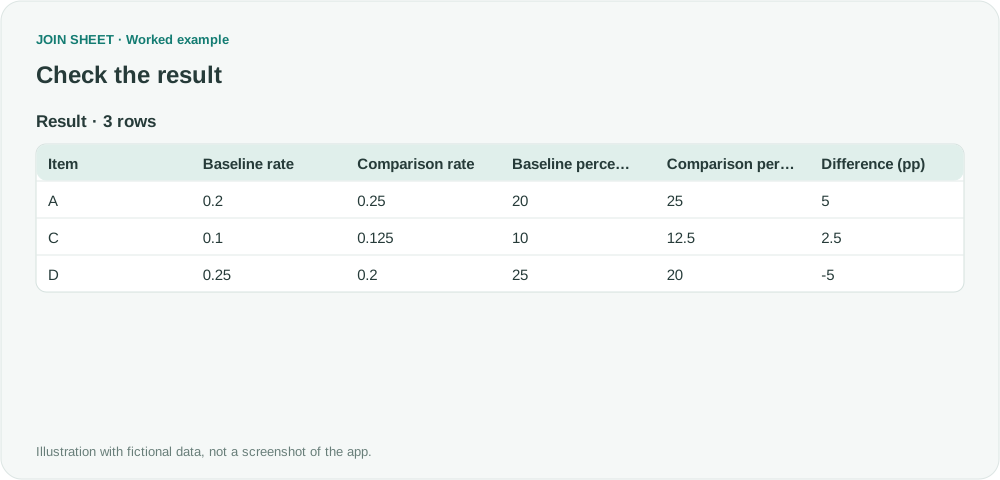
The result lists the rows within your allowed range; it does not color cells or add TRUE/FALSE labels. To exclude values exactly on the limits, use Greater than and Less than instead. For more precise or rounded source rates, decide what precision and tolerance your report needs. A missing rate should not be treated as 0% without checking.
Try it with your own files
Start with JOIN SHEET ↗Use a desktop computer for Excel and CSV work.
Opens in a new tab without replacing your current work.
Example last verified:
Sources
The question Simplest formula for finding if difference is greater or lesser than another number. informed this independently created fictional example.