Calculate NPS by group from survey scores of 0 to 10
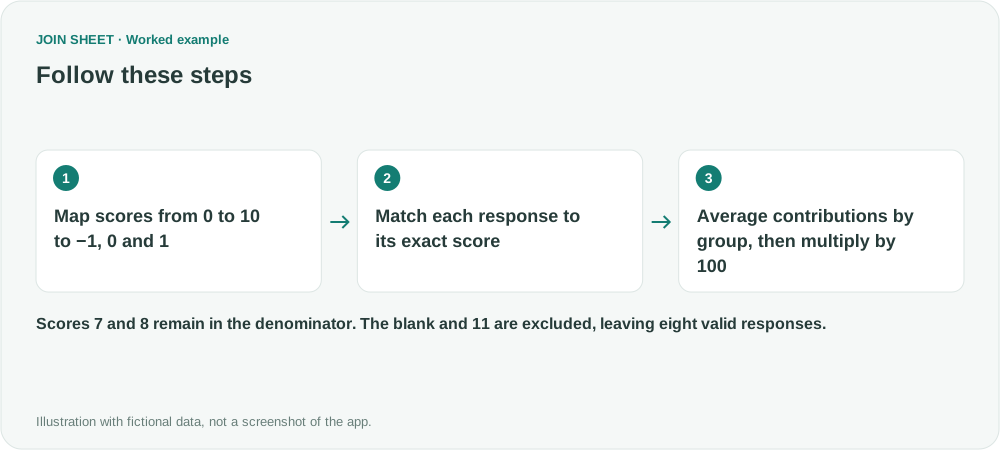
Map each valid survey score to −1, 0 or 1, then average by group and multiply by 100. Keep passive responses in the denominator.
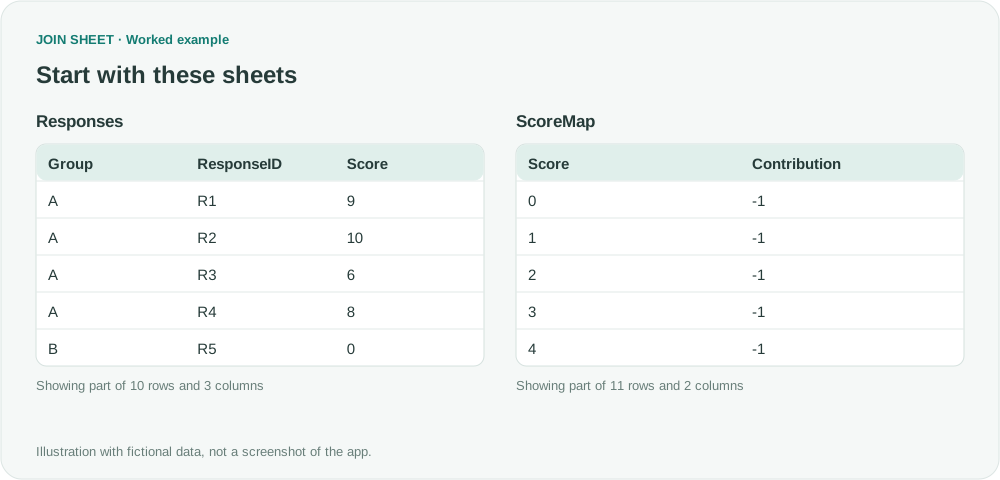
NPS is the percentage of valid respondents giving a score of 9 or 10 minus the percentage giving 0 through 6. In JOIN SHEET, match each score to a contribution value, average the contributions within each group, and multiply by 100. Scores of 7 and 8 remain in the response count.
One score per response
Every fictional response has its own ResponseID. If your export repeats a response on several rows, resolve those duplicates according to the survey's rules first. The ∅ symbol marks a blank score.
| Group | ResponseID | Score |
|---|---|---|
| A | R1 | 9 |
| A | R2 | 10 |
| A | R3 | 6 |
| A | R4 | 8 |
| B | R5 | 0 |
| B | R6 | 5 |
| B | R7 | 7 |
| B | R8 | 9 |
| C | R9 | ∅ |
| C | R10 | 11 |
This example accepts whole-number scores from 0 to 10. Leave out C's blank score and score of 11, and check them in the source. Keep zero: it is a valid response, not a blank.
Prepare the complete score map
Create a separate worksheet with these eleven rows. Each Score must occur once. Contribution is an input to the overall calculation, not an individual respondent's NPS.
| Score | Contribution |
|---|---|
| 0 | -1 |
| 1 | -1 |
| 2 | -1 |
| 3 | -1 |
| 4 | -1 |
| 5 | -1 |
| 6 | -1 |
| 7 | 0 |
| 8 | 0 |
| 9 | 1 |
| 10 | 1 |
Joining on Score adds the corresponding Contribution from this table. Scores of 7 and 8 contribute zero but still count as responses, so keep those numeric zeros in the calculation.
Join and summarize
- Load Responses and ScoreMap and check that both Score columns are numeric. Select Responses as the result base.
- Connect Score to Score with Matching rows only. Check that eight valid responses remain. Hide the duplicate Score from ScoreMap.
- Open Refine results and add Summarize, grouping by Group. Keep Count and enter ValidResponses in Output field name. Choose Add summary within the same step, change its method to Average, select Contribution, and name it MeanContribution.
- Add Calculate below the summary. Multiply MeanContribution by the fixed number 100 and name the output NPS. Add an ascending Group sort, then click Apply.
Count passive responses as well as promoters and detractors
| Group | ValidResponses | MeanContribution | NPS |
|---|---|---|---|
| A | 4 | 0.25 | 25 |
| B | 4 | -0.25 | -25 |
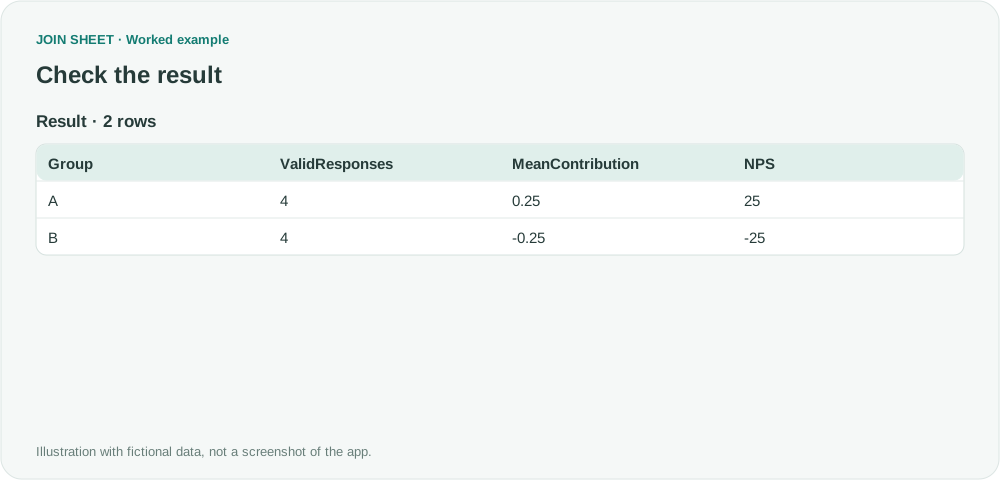
A has two promoters, one detractor and one passive response: (2−1)÷4×100=25. B has one promoter, two detractors and one passive response, giving −25. Removing the passive response would incorrectly change the denominator to three. Check the ValidResponses value of four alongside each score.
Read the output NPS directly: 25 is the score, so no percentage formatting is needed. C has no valid responses and is absent from the result; filling in zero would suggest a score where none could be calculated. These small fictional groups illustrate the calculation, not a satisfaction trend or a meaningful ranking.
Try it with your own files
Start with JOIN SHEET ↗Use a desktop computer for Excel and CSV work.
Opens in a new tab without replacing your current work.
Example last verified:
Sources
Pivot table calculate field based on grouped values inspired this independently created fictional example.
The classification for scores from 0 to 10 follows Bain & Company's Measuring Your Net Promoter Score.