Find the most common value in each group, including ties
Count each value within its group, find the highest frequency per group, and join on both fields to keep every tied mode.
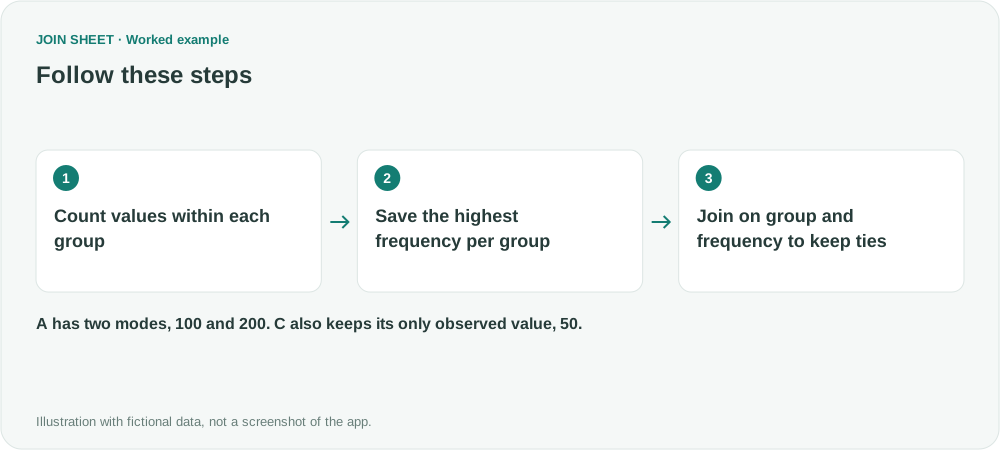
To find each group's most common value, first count how often each value occurs. Save those counts, find the highest count per group, then join the two summaries on group and frequency. This keeps tied values too. JOIN SHEET has no dedicated Mode summary option, so the steps below build the result from two summaries.
A tie and a group with one observation
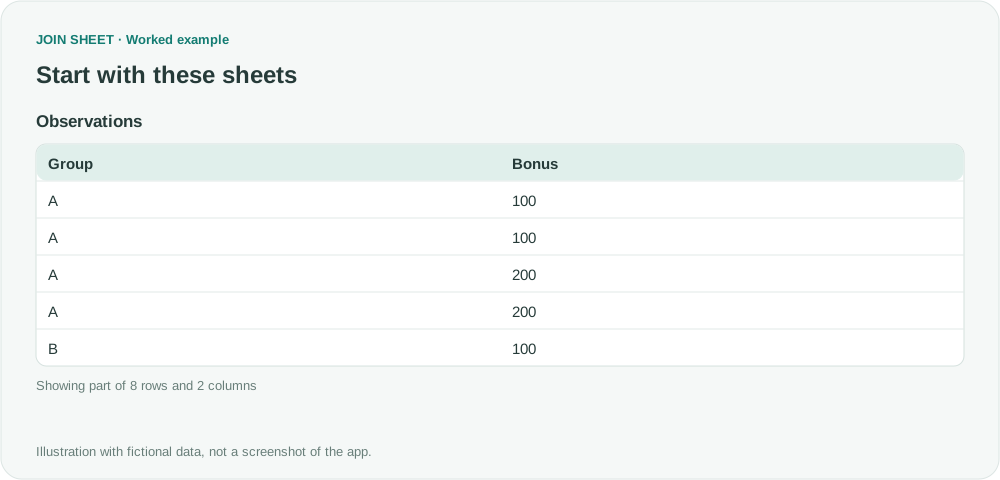
In this fictional table, Group identifies the group and Bonus contains the value to count. Repeated rows are separate observations, so keep them all. None of the values is blank.
| Group | Bonus |
|---|---|
| A | 100 |
| A | 100 |
| A | 200 |
| A | 200 |
| B | 100 |
| B | 300 |
| B | 300 |
| C | 50 |
In A, both 100 and 200 occur twice. B has a single mode, 300. C contains only 50. Choosing the largest Bonus would answer a different question from choosing the most frequent Bonus.
Save two summaries
- Load the original table, select it as the result source, and open Refine results. Add Summarize with Group and Bonus as the grouping fields.
- Keep the default Count method and enter Frequency in Output field name. Click Apply. Both values in A should have a count of 2. Save this result as the frequency file.
- Reopen Refine results and add another Summarize step below the first. Group by Group only. Take the Maximum of Frequency and name it TopFrequency.
- Click Apply. Check A=2, B=2 and C=1, then save a separate maximum-frequency file. Keep the first file too.
The first file has these five rows.
| Group | Bonus | Frequency |
|---|---|---|
| A | 100 | 2 |
| A | 200 | 2 |
| B | 100 | 1 |
| B | 300 | 2 |
| C | 50 | 1 |
Match the group and its highest frequency
Start a new workspace with the two saved files. Join Group to Group and Frequency to TopFrequency, using Matching rows only. Both conditions must match: the group must be the same, and the value's count must equal that group's highest count.
Display Group, Bonus and Frequency from the frequency file. You can hide the duplicate Group and TopFrequency from the second file without removing their use as join keys.
Check that neither tied value disappeared
| Group | Bonus | Frequency |
|---|---|---|
| A | 100 | 2 |
| A | 200 | 2 |
| B | 300 | 2 |
| C | 50 | 1 |
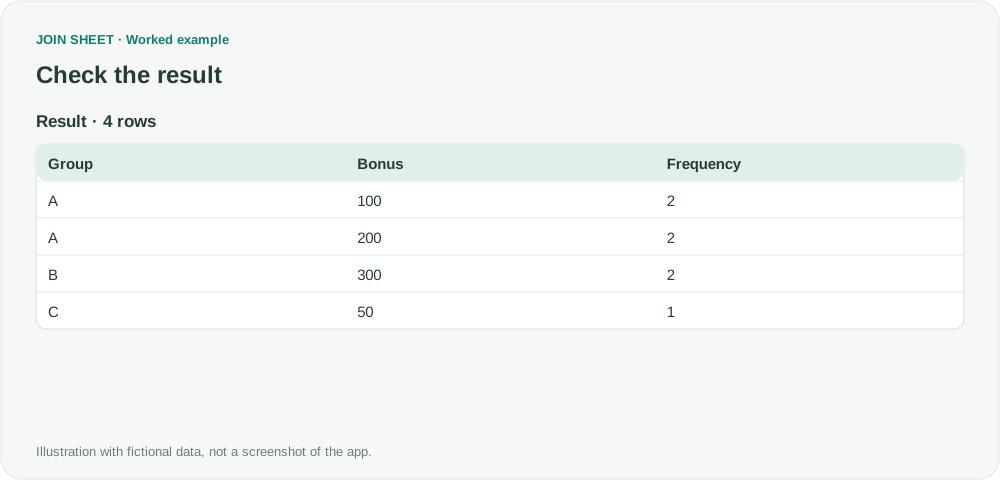
The result has four rows. Summarizing A into one row afterward could discard one of its tied modes. If you need one winner, decide on a separate tie-breaking rule, such as the smallest number or the most recent record.
Here, the only observed value in C qualifies as its mode even though it appears once. Decide separately whether blanks should count as values. To exclude them, filter the source before the first summary and use the same filtered population for both saved files.
Try it with your own files
Start with JOIN SHEET ↗Use a desktop computer for Excel and CSV work.
Opens in a new tab without replacing your current work.
Example last verified:
Sources
How to Group by the Most Common Value inspired this independently created fictional example.