Extract unmatched records with their details
Find records missing from a completed list while keeping their names and amounts. Join the lists, then filter for missing matches.
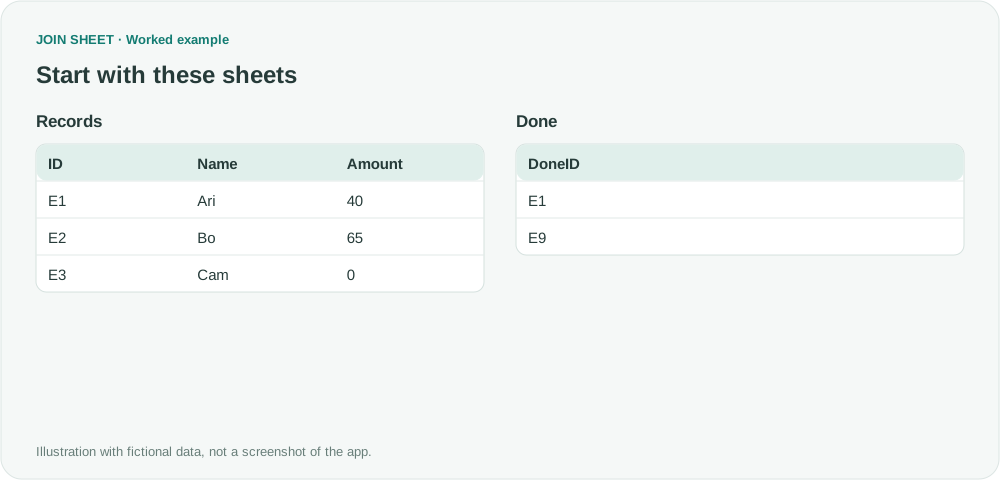
To follow up on records missing from another list, keep their names and amounts alongside their IDs. Place the records on the left, join them to the comparison list, and filter for a blank matching ID on the right.
Find records missing from the completed list
In these fictional tables, E1 is in Done but E2 and E3 are not. E3 has a real amount of zero and must remain in the exception report.
In these tables, ∅ represents a blank cell; do not enter it as text.
Records
| ID | Name | Amount |
|---|---|---|
| E1 | Ari | 40 |
| E2 | Bo | 65 |
| E3 | Cam | 0 |
Done
| DoneID |
|---|
| E1 |
| E9 |
Keep source records, then filter out matches
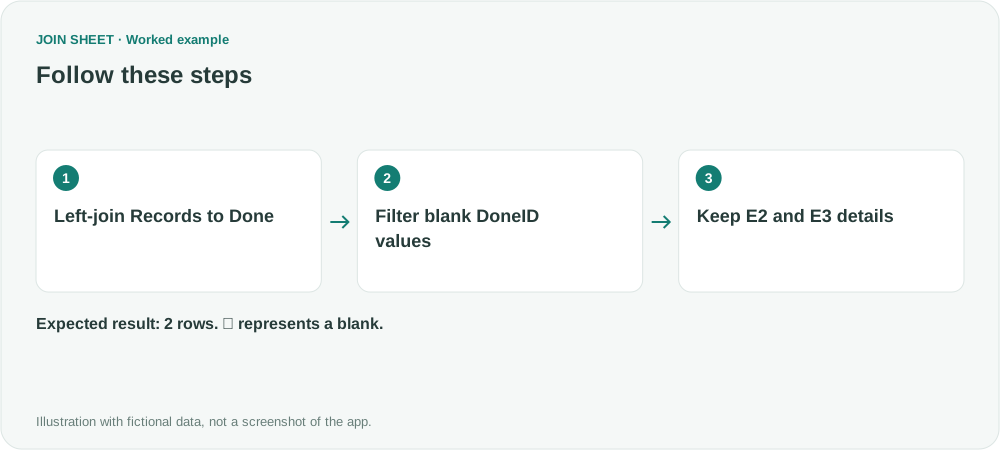
- Put Records on the left and Done on the right. Join ID to DoneID with All rows from the left sheet.
- Open Refine results and add a Filter. Select DoneID from the right-hand Done sheet as Field and choose Is empty as Condition. An unmatched record has no DoneID, so this selects records missing from Done.
- Choose Apply and confirm ID, Name and Amount remain. Filter the matching key on the right, not the left ID or Amount.
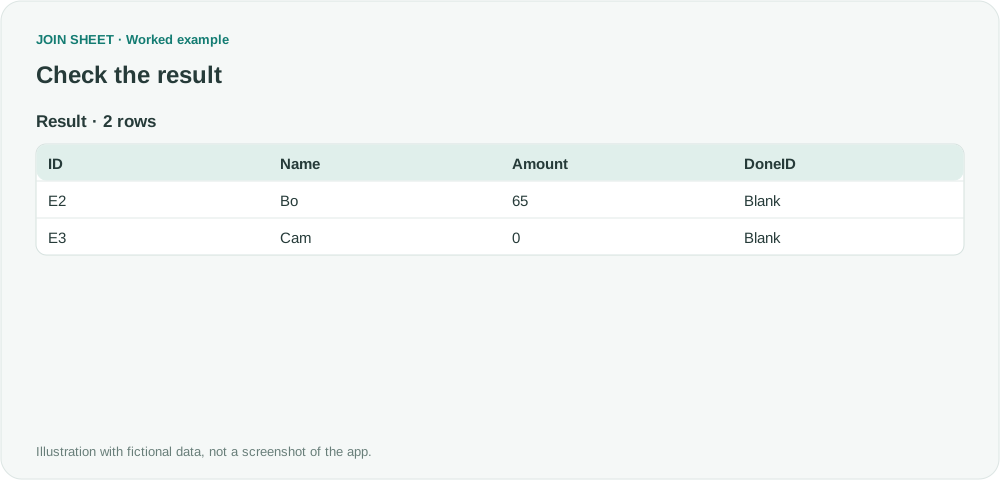
E2 and E3 should remain with their details
The result contains E2 and E3 with amounts 65 and 0. E1 is removed because it matched. E9 appears only in Done, so it is not included in this report of source records.
| ID | Name | Amount | DoneID |
|---|---|---|---|
| E2 | Bo | 65 | ∅ |
| E3 | Cam | 0 | ∅ |
Check the matching ID, not the amount
Use a valid identifier on the right. A name or description can be blank even in a matched record, so it is not a reliable missing-match test. Review source rows with missing IDs separately.
Try it with your own files
Start with JOIN SHEET ↗Use a desktop computer for Excel and CSV work.
Opens in a new tab without replacing your current work.
Example last verified:
Sources
Best way of comparing two sheets to find duplicates but has different column headings? (Reddit r/excel)
The question asks to keep unique IDs from the first sheet along with their associated data. The tables and workflow are a separately created fictional example inspired by this question, not the author's data or a product testimonial.