Keep the latest record for each ID, including all its columns
Find the highest version for each product, then join on product ID and version to retrieve the full record. Tied latest versions are kept.
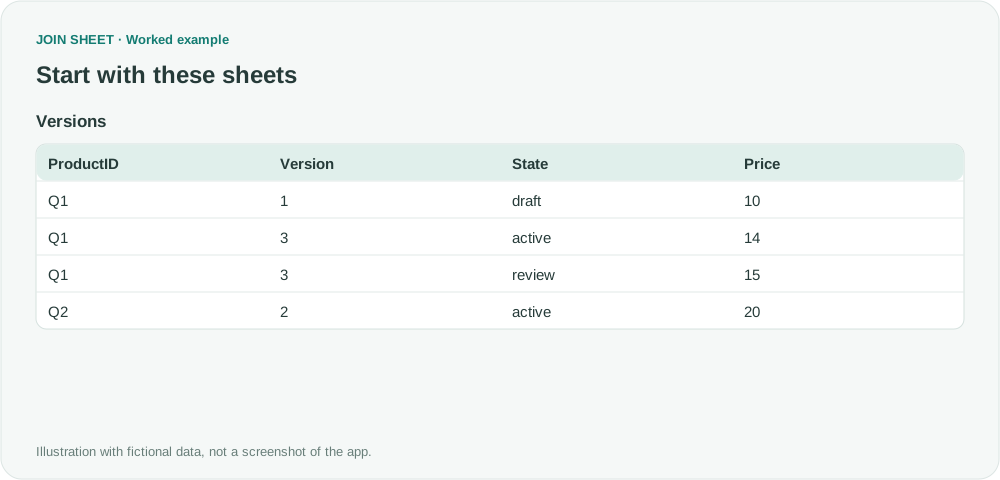
To get each product's latest record with its state and price, first find the highest version number for each product. Save that summary, then join it to the original data using both product ID and version.
Keep the details that belong to the latest version
Versions contains the fictional source records. You will create Latest in the first stage, then save and reload it. Q1 has two records at its highest version, 3. They have different states and prices, and both should appear in the result.
Versions
| ProductID | Version | State | Price |
|---|---|---|---|
| Q1 | 1 | draft | 10 |
| Q1 | 3 | active | 14 |
| Q1 | 3 | review | 15 |
| Q2 | 2 | active | 20 |
Latest
| ProductID | LatestVersion |
|---|---|
| Q1 | 3 |
| Q2 | 2 |
Find the highest versions, then retrieve their records
- Load Versions alone and check that Version is numeric. Text ordering can place 10 and 2 incorrectly.
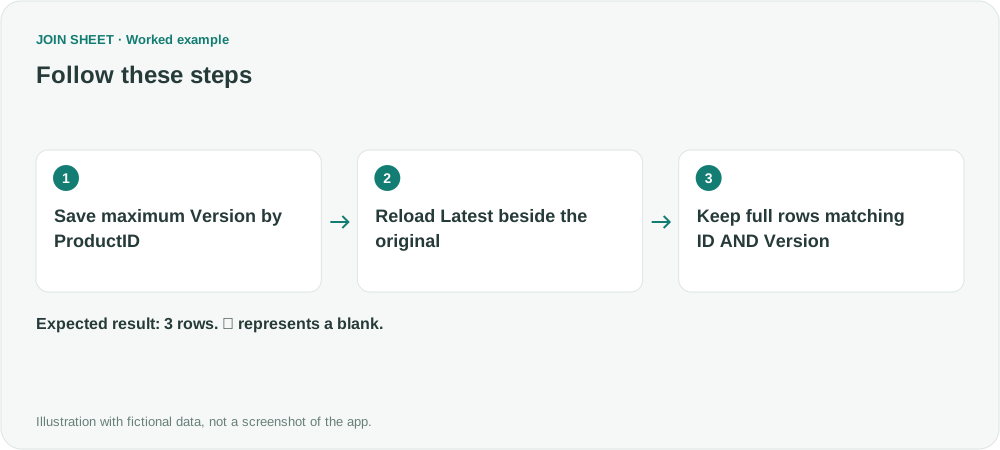
- Open Refine results → Summarize. Group by ProductID and take Maximum of Version, naming the output LatestVersion. Apply and save the result as an Excel file.
- In a new workspace, load the original Versions and the saved Latest table. Do not leave the first-stage summary active while trying to retrieve detail rows.
- Connect ProductID to ProductID, then Version to LatestVersion. Set the shared join method for this sheet pair to Matching rows only. A record must match both its product ID and its latest version.
- You may hide both Latest columns with their eye icons. Check the three output rows, including the original State and Price.
The result retains tied latest records
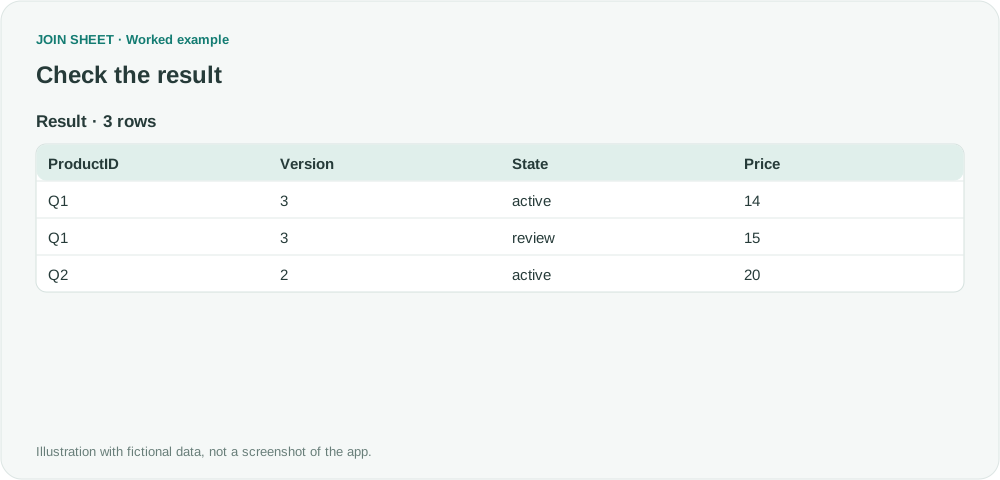
Q1 version 1 is excluded, while both version 3 records remain. Joining only on ID would bring historical versions back, so the version condition is essential. Latest must contain one maximum row per product.
| ProductID | Version | State | Price |
|---|---|---|---|
| Q1 | 3 | active | 14 |
| Q1 | 3 | review | 15 |
| Q2 | 2 | active | 20 |
If you need exactly one row
When two records share the highest version, this workflow keeps both. To choose one, you need another rule, such as an edit timestamp or unique record ID. Use numeric versions for this example; it does not interpret version strings such as v1.2. When the source changes, repeat the summary, save and reload steps.
Try it with your own files
Start with JOIN SHEET ↗Use a desktop computer for Excel and CSV work.
Opens in a new tab without replacing your current work.
Example last verified:
Sources
How do i filter out rows to only keep the highest number from a column in power query (Reddit r/excel)
The question asks how to retain each product's highest-version rows together with their other properties. The tables and workflow are a separately created fictional example inspired by this question, not the author's data or a product testimonial.