Find repeated IDs across files and keep their full records
Find IDs that appear more than once across combined files, then join the ID list back to keep every matching record.
A list of duplicate IDs tells you which records to investigate, but you may also need their amounts and source files. Save the repeated-ID list, reload it, and join it to the combined records to retrieve those details.
When a duplicate-ID list is not enough
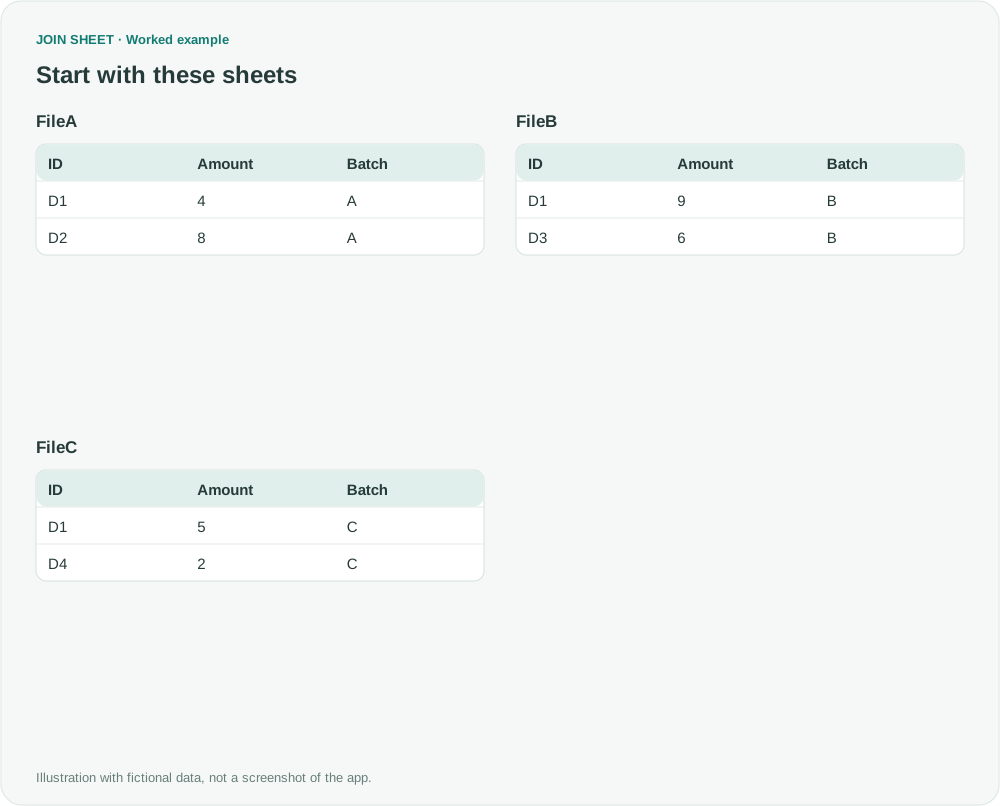
D1 appears three times in these fictional files, each time with a different amount. Each file already has a Batch column identifying where its records came from. You will create Repeated in the first stage, then save and reload it for the second stage; you do not need to type that table yourself.
FileA
| ID | Amount | Batch |
|---|---|---|
| D1 | 4 | A |
| D2 | 8 | A |
FileB
| ID | Amount | Batch |
|---|---|---|
| D1 | 9 | B |
| D3 | 6 | B |
FileC
| ID | Amount | Batch |
|---|---|---|
| D1 | 5 | C |
| D4 | 2 | C |
Repeated
| ID | Count |
|---|---|
| D1 | 3 |
Save repeated IDs, then rejoin the details
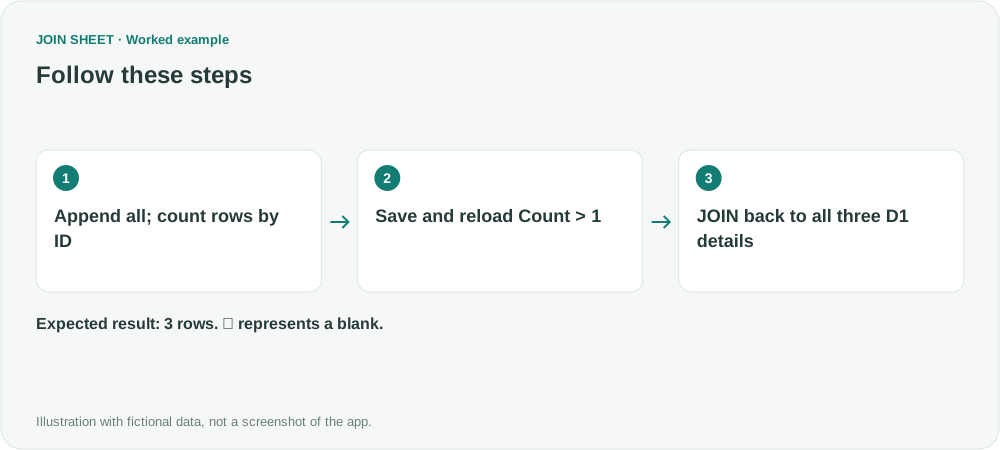
- Select FileA as the result source. Drag FileA's bottom + point to FileB's top + point, then FileB's bottom + point to FileC's top + point. On both connections, choose Keep all rows (including duplicates) because the count must include every occurrence.
- In Refine results, summarize by ID with Count of all rows. Add a following filter keeping Count greater than 1.
- Apply, save the ID-and-Count output, and reload it as Repeated.
- Select FileA again to return to the original append group. Reopen Refine results, delete its summary and filter, and choose Apply to restore the six detail rows. Join FileA's ID to Repeated.ID with Matching rows only. The saved list now selects the repeated IDs while the append group supplies their full records.
- Check that the final output contains all three D1 amounts and batches A, B and C, then save it.
Check all three different D1 records
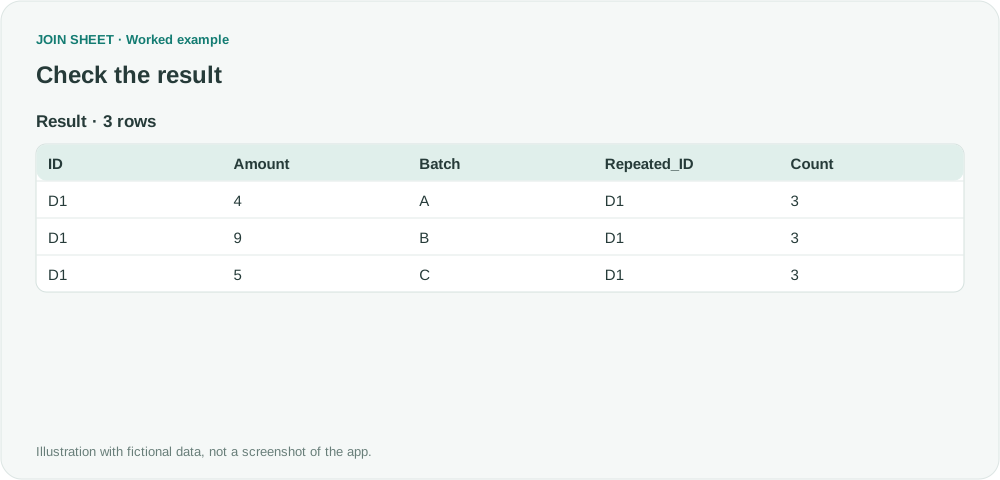
Stage one produces D1 with Count 3. The final report contains its three detail rows, each carrying that same count. Summing the repeated Count column would give 9, not the number of source records.
| ID | Amount | Batch | Repeated_ID | Count |
|---|---|---|---|---|
| D1 | 4 | A | D1 | 3 |
| D1 | 9 | B | D1 | 3 |
| D1 | 5 | C | D1 | 3 |
Repeats within one file also count
This finds IDs occurring more than once in the combined inputs. It does not require occurrences in two different files: repeats within one file also qualify. It neither deletes source duplicates nor updates files automatically.
Try it with your own files
Start with JOIN SHEET ↗Use a desktop computer for Excel and CSV work.
Opens in a new tab without replacing your current work.
Example last verified:
Sources
Is there a formula to cross-check and extract out dupe datas between multiple files? (Reddit r/excel)
The question asks how to extract the complete records for codes repeated across several files. The example above uses fictional data; it is not the question author's data or a product testimonial.