Keep rows when either of two columns matches
Keep rows where either name starts with N. Filter each name column separately, then combine the saved results without counting shared matches twice.
If a row should remain when either LeftName or RightName begins with N, requiring both column conditions gives the wrong selection. Run each condition against the original separately, save the two results, then append them while keeping one copy of a shared row.
Rows lost when both conditions are required
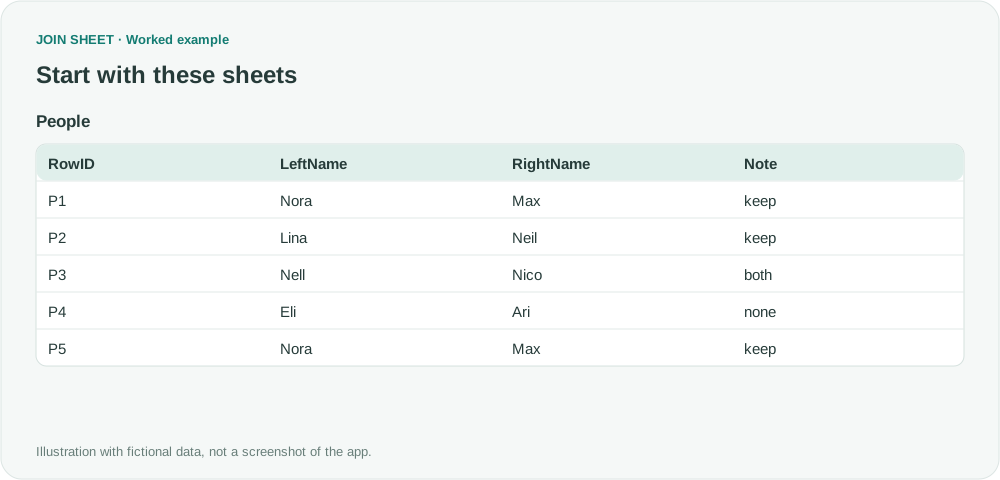
In fictional People, P1 and P5 are separate source records even though their names and Note match. RowID must be a stable unique value prepared before import and unchanged across the two runs. P3 matches both name conditions. You will create LeftBranch by filtering LeftName and RightBranch by filtering RightName, then save each result separately.
People
| RowID | LeftName | RightName | Note |
|---|---|---|---|
| P1 | Nora | Max | keep |
| P2 | Lina | Neil | keep |
| P3 | Nell | Nico | both |
| P4 | Eli | Ari | none |
| P5 | Nora | Max | keep |
Filter each name column separately, then append the saved files
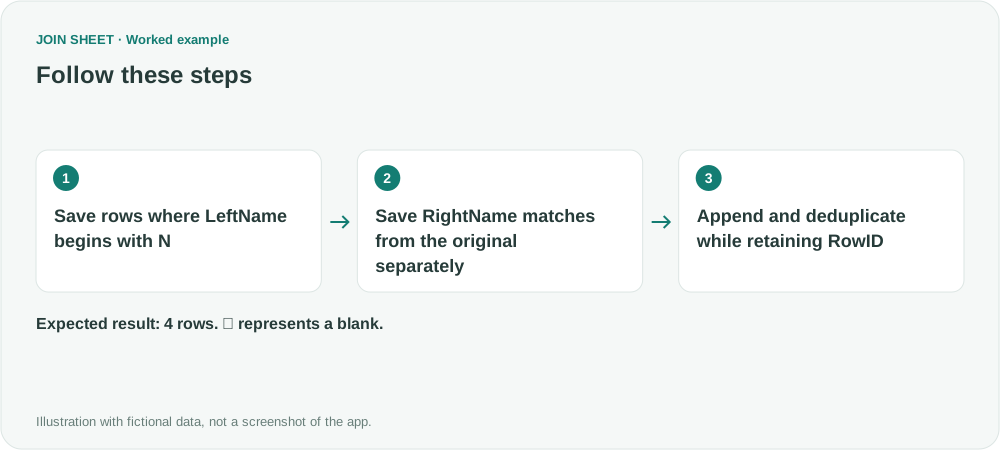
- Load People alone. On LeftName's filter icon, choose Begins with, enter N and click Apply. Do not filter RightName. Leave every column visible and save P1, P3 and P5 as LeftBranch.
- Reload original People in a new workspace. This time set Begins with N only on RightName, click Apply and save P2 and P3 as RightBranch. Do not continue from a table that still has the first run's filter.
- Load the two saved files in a fresh workspace. Check that both have the same four column names: RowID, LeftName, RightName and Note. Column order may differ. Do not hide or renumber RowID.
- Select LeftBranch as the result source. Drag its bottom + point to RightBranch's top + point and choose Keep one copy of identical rows. Do not reapply the LeftName or RightName source filters at this stage.
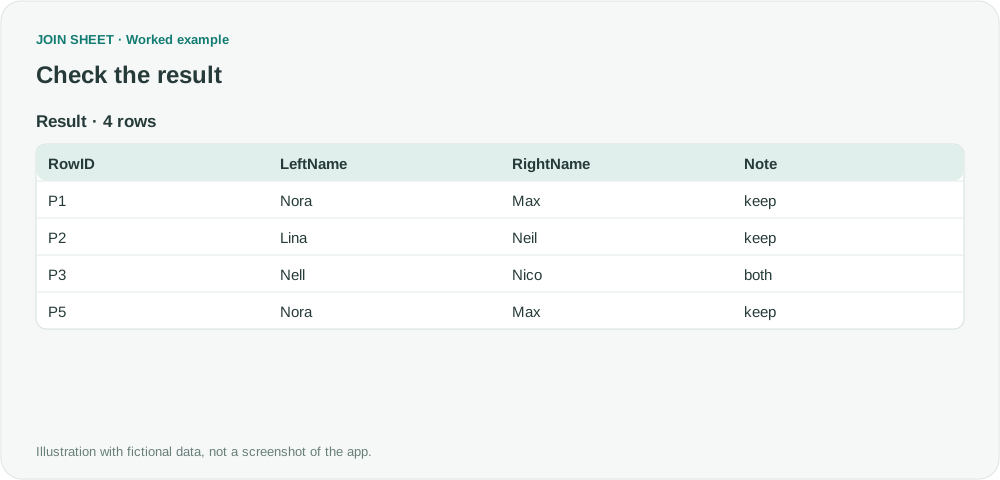
- Check four rows in Result preview: P1, P2, P3 and P5. P3 should appear once; P1 and P5 should each remain because their IDs differ.
Separate two similar records from one shared match
Appending all rows would produce 3 + 2 = 5 rows, with P3 twice. Keeping one identical copy produces four. P1 and P5 remain separate because RowID differs. P4 satisfies neither condition and appears in neither saved branch.
| RowID | LeftName | RightName | Note |
|---|---|---|---|
| P1 | Nora | Max | keep |
| P2 | Lina | Neil | keep |
| P3 | Nell | Nico | both |
| P5 | Nora | Max | keep |
Why a stable RowID matters
Without RowID, duplicate removal would merge records such as P1 and P5 because their other values match. Add stable IDs to a copy of the source if needed, then use that same copy for both filters. Changes between runs can leave two different versions of a row, even when its ID matches.
If one filter returns no rows, use the other result directly instead of trying to import an empty file. If neither returns rows, no records qualify. Run and save each filter separately before the final append; these are manual steps.
Try it with your own files
Start with JOIN SHEET ↗Use a desktop computer for Excel and CSV work.
Opens in a new tab without replacing your current work.
Example last verified:
Sources
Can you do an OR filter in excel? (Reddit r/excel)
This question asks how to keep rows where either column A or column B starts with N. The names here are fictional and do not represent the author's records or a review of JOIN SHEET.