Bring columns from several sheets into one master roster
Add teams and licenses to a staff roster. Join each source directly to the roster so a missing team does not hide a person's license.
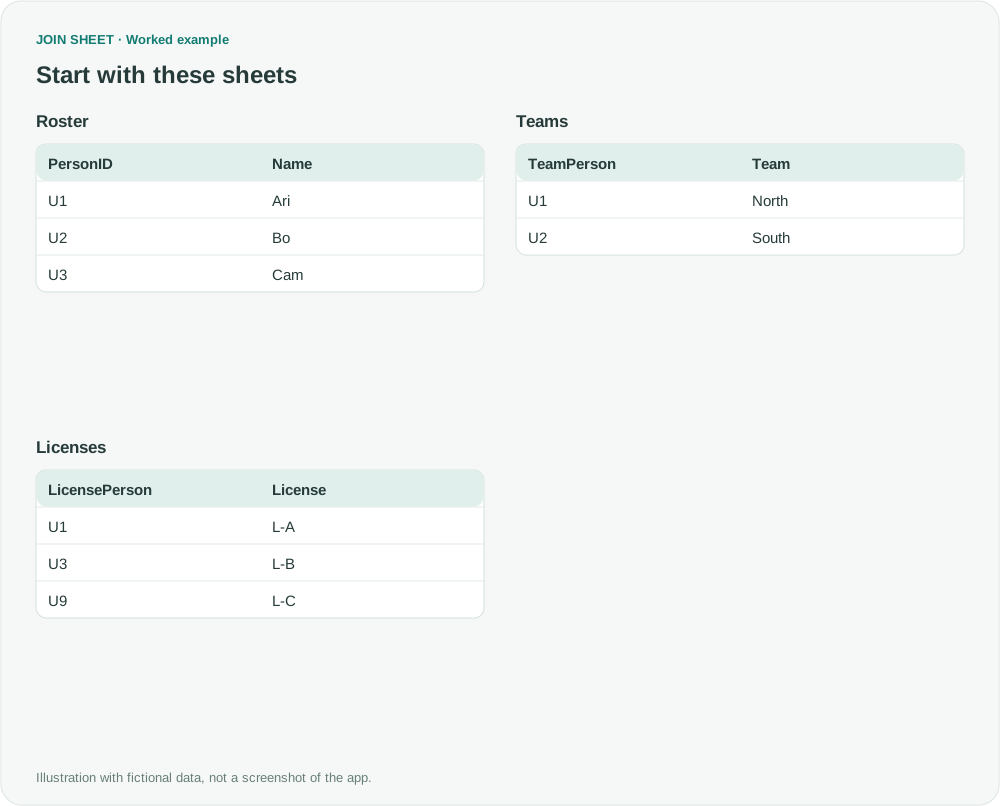
To add team and license details to a staff roster, join each source directly to the roster's PersonID. A person with no team record can then still receive a license from the separate Licenses table.
This workflow assumes your workplace permits JOIN SHEET and every source has a common person ID. Processing the data on your device does not replace your company's approval to use an external tool.
Keep everyone on the roster
U3 has license L-B but no team record. U9 appears in Licenses but not in the fictional roster. The requested output covers U1, U2 and U3 only.
In these tables, ∅ represents a blank cell; do not enter it as text.
Roster
| PersonID | Name |
|---|---|
| U1 | Ari |
| U2 | Bo |
| U3 | Cam |
Teams
| TeamPerson | Team |
|---|---|
| U1 | North |
| U2 | South |
Licenses
| LicensePerson | License |
|---|---|
| U1 | L-A |
| U3 | L-B |
| U9 | L-C |
Join Teams and Licenses directly to Roster
- Place Roster on the left, with Teams and Licenses to its right.
- Connect Roster.PersonID to Teams.TeamPerson and choose All rows from the left sheet.
- Create a separate connection from the same PersonID to Licenses.LicensePerson. Choose All rows from the left sheet here too.
- Select Roster and check Result preview. Both connections should start at Roster, and Name, Team and License should be visible.
What to check in the result
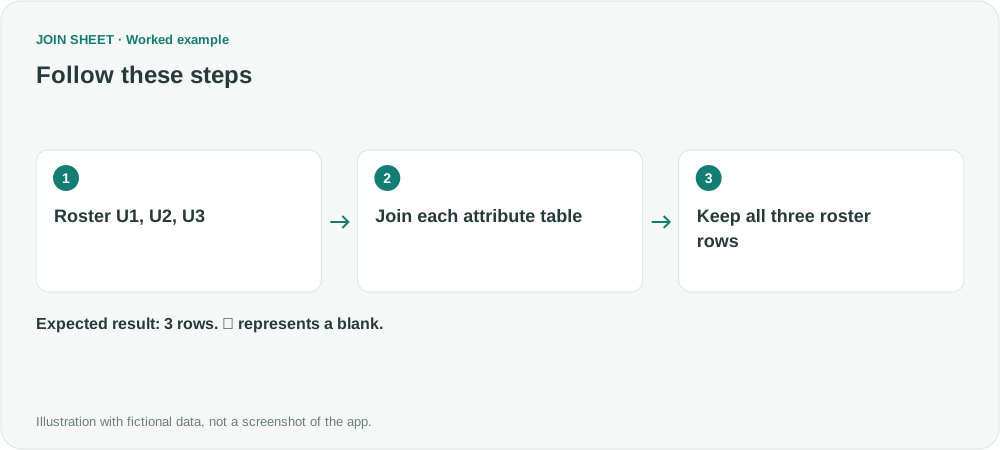
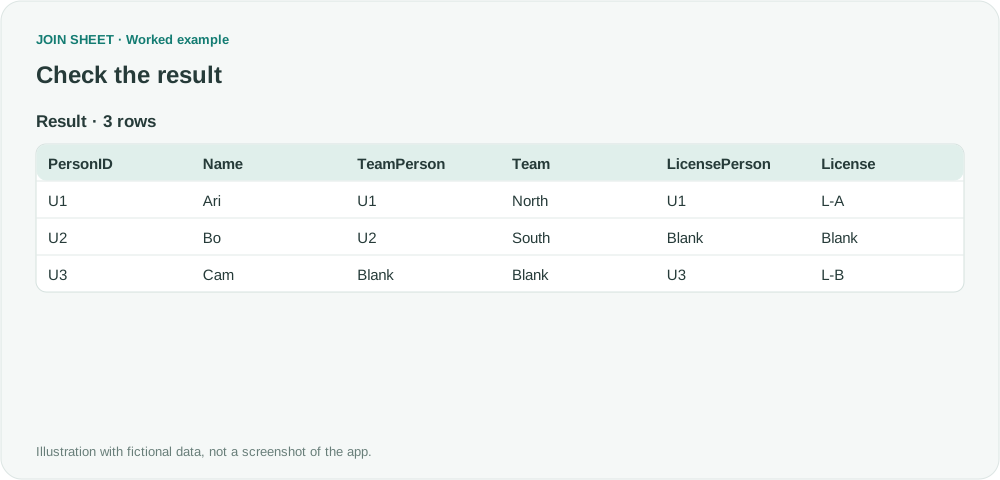
Expect three rows. U2 has a blank License and U3 has a blank Team, while U3 still shows L-B. If U9 appears, check whether a connection was set to retain both sheets.
| PersonID | Name | TeamPerson | Team | LicensePerson | License |
|---|---|---|---|---|---|
| U1 | Ari | U1 | North | U1 | L-A |
| U2 | Bo | U2 | South | ∅ | ∅ |
| U3 | Cam | ∅ | ∅ | U3 | L-B |
Check whether each person has more than one record
Each source table here has at most one row per person. If someone has several licenses and several team records, the join returns every matching combination. Decide whether your report needs their current team or their full history, then filter or summarize the sources accordingly.
Try it with your own files
Start with JOIN SHEET ↗Use a desktop computer for Excel and CSV work.
Opens in a new tab without replacing your current work.
Example last verified:
Sources
How do I take data from specific columns from multiple sheets and merge them into one? (Reddit r/excel)
This question asks how to add selected columns from several tables to an existing one within a company network that prohibits third-party tools. The replies discuss an Excel-based approach and missing employee IDs in some reports. This separate fictional example assumes external-tool use is permitted and common IDs are available in every source; it is not the question author's data or a review of JOIN SHEET.