How many customers ordered at least twice from each vendor?
Count customers with at least two orders from the same vendor, without mistaking multiple items in one order for repeat purchases.
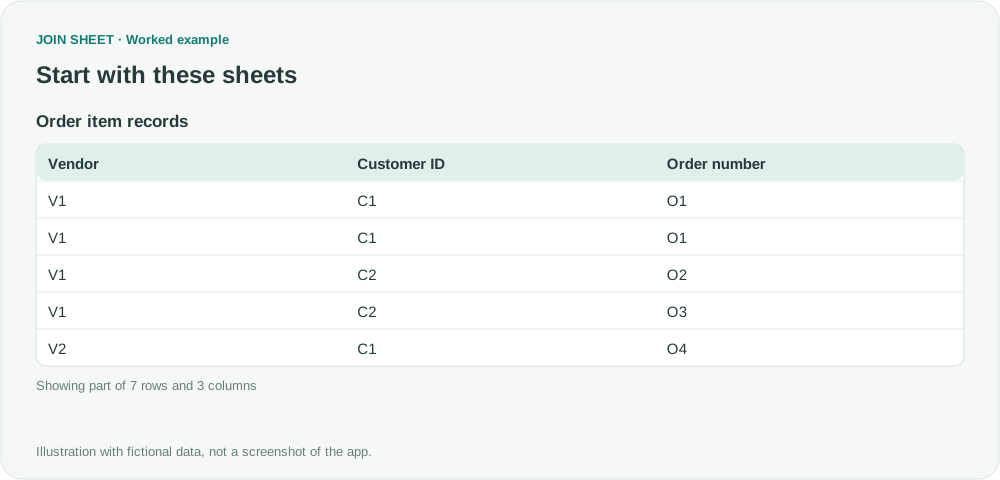
To find each vendor's repeat customers, count customers who placed at least two orders with that vendor. In JOIN SHEET, first reduce repeated item lines to one row per order, then count orders per customer. Keep customers with two or more orders and count them by vendor.
Seven lines do not mean seven orders
In this fictional data, C1's order O1 from V1 contains two items, so its order number appears twice. It still counts as one order.
| Vendor | Customer ID | Order number |
|---|---|---|
| V1 | C1 | O1 |
| V1 | C1 | O1 |
| V1 | C2 | O2 |
| V1 | C2 | O3 |
| V2 | C1 | O4 |
| V2 | C1 | O5 |
| V2 | C2 | O6 |
For your own data, Order number must distinguish orders within each vendor and customer. Review missing customer IDs before starting: orders from different unidentified customers could otherwise be grouped as one customer's purchases. If cancelled orders should not count, exclude them before summarizing.
1. Keep one row per order
This task uses one sheet; you do not need to join it to another.
- Load the order data and select its sheet.
- In Result preview, open Refine results and choose Summarize.
| Setting | What to select or enter |
|---|---|
| Group by | Select Vendor, Customer ID, and Order number one at a time |
| Output field name | Replace the default name Count with Order line count |
| Summary method | Keep the default Count |
Rows with the same vendor, customer, and order number are now one group. Order line count tells you how many item lines that order had. In the next step, count the resulting order rows; do not add up their line counts.
2. Count each customer's orders
Without choosing Apply yet, choose Summarize again. Configure the new step below the first one:
| Setting | What to select or enter |
|---|---|
| Group by | Select Vendor and Customer ID one at a time |
| Output field name | Replace Count with Orders |
| Summary method | Keep Count |
Choose Apply and check these four rows in Result preview. The display order can differ, so check each vendor and customer pair.
| Vendor | Customer ID | Orders |
|---|---|---|
| V1 | C1 | 1 |
| V1 | C2 | 2 |
| V2 | C1 | 2 |
| V2 | C2 | 1 |
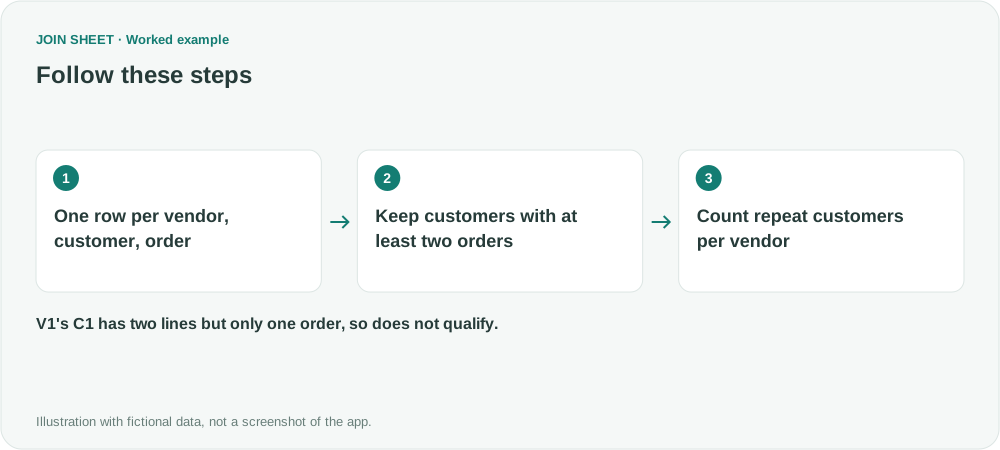
C1 has two source lines at V1 but only one order. If Orders shows 2 for that pair, check that the first summary is present and the second uses Count rather than Sum.
3. Keep customers with at least two orders
Reopen Refine results and keep both summary steps. Add Filter below them. Set Field to Orders, Condition to Greater than or equal to, and Value to 2.
V1's C2 and V2's C1 pass this condition. The next step counts them by vendor.
4. Count repeat customers by vendor
Choose Summarize to add a final step below the filter:
| Setting | What to select or enter |
|---|---|
| Group by | Select Vendor |
| Output field name | Replace Count with Repeat customer count |
| Summary method | Keep Count |
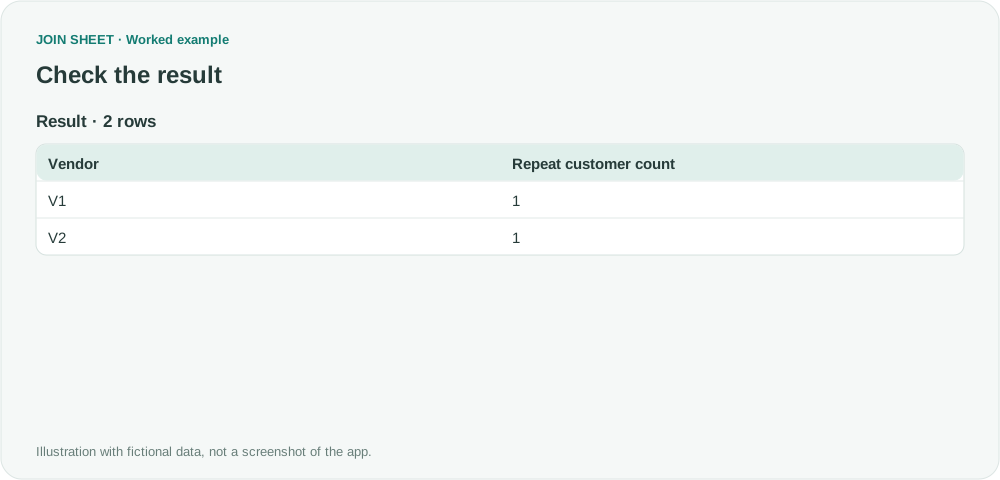
Choose Apply. Each vendor should have one qualifying customer.
For V1, only C2 qualifies through O2 and O3. C1's two O1 lines represent one order. For V2, C1 qualifies through O4 and O5; C2 has only one order. The final count measures qualifying customer rows, not total orders.
| Vendor | Repeat customer count |
|---|---|
| V1 | 1 |
| V2 | 1 |
Check the reporting period and missing vendors
Keep Vendor in both intermediate groupings or purchases from different vendors will combine. If the source contains only September orders, these are customers who ordered at least twice from the same vendor in September. The result does not check their earlier purchase history.
Vendors with no qualifying customers are absent from the final table. Compare the result with a complete vendor list if you need to identify them; this workflow does not add zero-count vendors automatically.
Try it with your own files
Start with JOIN SHEET ↗Use a desktop computer for Excel and CSV work.
Opens in a new tab without replacing your current work.
Example last verified:
Sources
The question How can I find the amount of repeat customers each vendor has? asks about repeat customers for each vendor. The orders in this example were created separately and are fictional.