How do you split shipping costs in proportion to item value?
Split a shipment's cost according to each item's share of the purchase total. Check the total first and update it whenever the items change.
Splitting a shipping charge of 120 equally gives each of three items 40. A value-based allocation uses each item's share of the purchase total. In JOIN SHEET, check that total first, then use it as a fixed number while retaining the item rows.
Use each item’s total cost, including quantity
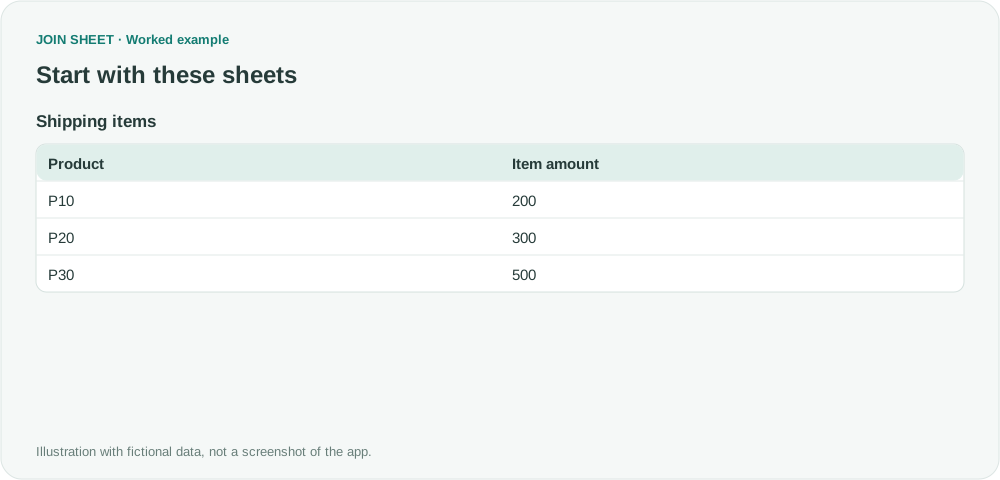
These fictional amounts already include quantity. All items belong to one shipment and use the same currency. Keep different shipments or currencies separate when calculating the total used to split the cost.
| Product | Item amount |
|---|---|
| P10 | 200 |
| P20 | 300 |
| P30 | 500 |
Check the total, then restore the item rows
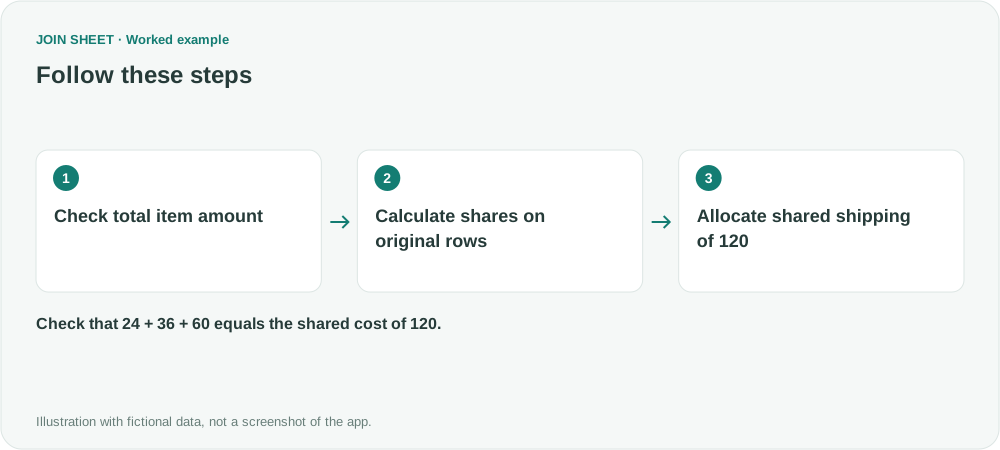
- Select Shipping items as the result source. In Refine results, add Summarize with no Group by fields. Change Summary method to Sum and select Item amount. Choose Apply and confirm a total of 1000, then reopen Refine results.
- Remove that summary to restore the original three rows. This does not automatically attach a live total to each item.
- Add Calculate. Divide Item amount by Fixed number 1000 and name it Value share.
- Add another calculation multiplying Value share by Fixed number 120. Name it Allocated shipping and choose Apply.
Check that the allocated amounts add up to the shipping cost
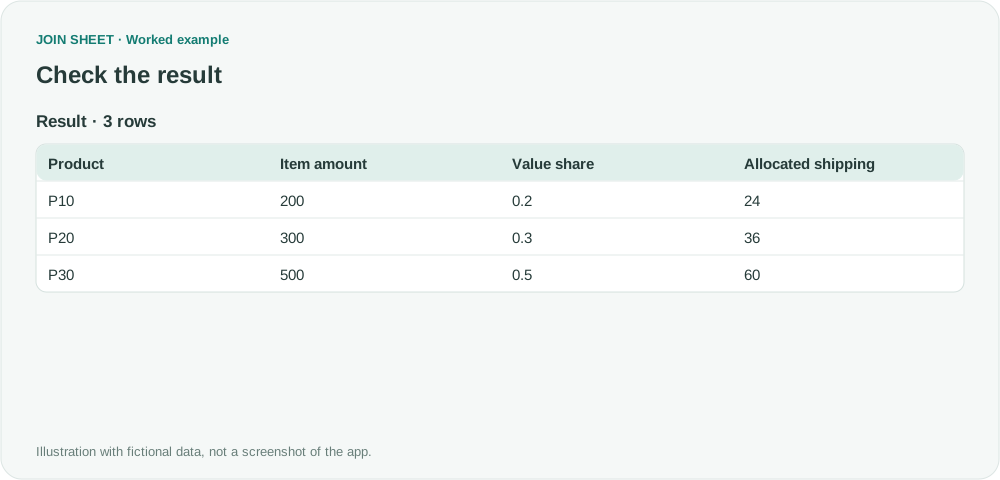
Shares of 0.2, 0.3, and 0.5 produce allocations of 24, 36, and 60, adding back to 120. These are allocations per item row, not per unit. Divide by the corresponding quantity separately for a unit cost.
| Product | Item amount | Value share | Allocated shipping |
|---|---|---|---|
| P10 | 200 | 0.2 | 24 |
| P20 | 300 | 0.3 | 36 |
| P30 | 500 | 0.5 | 60 |
When the items change, calculate the purchase total again and update the fixed number. You cannot divide the shipping cost this way if that total is zero. You will also need your own rules for rounding remainders, taxes and accounting treatment; the calculation here only splits the charge by item value.
Try it with your own files
Start with JOIN SHEET ↗Use a desktop computer for Excel and CSV work.
Opens in a new tab without replacing your current work.
Example last verified:
Sources
The question Spread shipping cost against items using a weighted formula asks about sharing shipping costs by item value. The amounts in this guide are fictional.