How do you calculate 20% off followed by another 10%?
Calculate one discount after another using the reduced price at each step. Check why 20% off followed by 10% off is not the same as 30% off.
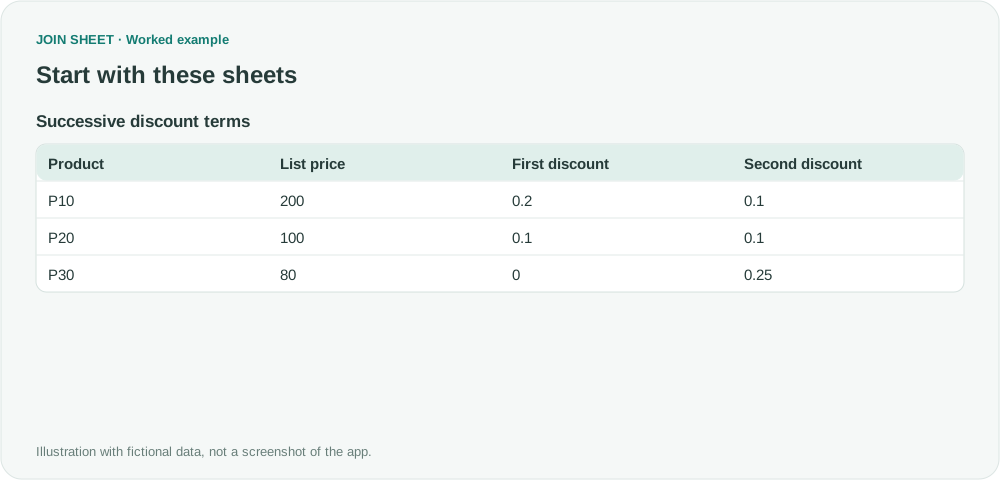
Taking 20% off 200 leaves 160. Another 10% off that reduced price leaves 144. To calculate successive discounts in JOIN SHEET, apply each discount to the previous result and keep the intermediate price visible. Adding the rates would give a different price: a single 30% discount leaves 140.
Enter a 20% rate as 0.2
The fictional discount columns contain fractions between zero and one: 0.2 means 20%, and 0.1 means 10%. Check the imported numeric value even when a source cell displays a percent sign. Do not enter 20 where the calculation expects 0.2.
| Product | List price | First discount | Second discount |
|---|---|---|---|
| P10 | 200 | 0.2 | 0.1 |
| P20 | 100 | 0.1 | 0.1 |
| P30 | 80 | 0 | 0.25 |
Apply the second discount to the reduced price
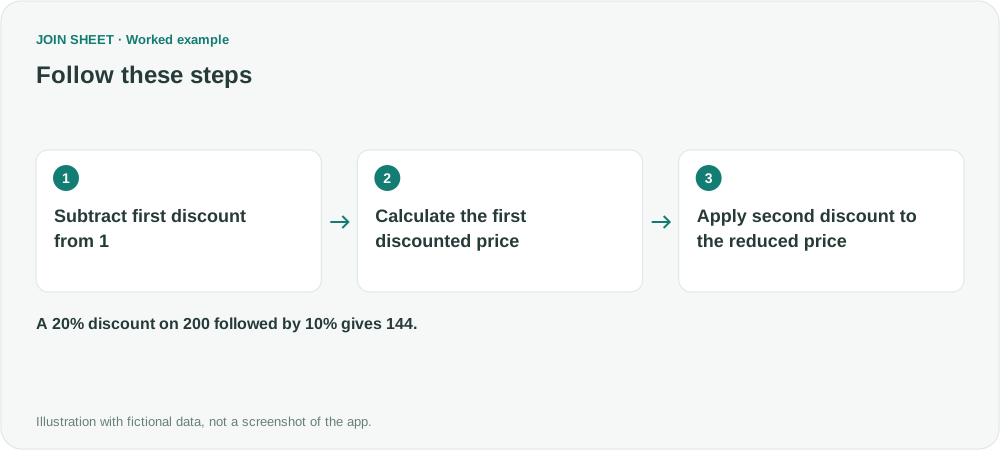
- Select the data as the result source. In Refine results, add Calculate and subtract First discount from Fixed number 1. Name it First remaining fraction.
- Multiply List price by First remaining fraction to create Price after first discount.
- Subtract Second discount from Fixed number 1 to create Second remaining fraction.
- Multiply Price after first discount by Second remaining fraction. Name it Final price and choose Apply.
Check the final price against the original
For P10, 200 × 0.8 × 0.9 = 144. The reduction of 56 is 28% of the original price. P20's two 10% discounts similarly produce a 19% reduction. P30 has no first discount, so only the second rate changes its price to 60.
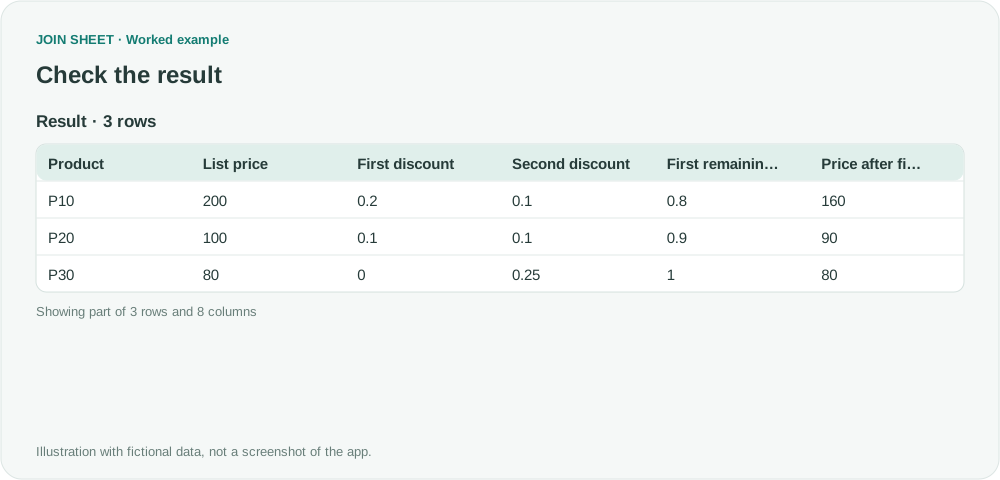
| Product | List price | First discount | Second discount | First remaining fraction | Price after first discount | Second remaining fraction | Final price |
|---|---|---|---|---|---|---|---|
| P10 | 200 | 0.2 | 0.1 | 0.8 | 160 | 0.9 | 144 |
| P20 | 100 | 0.1 | 0.1 | 0.9 | 90 | 0.9 | 81 |
| P30 | 80 | 0 | 0.25 | 1 | 80 | 0.75 | 60 |
This example applies each discount to the previous price without rounding between steps. Check your actual discount rules before using it: a coupon based on list price or a discount cap needs a different calculation. Fixed-value coupons, taxes and rounding at each stage are not handled automatically here.
Try it with your own files
Start with JOIN SHEET ↗Use a desktop computer for Excel and CSV work.
Opens in a new tab without replacing your current work.
Example last verified:
Sources
The question Calcul d'un prix net après plusieurs remises en cascade informed this independently created fictional example.