How many jobs will cover an upfront setup cost?
Calculate the saving per job, then divide setup cost by that saving. Separate options with zero or negative savings first.
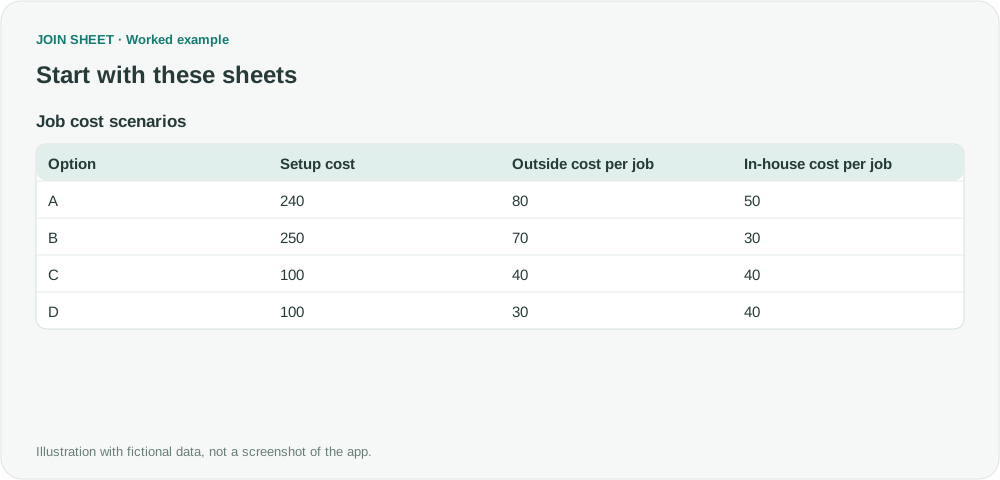
If doing a job in-house saves money each time but requires an upfront purchase, divide that setup cost by the saving per job. JOIN SHEET can calculate this break-even count from your inputs. It shows when the assumed savings cover the cost, not whether the purchase is a good investment.
Compare the same completed job
The fictional costs share one currency and assume equivalent work. Setup cost occurs once, and per-job costs remain constant as the number of jobs increases. Use consistent definitions for labor and consumables on both sides.
| Option | Setup cost | Outside cost per job | In-house cost per job |
|---|---|---|---|
| A | 240 | 80 | 50 |
| B | 250 | 70 | 30 |
| C | 100 | 40 | 40 |
| D | 100 | 30 | 40 |
Check savings before dividing
- Select Job cost scenarios as the result source and add Calculate in Refine results.
- Subtract In-house cost per job from Outside cost per job and name the result Saving per job. To inspect C at zero and D at −10, choose Apply, then reopen Refine results to continue.
- Add Filter for Saving per job greater than 0. Options without positive savings must not be presented as recoverable.
- Below the filter, divide Setup cost by Saving per job and name it Recovery count. Choose Apply.
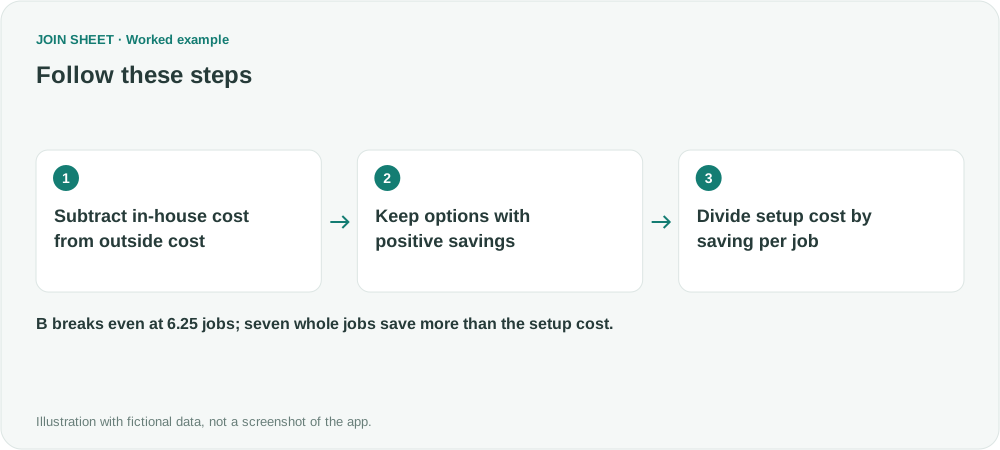
A result of 6.25 does not mean six completed jobs
A covers its setup cost at 240 ÷ 30 = 8 jobs. B returns 250 ÷ 40 = 6.25. If you can only complete whole jobs, B needs seven: six save 240, while seven save 280. The app returns 6.25 without rounding it up, so account for whole jobs when reading the result.
| Option | Setup cost | Outside cost per job | In-house cost per job | Saving per job | Recovery count |
|---|---|---|---|---|---|
| A | 240 | 80 | 50 | 30 | 8 |
| B | 250 | 70 | 30 | 40 | 6.25 |
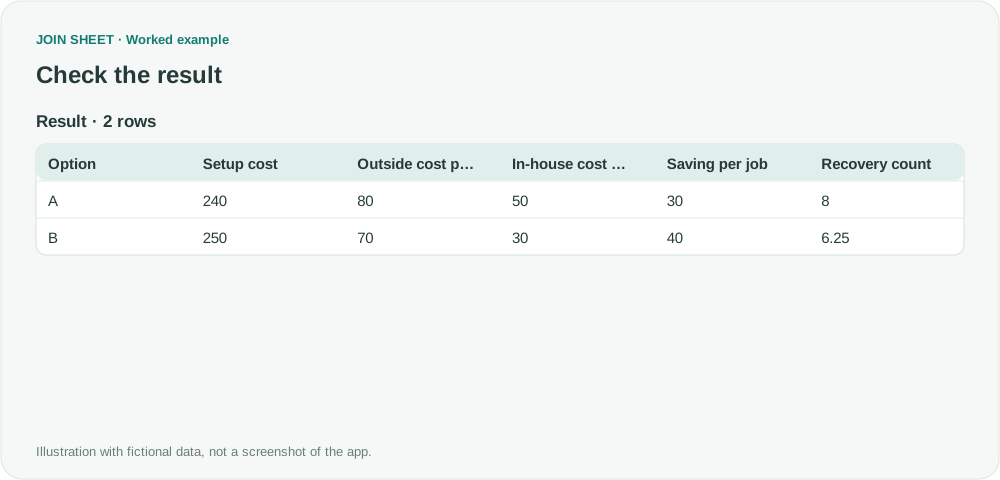
C saves nothing and D costs more with each job, so neither has a recovery count under these conditions. Review why excluded options disappeared. This example does not model time value, maintenance, resale value, or changing demand, nor does it estimate missing costs for a real decision.
Try it with your own files
Start with JOIN SHEET ↗Use a desktop computer for Excel and CSV work.
Opens in a new tab without replacing your current work.
Example last verified:
Sources
The question Getting a formula as a quasi-breakeven analysis. informed this independently created fictional example.