Calculate a team-wide rate from individual amounts
Sum budget and spending separately, then divide total spending by total budget. Adding or averaging individual percentages answers a different question.
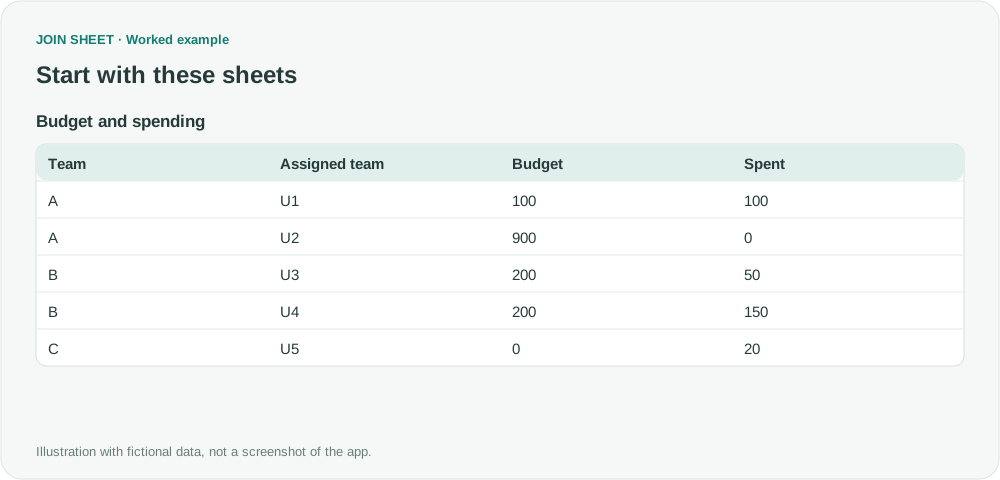
To calculate the percentage of a team's budget spent, add up the budgets and spending first, then divide the totals. Averaging individual percentages can give a different answer: someone spending 100 of 100 and someone spending 0 of 900 have used 10% of their combined budget, even though their individual percentages average to 50%.
Prepare amounts, not just percentages
These fictional amounts use the same period and currency. Team C spent 20 without a budget and needs review. This example keeps that spending in the totals and leaves a zero-denominator rate blank.
| Team | Assigned team | Budget | Spent |
|---|---|---|---|
| A | U1 | 100 | 100 |
| A | U2 | 900 | 0 |
| B | U3 | 200 | 50 |
| B | U4 | 200 | 150 |
| C | U5 | 0 | 20 |
Sum each team's amounts before calculating the percentage
- Select the sheet as the result source and confirm that Budget and Spent are numeric.
- Open Refine results and add Summarize, grouping by Team. Change Summary method to Sum, select Budget, and enter Total budget in Output field name. Choose Add summary within the same step, set it to Sum for Spent, and name it Total spent.
- Add Calculate below the summary. Choose Ratio (%), with Total spent as A and Total budget as B. Name it Budget used (%).
- Choose Apply and inspect both totals alongside the percentage.
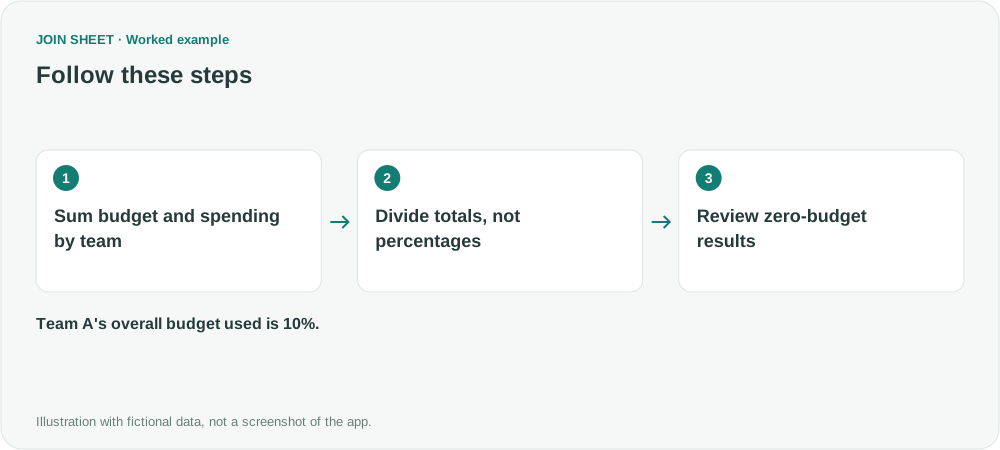
Team A used 10%; Team B used 50%
A gives 100÷1000×100=10 and B gives 200÷400×100=50. C has a blank rate because its budget is zero, while its spending of 20 remains visible. Do not read that blank as 0% or silently drop the team.
| Team | Total budget | Total spent | Budget used (%) |
|---|---|---|---|
| A | 1000 | 100 | 10 |
| B | 400 | 200 | 50 |
| C | 0 | 20 | Blank |
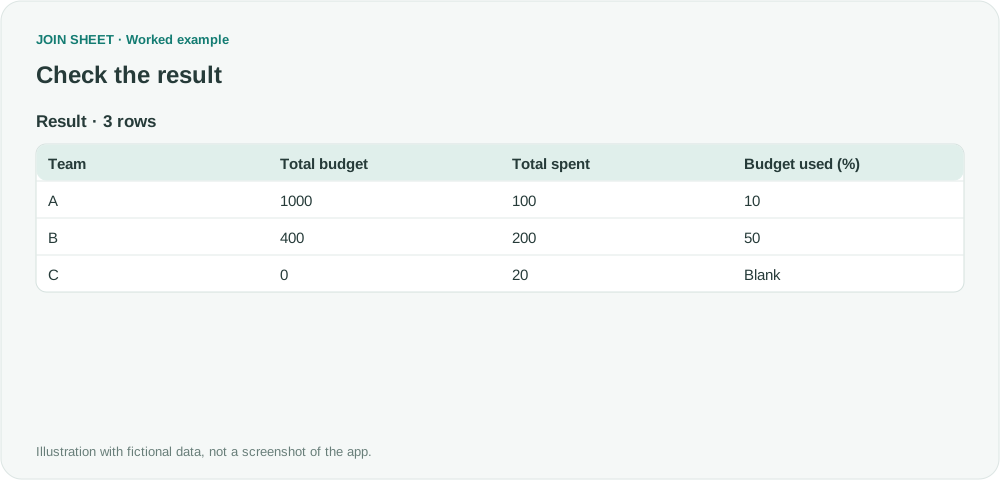
Check missing budget values before using the rate: spending may be included even when its budget is absent. Decide which records belong in the report. If you exclude zero-budget records, filter out the whole row before summarizing so both totals cover the same records.
Try it with your own files
Start with JOIN SHEET ↗Use a desktop computer for Excel and CSV work.
Opens in a new tab without replacing your current work.
Example last verified:
Sources
The question Percentage summaries calculating as a roll up informed this independently created fictional example.