Keep records with missing IDs separate when joining both lists
Keep records from both sheets without matching genuinely blank IDs to each other. Retain source references so you can investigate them.
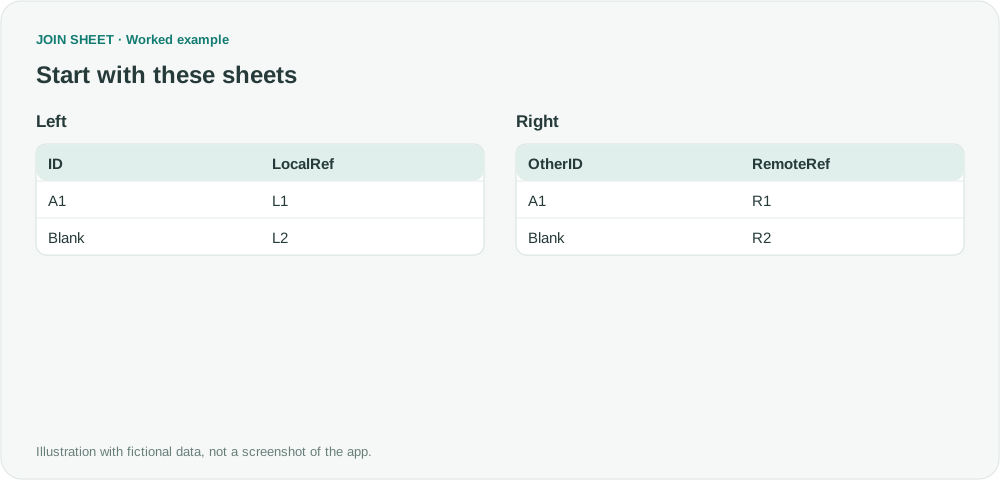
Two records with missing IDs are not necessarily the same record. In a JOIN SHEET data join, genuinely blank keys do not match each other. Choose All rows from both sheets to keep those records separately for review.
Keep a reference for each record with no ID
In this fictional example, L2 and R2 have no IDs. LocalRef and RemoteRef let you trace them back to their source rows. Use ID and OtherID for the join, not these reference columns.
In these tables, ∅ represents a blank cell; do not enter it as text.
Left
| ID | LocalRef |
|---|---|
| A1 | L1 |
| ∅ | L2 |
Right
| OtherID | RemoteRef |
|---|---|
| A1 | R1 |
| ∅ | R2 |
Keep blank IDs blank and retain both lists
- Leave missing IDs truly blank. Do not fill both sides with a shared placeholder such as Unknown.
- Connect ID to OtherID and keep all rows from both sheets. Use a data join, not Compare values.
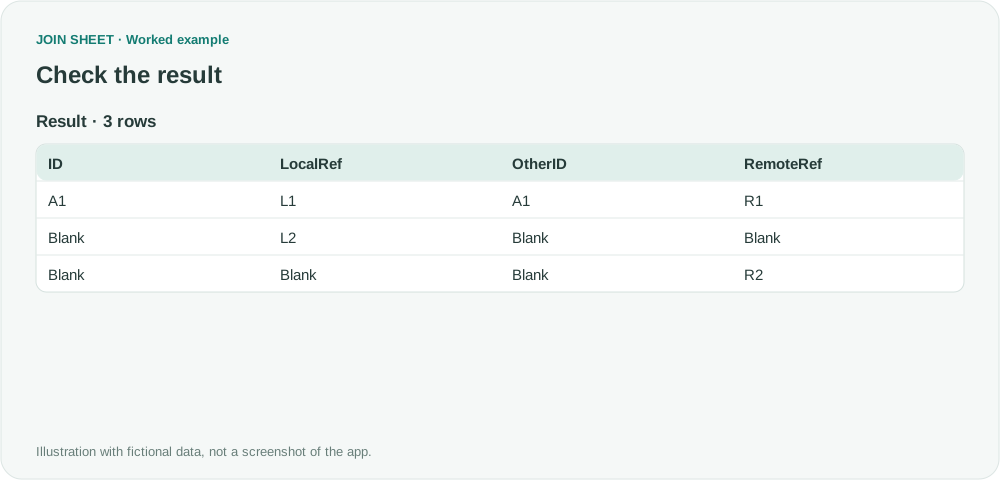
- Check the one matched A1 row and the separate unmatched L2 and R2 rows.
- Keep LocalRef and RemoteRef in the saved output so the unidentified records can be investigated.
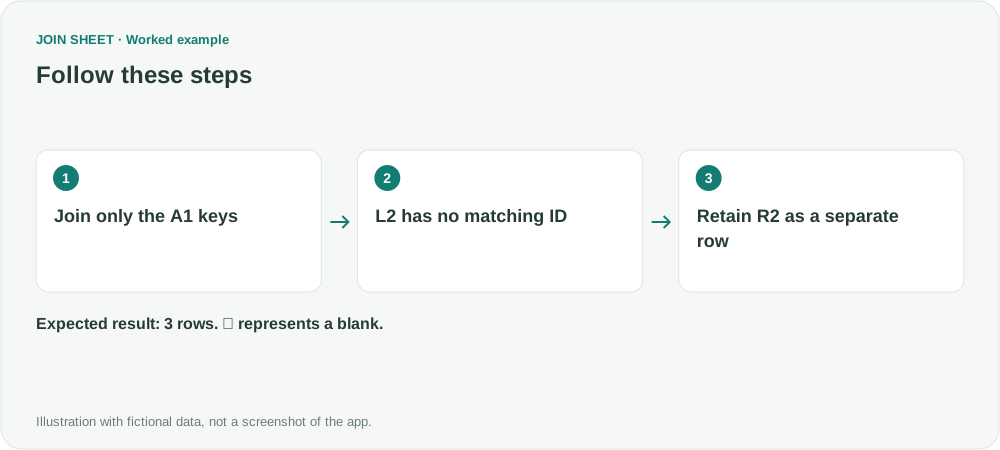
One match and two separate unidentified records
Four input rows produce three result rows. Only A1 joins into a shared row; L2 and R2 survive separately. This differs from an inner join that drops them or a value comparison that can pair blank values.
| ID | LocalRef | OtherID | RemoteRef |
|---|---|---|---|
| A1 | L1 | A1 | R1 |
| ∅ | L2 | ∅ | ∅ |
| ∅ | ∅ | ∅ | R2 |
Shared placeholder text can create false matches
Unknown or a literal ∅ is a value, not a null, and can match if entered on both sides. Resolve missing identifiers using business evidence rather than assuming that row order or similar names identify the same record.
Try it with your own files
Start with JOIN SHEET ↗Use a desktop computer for Excel and CSV work.
Opens in a new tab without replacing your current work.
Example last verified:
Sources
Null values get matched in Full Outer Join query. Can we stop this? (Excel Help Forum)
The question asks how to prevent null keys from matching in a full outer join and retain them as separate unmatched rows. The tables and workflow are a separately created fictional example inspired by this question, not the author's data or a product testimonial.