Keep whole groups when any member meets a condition
Keep every row in a group if at least one value meets your condition. Find the qualifying groups, then join them to the original records.
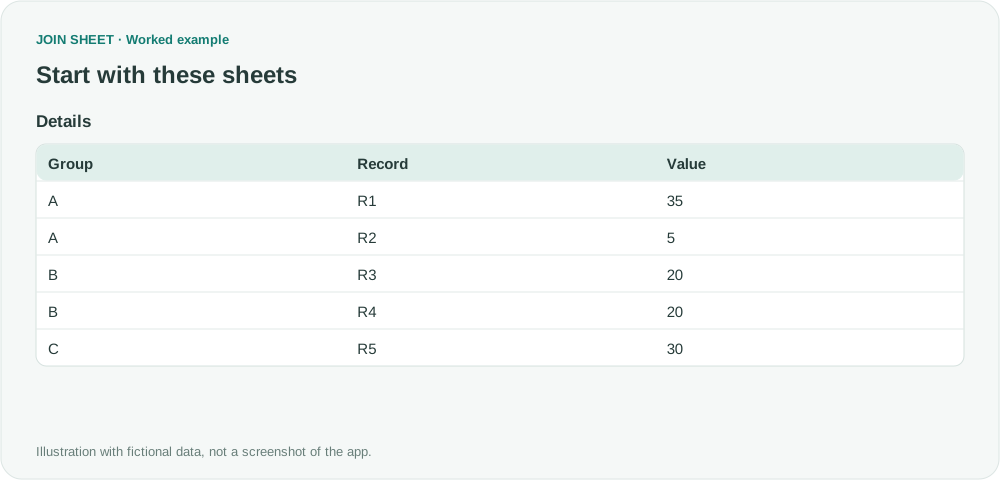
If one value in a group reaches your threshold, you may want to review the whole group. First filter for the qualifying rows and save a list of their groups. Join that list to the unfiltered original data to bring back the other rows in those groups.
Keep 35 and 5, but exclude 20 and 20
In this fictional example, a group qualifies when any row has Value ≥ 30. A qualifies because R1 is 35. B does not qualify: its two values are both 20, even though they total 40. C qualifies because its value is exactly 30. You will create Eligible, a list of the qualifying groups A and C, then use it to select every original row belonging to either group.
Details
| Group | Record | Value |
|---|---|---|
| A | R1 | 35 |
| A | R2 | 5 |
| B | R3 | 20 |
| B | R4 | 20 |
| C | R5 | 30 |
Build the eligible-group list first
- Load Details alone. Open Value's source filter and set Greater than or equal to 30 and click Apply. Only R1 and R5 remain in this first run.
- Open Refine results and add Summarize. Select Group under Group by, keep the default Count method, and enter QualifyingRows in Output field name. Even if several members qualify, the output must have one row per group.
- Apply and save the two columns Group and QualifyingRows as Eligible, with A=1 and C=1. This counts qualifying members, not every member of the group.
- In a new workspace, load unfiltered original Details and saved Eligible. Join Group to Group with Matching rows only. Do not apply Value ≥ 30 to Details in this workspace.
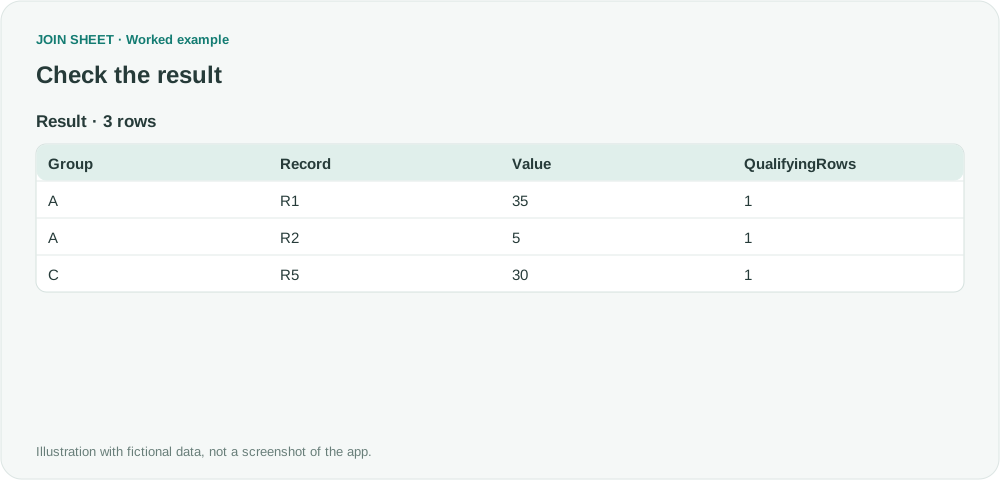
- Hide only Group from Eligible and retain QualifyingRows. Check R1, R2 and R5 in Result preview, then save the three rows. R2 with value 5 must be included.
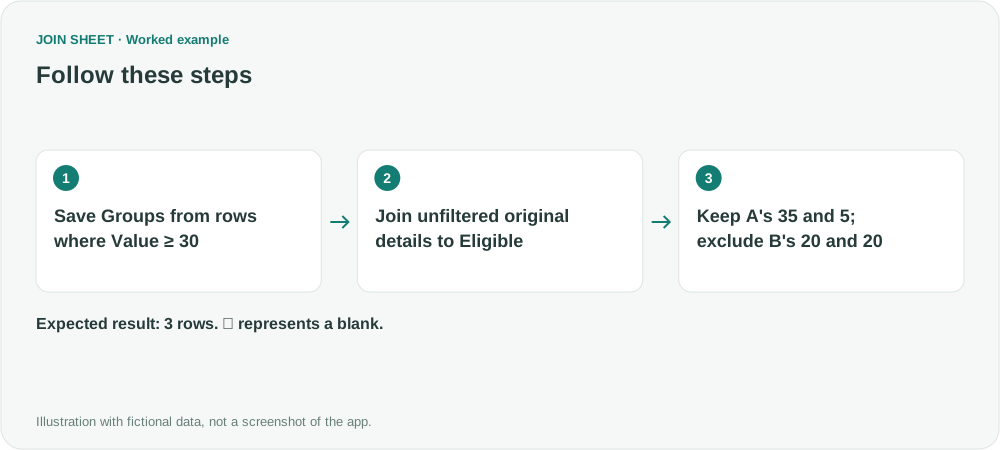
Keep R2 because another row in its group qualifies
R2 is below 30, but R1 qualifies their shared group A, so R2 remains. Both B rows are excluded because each value is below 30, despite their total of 40. QualifyingRows=1 repeats on A's two detail rows because each row carries its group's eligibility information.
| Group | Record | Value | QualifyingRows |
|---|---|---|---|
| A | R1 | 35 | 1 |
| A | R2 | 5 | 1 |
| C | R5 | 30 | 1 |
Do not carry the first-stage filter into the final join
If you apply Value ≥ 30 again in the final workspace, R2 will disappear. Also group the qualifying rows before joining: several matches for one group could otherwise repeat its original rows. Check that Group has consistent, nonblank values. When the source changes, create and save Eligible again before repeating the join.
Try it with your own files
Start with JOIN SHEET ↗Use a desktop computer for Excel and CSV work.
Opens in a new tab without replacing your current work.
Example last verified:
Sources
I have a pivot table with different groups, i want to filter on whole groups if it meets a condition. (Reddit r/excel)
The question asks to retain an entire group when one member's value reaches 30, rather than filtering by the group total. The tables and workflow are a separately created fictional example inspired by this question, not the author's data or a product testimonial.