Keep notes with the right record when rows change order
Store notes with a stable record ID, then join them to each updated report so changes in row order do not move notes to the wrong record.
When a refreshed report changes row order, notes typed beside it can end up next to the wrong record. Store each note with a stable ID in a separate table, then join the notes to the updated report.
Store notes against IDs, not row positions
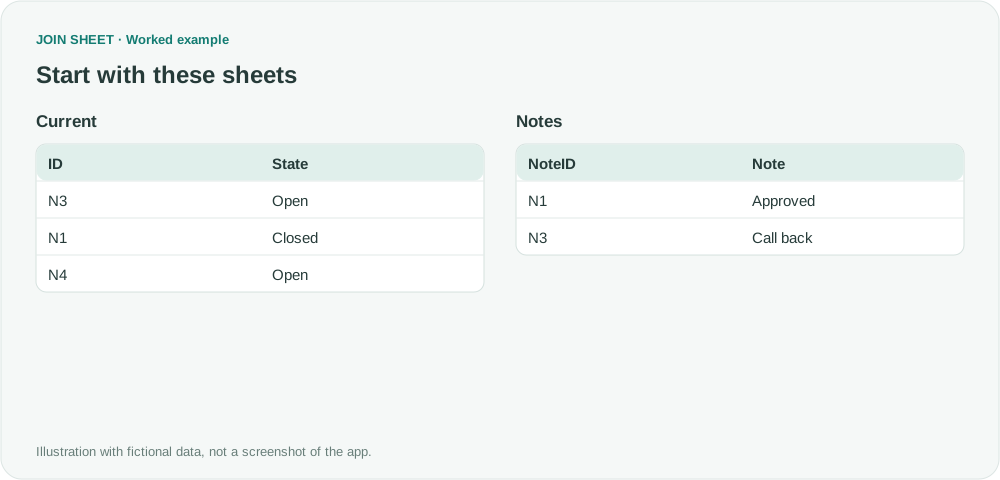
Suppose the previous file listed N1 before N3. This fictional Current table reverses them and adds N4. NoteID uses the same identifiers as ID. These notes are cell values, not Excel comment objects.
In these tables, ∅ represents a blank cell; do not enter it as text.
Current
| ID | State |
|---|---|
| N3 | Open |
| N1 | Closed |
| N4 | Open |
Notes
| NoteID | Note |
|---|---|
| N1 | Approved |
| N3 | Call back |
Join the notes to each updated report
- Keep an ID-and-note source file with one row per ID. Preserve that file independently of the exported result.
- Load the new Current file and Notes. Place Current on the left and join ID to NoteID, keeping all rows from the left sheet.
- Check that N3 has Call back and N1 has Approved, then save the result.
- Edit notes in the retained Notes file. On the next run, load the new Current snapshot and the updated Notes file again.
Keep each note with the same ID
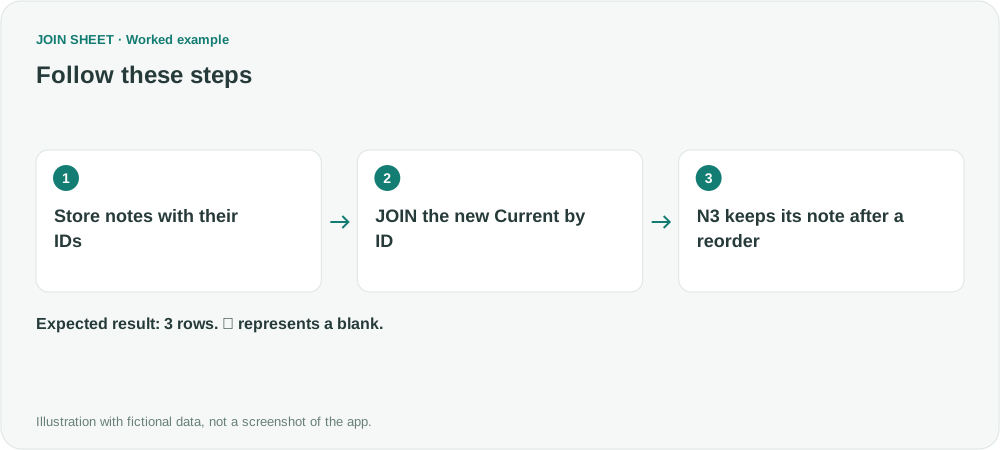
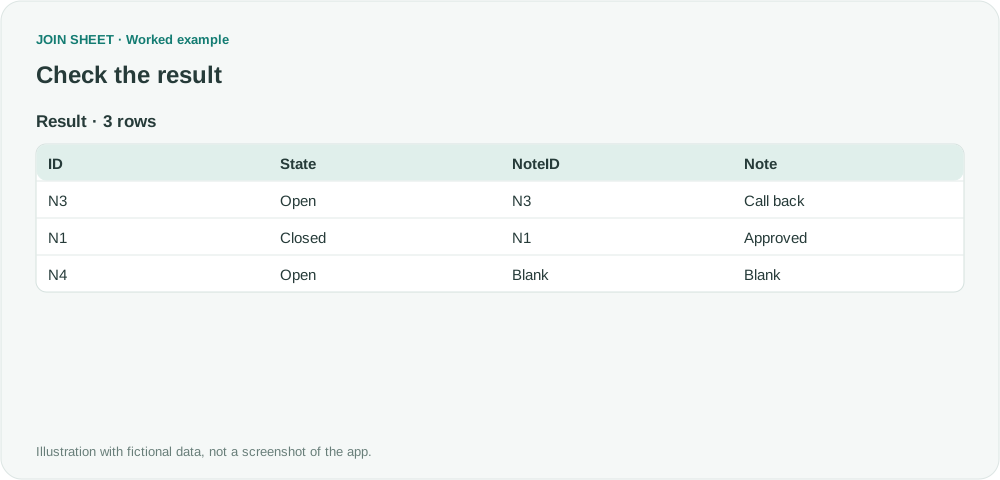
N3 keeps Call back despite moving to the first row. New record N4 has no note. The ID, not the row position, determines the association.
| ID | State | NoteID | Note |
|---|---|---|---|
| N3 | Open | N3 | Call back |
| N1 | Closed | N1 | Approved |
| N4 | Open | ∅ | ∅ |
Keep the notes file for the next update
Keep editing and saving notes in the separate Notes file. JOIN SHEET does not write changes back to that file or refresh either input automatically. Keep notes even for IDs absent from the current report, and check for reused or duplicate IDs before joining: they can attach a note to the wrong record.
Try it with your own files
Start with JOIN SHEET ↗Use a desktop computer for Excel and CSV work.
Opens in a new tab without replacing your current work.
Example last verified:
Sources
Keeping comments aligned to my Power Query table rows? (Reddit r/excel)
The question asks how to keep notes aligned with records after a Power Query refresh. The tables and workflow are a separately created fictional example inspired by this question, not the author's data or a product testimonial.