Find pairs of overlapping numeric ranges
Find ranges that overlap, including a range contained inside another. Compare each pair once and leave out pairs that only touch at an endpoint.
To find overlapping ranges, compare the end of each range with the start of the other. Both differences must be positive. Testing in both directions catches a range inside another while excluding pairs that only touch at an endpoint. Use two copies of your range list to make these comparisons in JOIN SHEET.
Separate containment from endpoint contact
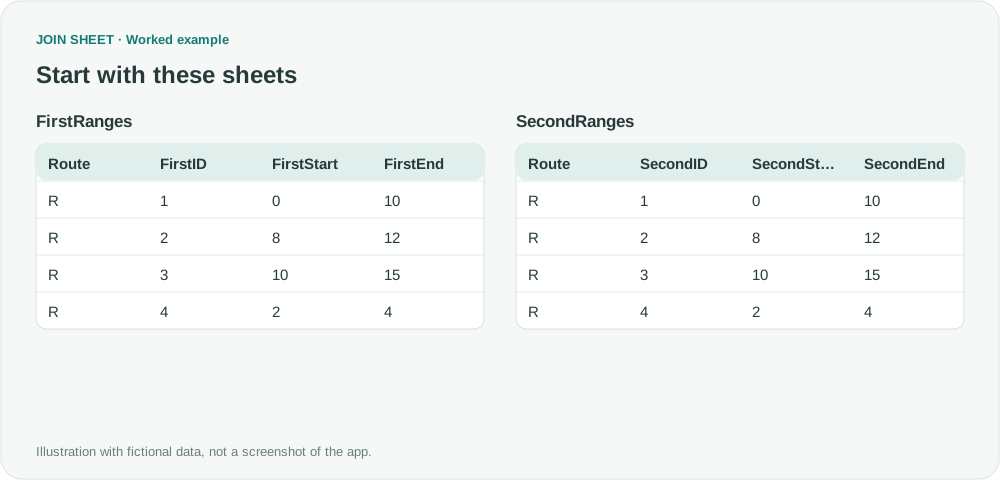
In the fictional list, range 4 (2–4) is contained in range 1 (0–10). Ranges 1 and 3 only touch at 10 and should be excluded. The tables below are role-specific copies of one source. Before import, assign unique numeric IDs and rename the copied columns First and Second. JOIN SHEET does not create those IDs or copies automatically.
FirstRanges
| Route | FirstID | FirstStart | FirstEnd |
|---|---|---|---|
| R | 1 | 0 | 10 |
| R | 2 | 8 | 12 |
| R | 3 | 10 | 15 |
| R | 4 | 2 | 4 |
SecondRanges
| Route | SecondID | SecondStart | SecondEnd |
|---|---|---|---|
| R | 1 | 0 | 10 |
| R | 2 | 8 | 12 |
| R | 3 | 10 | 15 |
| R | 4 | 2 | 4 |
Join the copies and test each pair once
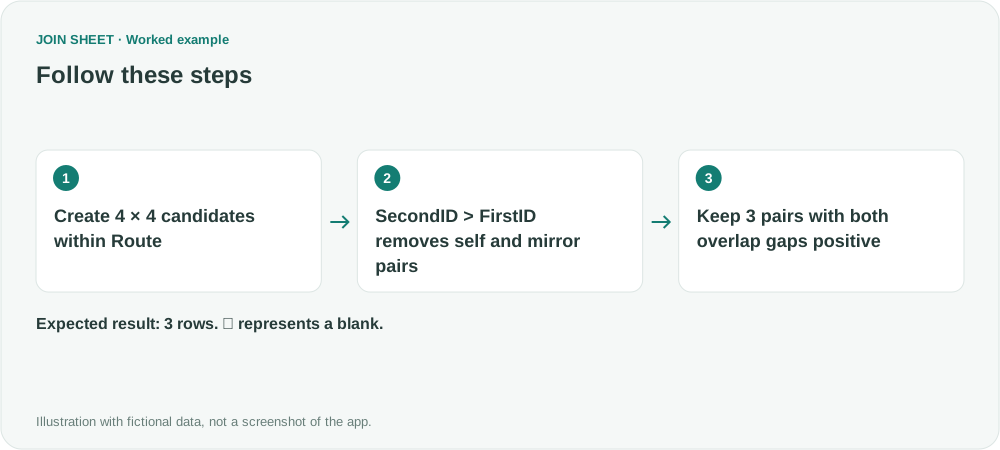
- Load FirstRanges and SecondRanges. Join Route to Route using Matching rows only. Four rows × four rows within the same Route initially produce 16 pairs. You may hide both Route columns from the result.
- In Refine results → Calculate, create IDGap = SecondID − FirstID. Immediately below it, add Filter: IDGap, Greater than, 0. Removing self and mirror pairs leaves six distinct pairs.
- Add calculations GapAB = FirstEnd − SecondStart and GapBA = SecondEnd − FirstStart, using Subtract · A − B in that order.
- Below the calculations, add a Greater than 0 filter for GapAB and another for GapBA. Both conditions must hold.
- Click Apply, then check pairs 1–2, 1–4 and 2–3 in Result preview, then save. Keep IDGap, GapAB and GapBA as the visible reasoning behind each match.
Inspect the three overlapping pairs
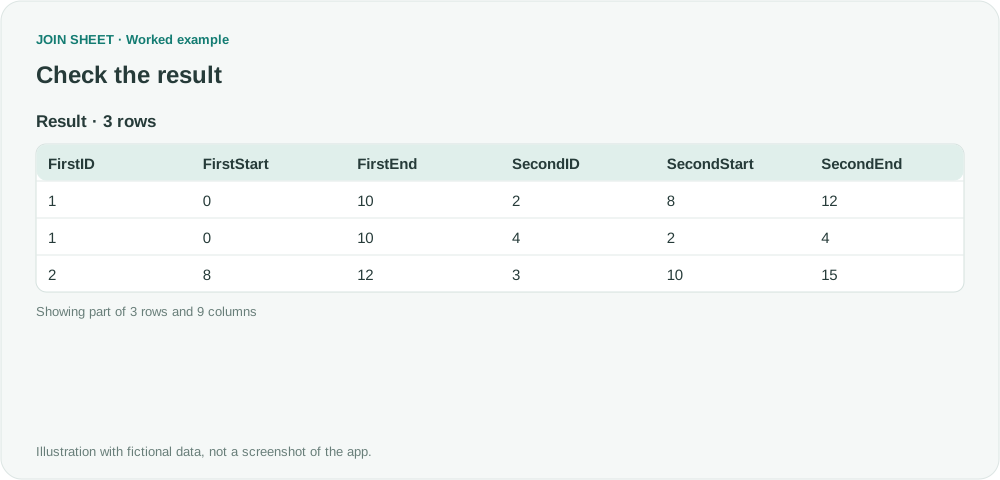
Pair 1–4 is included despite one interval lying entirely inside the other. Pair 1–3 is excluded because GapAB is zero. GapAB and GapBA are tests, not overlap lengths: the actual overlap of 1–4 is 2, not its GapAB value of 8.
| FirstID | FirstStart | FirstEnd | SecondID | SecondStart | SecondEnd | IDGap | GapAB | GapBA |
|---|---|---|---|---|---|---|---|---|
| 1 | 0 | 10 | 2 | 8 | 12 | 1 | 2 | 12 |
| 1 | 0 | 10 | 4 | 2 | 4 | 3 | 8 | 4 |
| 2 | 8 | 12 | 3 | 10 | 15 | 1 | 2 | 7 |
Check the range format and the number of pairs first
Each range needs numeric values with Start < End. Convert station notation such as the source question's 12+50 to a number such as 1250 before importing; JOIN SHEET does not make that conversion automatically. If touching endpoints should count as an overlap, use Greater than or equal to 0 for both gaps.
A Route with n rows creates n² pairs before filtering. Start with a small list or compare smaller relevant groups. The result is a list of overlapping pairs to review; it does not highlight cells in the original file.
Try it with your own files
Start with JOIN SHEET ↗Use a desktop computer for Excel and CSV work.
Opens in a new tab without replacing your current work.
Example last verified:
Sources
How can I flag overlaps in number ranges? (Reddit r/excel)
This question asks how to flag overlapping road-station ranges recorded by two grading crews. The ranges here are fictional, not the author's data or a JOIN SHEET review.