Filter the lookup source without dropping left-hand rows
Look up City labels while keeping every request, including requests with no matching city. Filter the lookup sheet before joining, not the final result.
A left join can preserve a row that a later result filter removes. If you need every source record but only one kind of lookup value, filter the lookup source before joining.
Filtering before and after the join
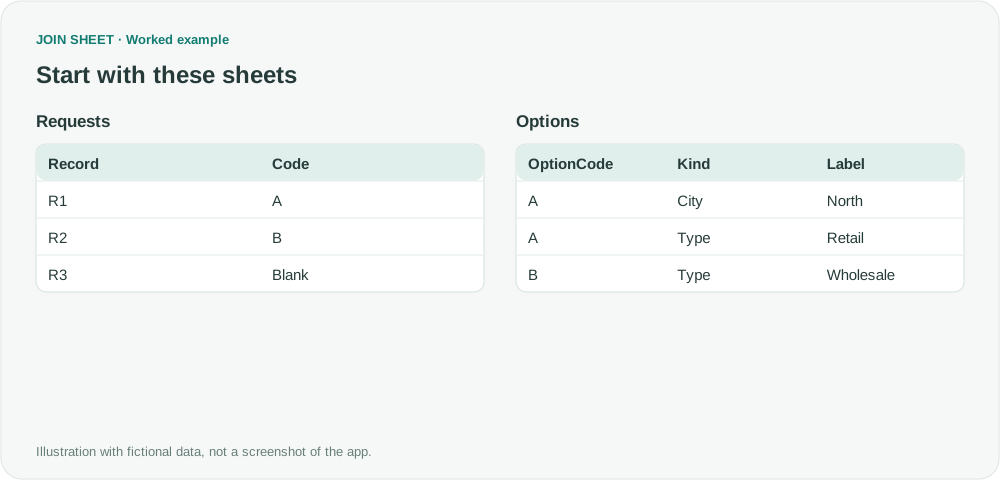
Options has City and Type labels for code A. B has only a Type label, and R3 has no code. The desired output keeps R1, R2 and R3, adding only available City labels.
In these tables, ∅ represents a blank cell; do not enter it as text.
Requests
| Record | Code |
|---|---|
| R1 | A |
| R2 | B |
| R3 | ∅ |
Options
| OptionCode | Kind | Label |
|---|---|---|
| A | City | North |
| A | Type | Retail |
| B | Type | Wholesale |
Select City rows in the lookup source first
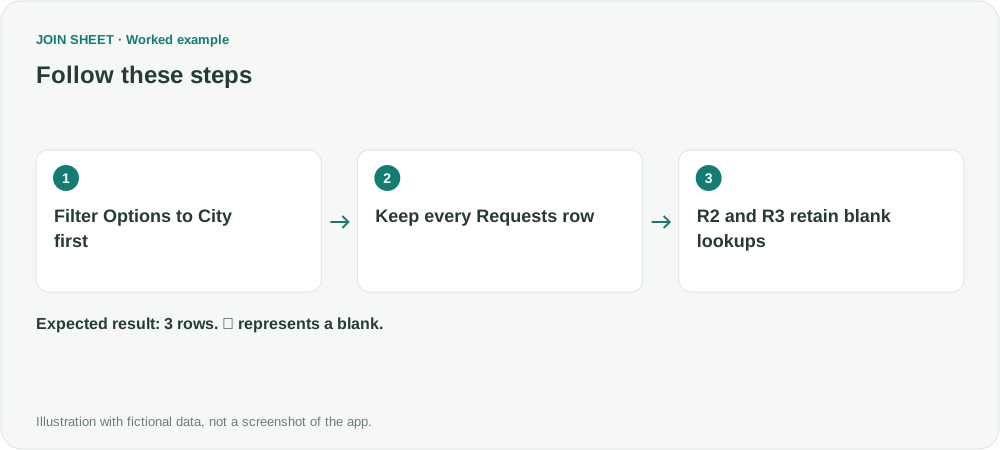
- Open the source filter on Options.Kind, choose Equals City and apply it.
- Place Requests on the left and join Code to Options.OptionCode, keeping all rows from the left sheet.
- Check that R2 and R3 remain, with blank lookup fields.
- Do not add a Kind = City filter in Refine results for this requirement. R2 and R3 have blank Kind values and would fail that later filter.
Retain master rows without a lookup value
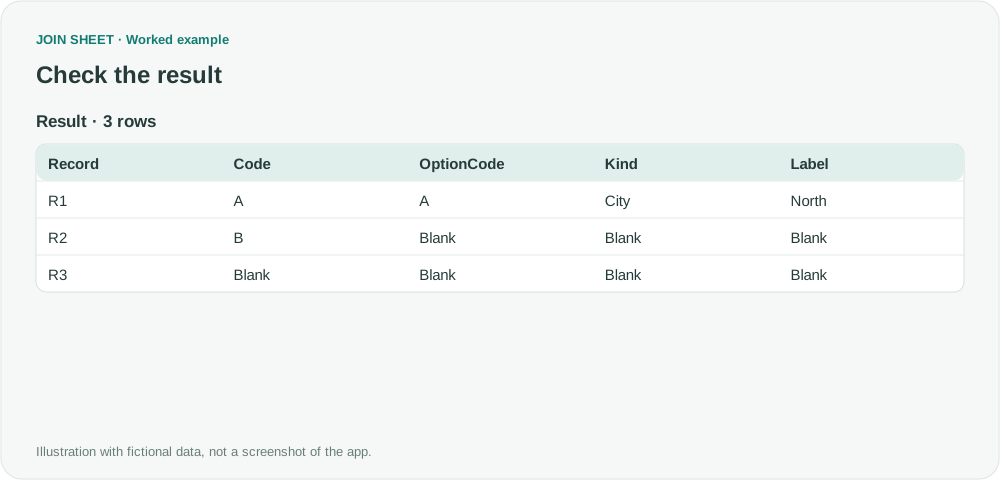
The expected result has three rows. Only R1 gets North. R2 stays despite having only an ineligible lookup type. Filtering the joined result to City would instead leave one row.
| Record | Code | OptionCode | Kind | Label |
|---|---|---|---|---|
| R1 | A | A | City | North |
| R2 | B | ∅ | ∅ | ∅ |
| R3 | ∅ | ∅ | ∅ | ∅ |
Decide whether requests without a city should remain
If you only want requests with a matching City, use a result filter or Matching rows only instead. For a list of every request, keep the City filter on Options before the join. You can make these choices in the interface without entering SQL.
Try it with your own files
Start with JOIN SHEET ↗Use a desktop computer for Excel and CSV work.
Opens in a new tab without replacing your current work.
Example last verified:
Sources
Left Join SQL Query in Power Query Editor (Reddit r/PowerBI)
The Power BI question describes a City filter removing unmatched rows after a left join. The request records here are fictional, not the author's data or a JOIN SHEET review.